Every Kubernetes tutorial I've read starts from zero, as if you've never deployed a container in your life. But that's not where most backend engineers actually are. Most of us already run apps with Docker Compose — we know what a service is, what a volume does, why depends_on exists. We don't need Kubernetes explained from first principles; we need a translation table.
That's what this post is. I went through this transition myself after years of running everything through compose files (including the Next.js + NestJS monorepo setup I've written about), and the thing that finally made Kubernetes click was realizing that almost every compose concept has a direct — if more verbose — counterpart. Once you see the mapping, k8s stops being an alien ecosystem and becomes "compose with more moving parts and better answers to hard questions."
And at the end, I'll be honest about the part most Kubernetes content skips: when those hard questions aren't your questions, and compose on a single VPS is genuinely the better choice.
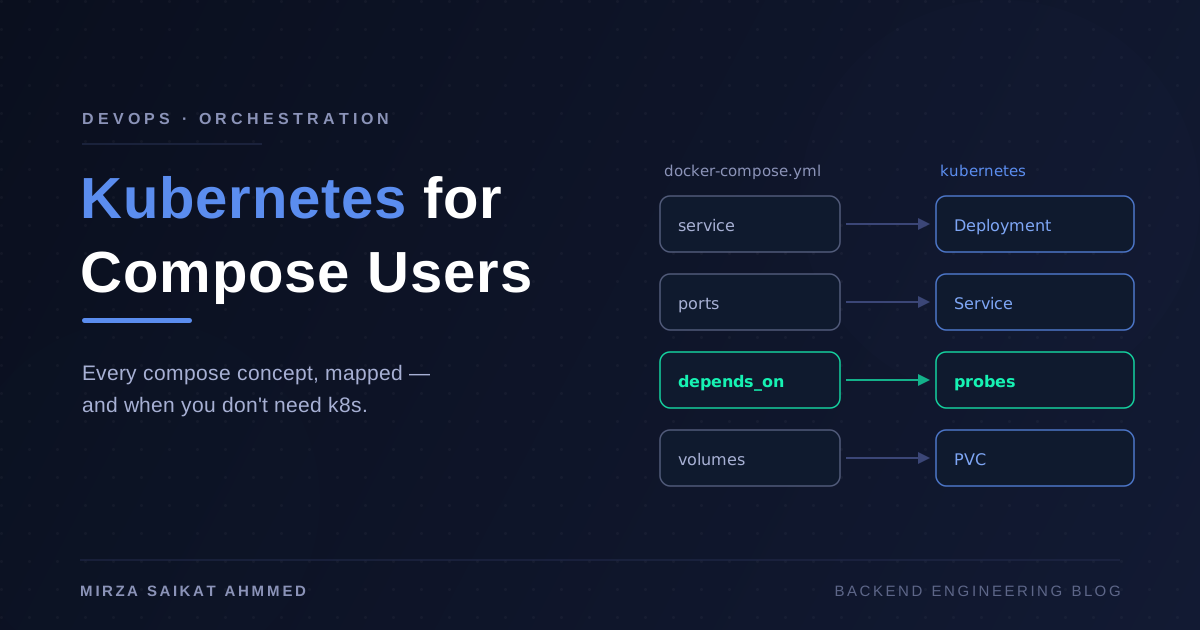
The mapping, up front
Here's the cheat sheet I wish someone had handed me:
| Docker Compose | Kubernetes | What changes |
|---|---|---|
services.<name> |
Deployment (which manages Pods) | Declarative replicas, rolling updates |
ports: |
Service (ClusterIP / NodePort / LoadBalancer) | Networking is decoupled from the workload |
depends_on |
Readiness probes + init containers | Ordering becomes readiness, not just start order |
volumes: |
PersistentVolume + PersistentVolumeClaim | Storage is requested, not declared inline |
env_file / environment: |
ConfigMap + Secret | Config is a first-class API object |
restart: always |
restartPolicy + ReplicaSet |
The cluster reconciles, not just restarts |
networks: |
Namespaces + cluster DNS | Every Service gets a DNS name automatically |
| nginx reverse proxy service | Ingress + Ingress controller | Routing rules are declarative objects |
The rest of this post walks through each row with real YAML.
Services become Deployments (and Pods)
In compose, a service is a container definition plus runtime settings. In Kubernetes, that splits into two concepts: a Pod is the running unit (one or more containers sharing a network namespace), and a Deployment is the manager that says "keep N replicas of this Pod running, and roll them over safely when the spec changes."
Side by side, the same NestJS API:
# docker-compose.yml
services:
  api:
    image: myorg/api:1.4.2
    ports:
      - "4000:4000"
    environment:
      - NODE_ENV=production
    restart: always
# k8s: deployment.yaml
apiVersion: apps/v1
kind: Deployment
metadata:
  name: api
spec:
  replicas: 3
  selector:
    matchLabels:
      app: api
  template:
    metadata:
      labels:
        app: api
    spec:
      containers:
        - name: api
          image: myorg/api:1.4.2
          ports:
            - containerPort: 4000
          env:
            - name: NODE_ENV
              value: production
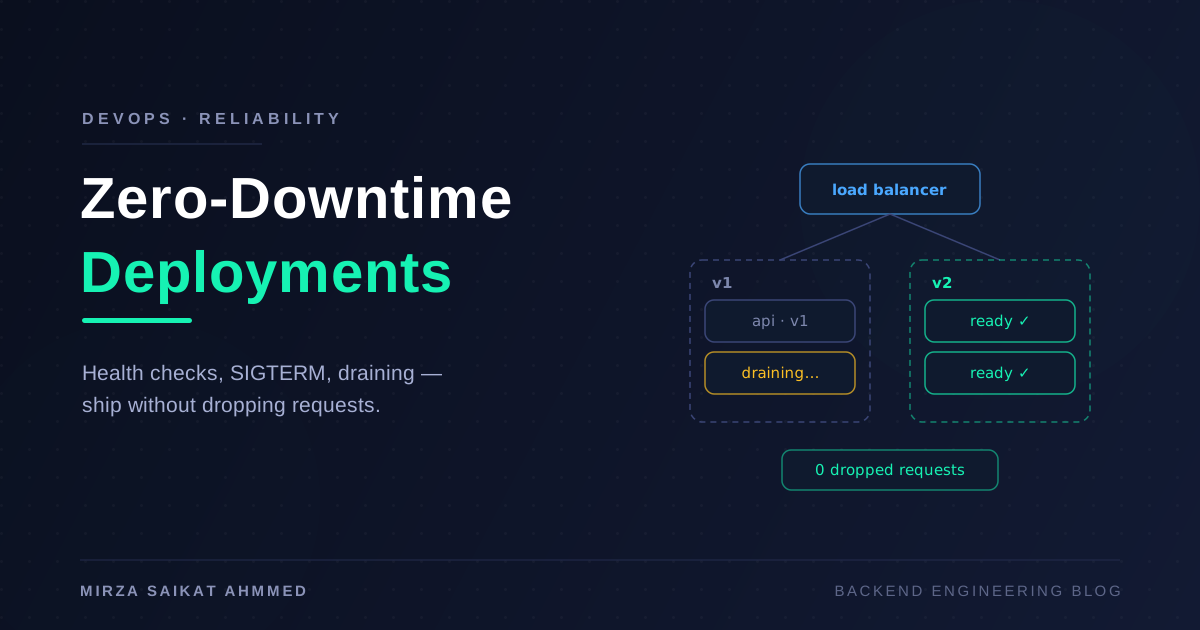
Yes, it's four times the YAML. What you buy with that verbosity: replicas: 3 gives you three copies behind a load balancer with one line, and changing the image tag triggers a rolling update — new Pods come up, get health-checked, and old ones drain. That's the mechanism behind zero-downtime deployments, and in compose you'd have to script it yourself.
restart: always doesn't map to a single field — it maps to a philosophy. A Deployment's ReplicaSet continuously reconciles: if a Pod dies, gets evicted, or its node disappears, a replacement is scheduled somewhere else. Compose restarts a container on the same host; Kubernetes maintains a desired state across a fleet.
Ports become Services
This is the mapping that confuses people most, because Kubernetes reuses the word "service" for something narrower. In compose, ports: "4000:4000" publishes a container port on the host. In Kubernetes, a Service is a stable virtual IP and DNS name that load-balances across all Pods matching a label selector:
apiVersion: v1
kind: Service
metadata:
  name: api
spec:
  type: ClusterIP
  selector:
    app: api
  ports:
    - port: 4000
      targetPort: 4000
The type field decides who can reach it:
- ClusterIP (default) — reachable only inside the cluster. This is your compose internal network: the web app calls
http://api:4000and DNS just works. - NodePort — opens a high port (30000–32767) on every node. Roughly
ports:in compose, and about as crude. - LoadBalancer — asks your cloud provider for a real external load balancer. There's no compose equivalent; this is one of the things you're paying the complexity tax for.
The decoupling matters more than it looks: Pods are ephemeral and their IPs change constantly, but the Service name is stable forever. Your connection strings never change across deploys, restarts, or scaling events.
depends_on becomes probes and init containers
Compose's depends_on has always been a half-truth — by default it waits for a container to start, not to be ready. Postgres accepting connections is a different event from the Postgres container existing, which is why half the compose setups in the wild have retry loops in their entrypoints.
Kubernetes forces you to be explicit, and the result is honestly better:
containers:
  - name: api
    image: myorg/api:1.4.2
    readinessProbe:
      httpGet:
        path: /health
        port: 4000
      initialDelaySeconds: 5
      periodSeconds: 10
    livenessProbe:
      httpGet:
        path: /health
        port: 4000
      failureThreshold: 3
initContainers:
  - name: wait-for-db
    image: busybox:1.36
    command: ["sh", "-c", "until nc -z postgres 5432; do sleep 2; done"]
The readiness probe answers "should this Pod receive traffic?" — a Pod that fails it is pulled out of the Service's rotation without being killed. The liveness probe answers "should this Pod be restarted?" And init containers run to completion before the main container starts, which is where "wait for the database" logic belongs. Run your migrations there too, or in a Job — not in your app's bootstrap.
Volumes become PV and PVC
Compose volumes are one line: pgdata:/var/lib/postgresql/data. Kubernetes splits storage into supply and demand: a PersistentVolume is a piece of actual storage (an EBS disk, an NFS share), and a PersistentVolumeClaim is your workload saying "I need 10Gi of read-write storage." A StorageClass usually provisions the PV automatically when a claim appears:
apiVersion: v1
kind: PersistentVolumeClaim
metadata:
  name: pgdata
spec:
  accessModes: ["ReadWriteOnce"]
  resources:
    requests:
      storage: 10Gi
Then the Pod mounts the claim by name. The indirection feels bureaucratic until the first time a node dies and your data follows the Pod to a new node because the disk was cluster-managed, not host-local. That said — stateful workloads are the hardest part of Kubernetes, and running Postgres in-cluster is a decision I'd avoid on a small team. A managed database plus stateless Pods is the boring, correct default.
env_file becomes ConfigMap and Secret
Compose reads .env files off disk. Kubernetes makes configuration an API object you can version, mount, and RBAC-protect:
apiVersion: v1
kind: ConfigMap
metadata:
  name: api-config
data:
  NODE_ENV: production
  LOG_LEVEL: info
---
apiVersion: v1
kind: Secret
metadata:
  name: api-secrets
type: Opaque
stringData:
  DATABASE_URL: postgres://user:pass@postgres:5432/app
And in the Deployment:
envFrom:
  - configMapRef:
      name: api-config
  - secretRef:
      name: api-secrets
One warning I give everyone: Kubernetes Secrets are base64-encoded, not encrypted, unless you enable encryption at rest. Treat them as access-controlled, not cryptographically protected, and layer a real secrets manager on top for anything serious.
Networks become namespaces and DNS
Compose networks isolate groups of services. Kubernetes gives you namespaces — logical partitions of the cluster — plus automatic DNS: every Service is reachable at <service>.<namespace>.svc.cluster.local, or just <service> from inside the same namespace. So http://api:4000 works exactly like it did in compose. Namespaces also scope quotas and access control, which is how you run staging and production on one cluster without them seeing each other.
Ingress replaces your nginx container
In compose, external routing usually means an nginx service you hand-write config for. In Kubernetes, an Ingress is a declarative routing rule, and an Ingress controller (often still nginx under the hood) turns it into live config:
apiVersion: networking.k8s.io/v1
kind: Ingress
metadata:
  name: web
  annotations:
    cert-manager.io/cluster-issuer: letsencrypt
spec:
  rules:
    - host: api.example.com
      http:
        paths:
          - path: /
            pathType: Prefix
            backend:
              service:
                name: api
                port:
                  number: 4000
Add cert-manager and TLS certificates issue and renew themselves. That annotation replaces the certbot cron job you were maintaining by hand.
A note on workflow: you'll apply all of this with kubectl, and your CI pipeline ends in something like:
kubectl apply -f k8s/
kubectl rollout status deployment/api --timeout=120s
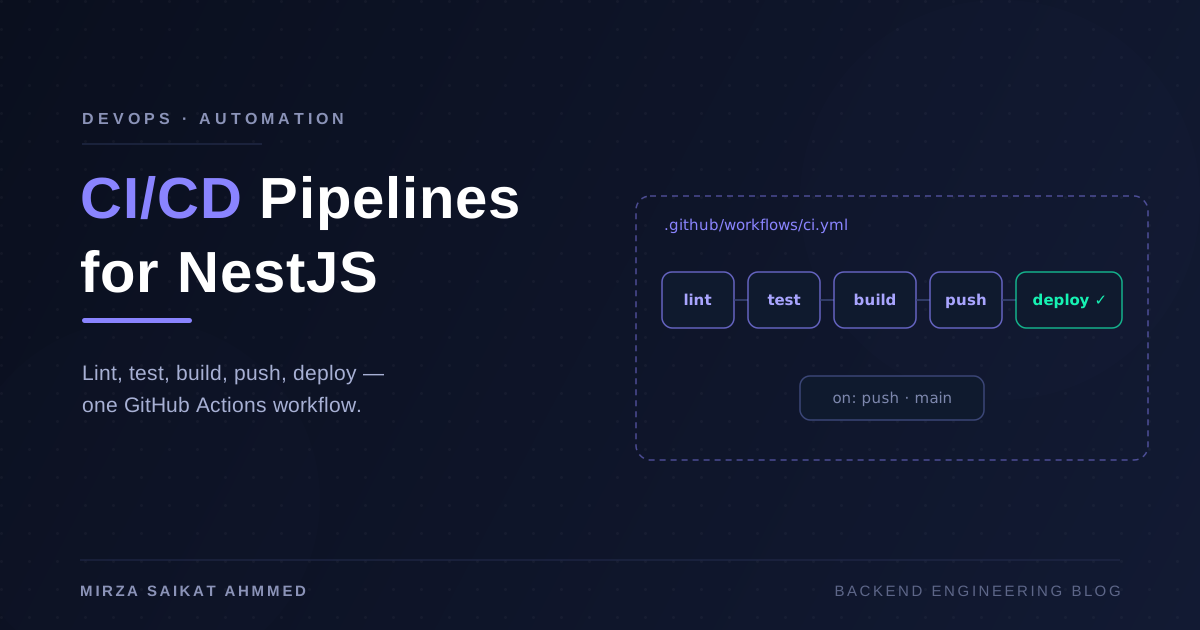
That rollout status line is your deploy gate — the same role the health-check step plays in a GitHub Actions pipeline deploying over SSH, except the cluster does the draining and rollback for you.
When you do NOT need Kubernetes
Here's the section I mean most sincerely. Kubernetes solves problems of scale and fleet management: many services, many nodes, autoscaling, self-healing across machine failures, multiple teams sharing infrastructure. If you don't have those problems, you're paying its costs — YAML sprawl, cluster upgrades, networking debugging, a genuinely steep learning curve — and collecting none of its benefits.
You probably don't need Kubernetes if:
- You run on a single VPS. Compose with
restart: always, a reverse proxy, and a deploy script gives you 95% of the value at 10% of the complexity. A $20 Hetzner box with compose can serve a startling amount of traffic. - Your team is one to five engineers. Someone has to operate the cluster. On a small team, that someone is you, at 2 a.m., learning why CoreDNS is flapping.
- Your scaling story is "resize the VPS." Vertical scaling is unfashionable and extremely effective.
- You'd run a managed database anyway. If the stateful parts are outsourced, a stateless app on compose is a very small problem to solve.
The honest trigger points for switching: you need more than one node and real scheduling, you're running enough services that hand-managed compose files are drifting, you need autoscaling on traffic spikes, or you're already buying a managed control plane (EKS, GKE) so the operational burden drops to workloads only. Until then, compose is not the junior option — it's the right-sized one.
Wrapping up
Kubernetes isn't a different universe from Docker Compose — it's the same ideas with the assumptions changed from "one host, one operator" to "many hosts, no operator watching." Services become Deployments, ports become Services, depends_on grows up into probes, volumes get a supply-and-demand model, and your nginx config becomes an Ingress object.
Learn the mapping, and the YAML stops being intimidating — it's just verbose. Then apply the real filter: if your app fits on one box and your team fits around one table, keep the compose file. When the day comes that it doesn't, you'll already speak the language.
Working on something like this?
I take on backend, payments and deployment projects. I reply within one working day.