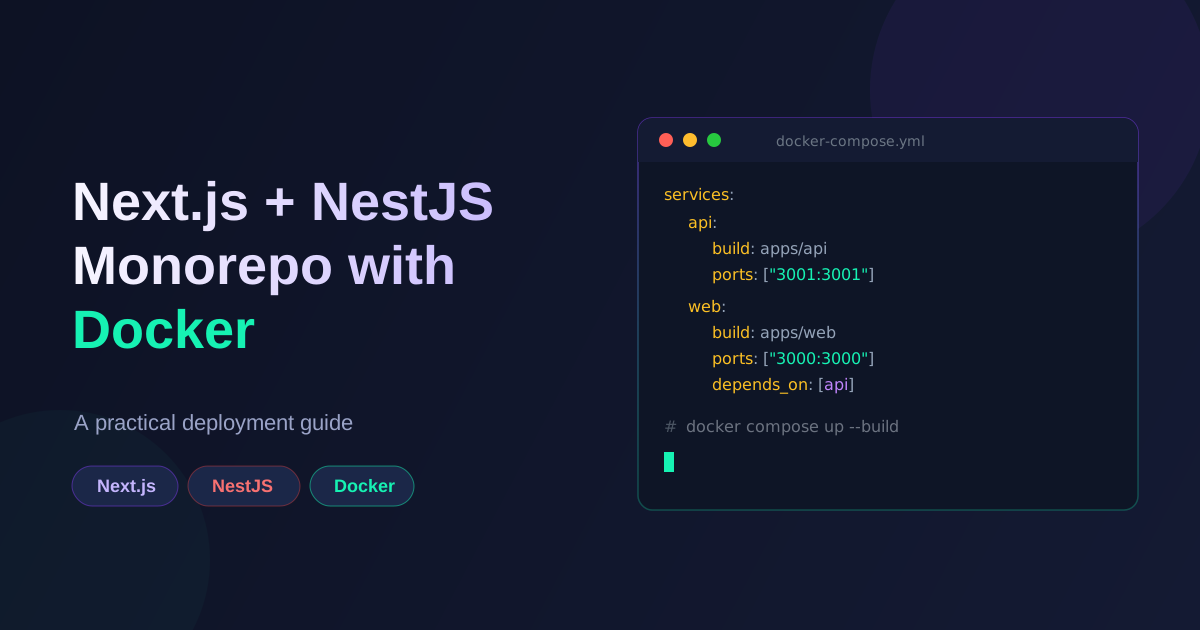
Most of my client projects end up as a monorepo with a Next.js frontend and a NestJS backend sharing types and utilities. Getting that combination running smoothly in production takes a bit more thought than deploying either framework on its own. Here's the setup I've settled on after shipping several of these.
Why a single monorepo
Keeping the frontend and backend in one repository means:
- Shared TypeScript types between the API and the client, so a changed DTO breaks the build instead of failing silently at runtime.
- One CI pipeline instead of two, with a single source of truth for versioning.
- Easier local development —
docker compose upbrings up the whole stack.
The tradeoff is that your Docker setup needs to be deliberate about which parts of the repo end up in which image, or you end up shipping the entire monorepo (including the other app's source) into both containers.
Two Dockerfiles, one repo
Each app gets its own multi-stage Dockerfile that only copies what it needs:
# apps/api/Dockerfile
FROM node:20-alpine AS deps
WORKDIR /app
COPY package.json package-lock.json ./
COPY apps/api/package.json ./apps/api/
RUN npm ci --workspace=apps/api

FROM node:20-alpine AS builder
WORKDIR /app
COPY --from=deps /app/node_modules ./node_modules
COPY . .
RUN npm run build --workspace=apps/api

FROM node:20-alpine AS runner
WORKDIR /app
ENV NODE_ENV=production
COPY --from=builder /app/apps/api/dist ./dist
COPY --from=builder /app/apps/api/node_modules ./node_modules
EXPOSE 3001
CMD ["node", "dist/main.js"]
The Next.js Dockerfile follows the same shape, but builds with output: 'standalone' in next.config.js so the final image only needs the trimmed .next/standalone output plus static assets, not the full node_modules tree.
Wiring it together with Compose
services:
  api:
    build:
      context: .
      dockerfile: apps/api/Dockerfile
    env_file: .env
    ports:
      - "3001:3001"

  web:
    build:
      context: .
      dockerfile: apps/web/Dockerfile
    environment:
      - NEXT_PUBLIC_API_URL=http://api:3001
    ports:
      - "3000:3000"
    depends_on:
      - api
In production this sits behind Nginx (or a platform load balancer) that terminates TLS and routes /api/* to the NestJS container and everything else to Next.js.
Things that bit me early on
- Build context matters. If your Dockerfile context is the app subfolder instead of the repo root, you can't reach shared packages. Always build from the monorepo root and
COPYselectively. - Don't skip
.dockerignore. Without one,node_modulesand.nextfrom your host machine get copied into the build context and silently bloat (or break) the image. - Healthchecks save you during rollouts. Adding a
/healthendpoint to the NestJS app and a Composehealthcheckblock means a bad deploy fails fast instead of serving 500s under a "successful" deploy. - Environment parity. Keep the same
NODE_ENV=productionbehavior locally (via Compose) that you'll get in production — some bugs (like cookiesecureflags) only show up underproductionmode.
Result
This setup has let me deploy the same monorepo pattern across several client projects with minimal per-project Docker changes — mostly just service names and ports differ. If you're running a similar Next.js + NestJS stack, starting with two lean, purpose-built Dockerfiles rather than one shared one will save you a lot of debugging later.
Working on something like this?
I take on backend, payments and deployment projects. I reply within one working day.