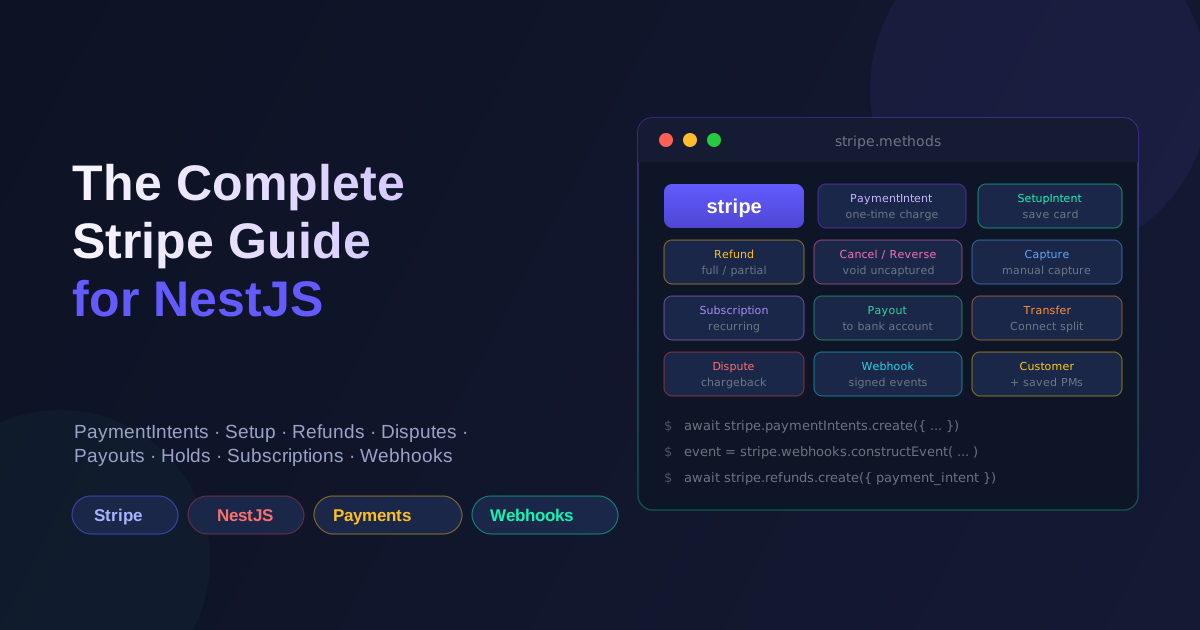
Stripe's API surface is enormous, and most tutorials only cover the happy path of taking a one-time card payment. In real apps you need to save cards, refund, reverse an authorization, capture later, pay out to sellers, handle disputes, auto-charge on renewal, and—most importantly—trust webhooks as the source of truth. Here's the full playbook I use when wiring Stripe into a NestJS backend.
Mental model first
Before any code, internalize the three objects that everything else hangs off of:
- Customer — a Stripe-side representation of your user. Cards attach to it.
- PaymentMethod — a tokenized card, bank account, or wallet. Belongs to a Customer. Never touches your server with raw PAN data.
- PaymentIntent — a single attempt to charge a PaymentMethod for a specific amount. Has a lifecycle (
requires_payment_method→requires_confirmation→processing→succeededorrequires_actionorcanceled).
Once you see these three as the spine, every other Stripe concept (SetupIntents, Refunds, Disputes, Subscriptions) snaps into place as either a state change on one of them or an event that observes them.
Setup
npm i stripe
npm i -D @types/stripe
In ConfigModule:
STRIPE_SECRET_KEY=sk_test_...
STRIPE_PUBLISHABLE_KEY=pk_test_...
STRIPE_WEBHOOK_SECRET=whsec_...
A dedicated module that exposes the Stripe client:
// stripe.module.ts
import { Module, Global } from '@nestjs/common';
import { ConfigService } from '@nestjs/config';
import Stripe from 'stripe';

@Global()
@Module({
  providers: [
    {
      provide: 'STRIPE_CLIENT',
      inject: [ConfigService],
      useFactory: (config: ConfigService) =>
        new Stripe(config.get<string>('STRIPE_SECRET_KEY')!, {
          apiVersion: '2024-06-20',
          typescript: true,
          maxNetworkRetries: 2,
          timeout: 15_000,
        }),
    },
  ],
  exports: ['STRIPE_CLIENT'],
})
export class StripeModule {}
Pin apiVersion. Pinning it is the difference between "our integration broke because Stripe shipped a default change" and "our integration broke because we upgraded it ourselves." maxNetworkRetries: 2 lets the SDK retry idempotent failures for free.
1. One-time payments (PaymentIntent)
This is what 80% of integrations actually need.
Server:
@Post('create-intent')
async createIntent(@Body() dto: { amount: number; orderId: string }) {
  const intent = await this.stripe.paymentIntents.create({
    amount: Math.round(dto.amount * 100), // Stripe uses smallest currency unit
    currency: 'usd',
    automatic_payment_methods: { enabled: true },
    metadata: { orderId: dto.orderId },
  });
  return { clientSecret: intent.client_secret };
}
Client (Next.js, using @stripe/stripe-js):
const { error, paymentIntent } = await stripe.confirmCardPayment(clientSecret, {
  payment_method: { card: cardElement },
});
automatic_payment_methods lets Stripe pick the right path (card, wallets, redirects) based on what's available for the currency and country. Set it once and stop worrying about it.
2. Saving cards without charging (SetupIntent)
The SetupIntent is Stripe's "save this card for later" flow. Use it when the user adds a card to their wallet, or when you want to verify a card before charging it.
@Post('setup-intent')
async createSetupIntent(@CurrentUser() user: User) {
  // Make sure the customer exists.
  const customerId = await this.getOrCreateStripeCustomer(user);

  const intent = await this.stripe.setupIntents.create({
    customer: customerId,
    payment_method_types: ['card'],
  });

  return { clientSecret: intent.client_secret };
}
The client confirms it the same way as a PaymentIntent but with confirmSetup. On success you get a PaymentMethod ID (pm_...) attached to the Customer. That's the token you'll use for future charges — never the raw card.
3. Multiple saved cards per user
A user can have many PaymentMethods attached to their Customer. Let them pick a default and charge whichever they choose.
@Post('cards')
async listCards(@CurrentUser() user: User) {
  const customerId = await this.getOrCreateStripeCustomer(user);
  const list = await this.stripe.paymentMethods.list({
    customer: customerId,
    type: 'card',
  });
  return list.data.map(pm => ({
    id: pm.id,
    brand: pm.card!.brand,
    last4: pm.card!.last4,
    expMonth: pm.card!.exp_month,
    expYear: pm.card!.exp_year,
  }));
}

@Post('cards/:pmId/default')
async setDefault(@CurrentUser() user: User, @Param('pmId') pmId: string) {
  const customerId = await this.getOrCreateStripeCustomer(user);
  await this.stripe.customers.update(customerId, {
    invoice_settings: { default_payment_method: pmId },
  });
  return { ok: true };
}

@Delete('cards/:pmId')
async detach(@CurrentUser() user: User, @Param('pmId') pmId: string) {
  const customerId = await this.getOrCreateStripeCustomer(user);
  // Verify ownership before detaching.
  const pm = await this.stripe.paymentMethods.retrieve(pmId);
  if (pm.customer !== customerId) throw new ForbiddenException();
  await this.stripe.paymentMethods.detach(pmId);
  return { ok: true };
}
The ownership check before detach is not optional. Without it, an attacker who knows a pm_ ID can detach cards from other customers.
4. Charging a saved card (off-session)
Once you have a PaymentMethod on file, charging it for a repeat purchase doesn't need the user to be present:
@Post('charge-saved')
async chargeSaved(
  @CurrentUser() user: User,
  @Body() dto: { orderId: string; paymentMethodId: string },
) {
  const customerId = await this.getOrCreateStripeCustomer(user);

  const intent = await this.stripe.paymentIntents.create({
    amount: dto.amount,
    currency: 'usd',
    customer: customerId,
    payment_method: dto.paymentMethodId,
    off_session: true,            // <-- key: no user interaction
    confirm: true,                // confirm in one shot
    metadata: { orderId: dto.orderId },
  });

  if (intent.status === 'requires_action') {
    // Card needs 3DS / SCA. Fall back to on-session flow.
    return { requiresAction: true, clientSecret: intent.client_secret };
  }

  return { status: intent.status, id: intent.id };
}
off_session: true is the right answer for "user already authorized this card." If the bank demands SCA, Stripe returns requires_action and you have to switch back to an on-session confirmation. Handle that branch — silently failing here is how you ship a feature that "works in test mode but not in production for European cards."
5. Manual authorization + later capture (auth hold / reverse)
The "authorize now, capture later" pattern is what the question called "reserved." Two ways to do it:
Option A — capture_method: 'manual':
// Authorize (the cardholder's bank puts a hold on funds)
const intent = await this.stripe.paymentIntents.create({
  amount: 5000,
  currency: 'usd',
  payment_method: pmId,
  customer: customerId,
    capture_method: 'manual',
  confirm: true,
  off_session: true,
});

// ...later, when the order ships:
await this.stripe.paymentIntents.capture(intent.id);

// ...or, if the order is canceled before shipment:
await this.stripe.paymentIntents.cancel(intent.id);
The cancel is the "reverse" — it releases the hold without ever moving money. Most holds expire after 7 days if you do nothing, so cancel is a politeness, not a correctness requirement.
Option B — separate auth and capture via legacy charges API. Don't. PaymentIntents is the path Stripe supports going forward.
6. Refunds
@Post('refund')
async refund(
  @Body() dto: { paymentIntentId: string; amount?: number; reason?: string },
) {
  return this.stripe.refunds.create({
    payment_intent: dto.paymentIntentId,
    amount: dto.amount, // omit for full refund
    reason: dto.reason, // 'duplicate' | 'fraudulent' | 'requested_by_customer'
    metadata: { initiatedBy: getCurrentUserId() },
  });
}
A few rules:
- Don't issue a refund unless the original PaymentIntent is
succeeded. Checkintent.statusfirst; otherwise you'll get an error from Stripe and double-logged refund attempts in your system. - Refund idempotency. Pass
idempotencyKey: dto.requestIdso a retried API call doesn't create two refund records. The Stripe SDK accepts an options object on every call:stripe.refunds.create(params, { idempotencyKey: ... }). - Partial refunds are just
amountset to less than the original. Multiple partial refunds are allowed up to the original amount. - Refund latency. Card refunds appear on the customer's statement in 5–10 business days. Don't promise "instant."
7. Disputes (chargebacks)
Disputes are created by the cardholder's bank, not by you. They show up as charge.dispute.created webhooks. You respond with evidence via:
await this.stripe.disputes.update(disputeId, {
  evidence: {
    customer_email_address: user.email,
    product_description: 'Annual Pro subscription',
    shipping_documentation: 'https://...', // signed URL to a PDF
    uncategorized_text: 'Customer used service from Jan–Dec 2026',
  },
  // Submit evidence immediately
  submit: true,
});
The submission window is short (typically 7–21 days depending on the card network). Automate a Slack alert on every charge.dispute.created so your support team sees them on day one.
Always check evidence.due_by — Stripe returns the deadline. Persist it. After that timestamp, the dispute is automatically lost and the funds are clawed back.
8. Subscriptions and auto-pay
Subscriptions are the right answer for "charge this user $X every month until they cancel." Stripe handles the renewal cron for you; you just handle the lifecycle events.
const sub = await this.stripe.subscriptions.create({
  customer: customerId,
  items: [{ price: 'price_...' }],
  payment_behavior: 'default_incomplete',
  payment_settings: { save_default_payment_method: 'on_subscription' },
  expand: ['latest_invoice.payment_intent'],
});

return { clientSecret: sub.latest_invoice!.payment_intent!.client_secret };
The default_incomplete + return-clientSecret dance is how you do SCA-compliant subscriptions with Stripe Elements on the frontend. Once the first payment confirms, the subscription activates and Stripe will automatically attempt to charge the saved PaymentMethod on every renewal.
Things that matter:
customer.subscription.updatedwithstatus: 'past_due'is your cue to email the user. Stripe's automatic retry handles 4 attempts over ~3 weeks; after that the subscription becomescanceled.- Proration on plan changes. Switching a user from Pro to Enterprise mid-cycle needs
proration_behavior: 'always_invoice'or'create_prorations'depending on whether you want to bill immediately or at the next cycle. - Cancellation.
stripe.subscriptions.cancel(id)cancels at the end of the current period (default).stripe.subscriptions.update(id, { cancel_at_period_end: true })does the same without API noise. To cancel immediately and refund the unused time, usecancel_at_period_end: falseplus a refund.
9. Payouts (to your bank) and Transfers (Connect)
These get confused because they sound similar.
- Payouts are Stripe paying you (or your platform) out to a connected bank account. Automatic on a daily/weekly schedule. You rarely call
payouts.createmanually — let Stripe handle it unless you have a specific reason. - Transfers are part of Stripe Connect: you moving money from your platform balance to a connected account (a marketplace seller, a vendor, etc.). This is what "split payment" actually looks like.
Connect destination charges:
// Customer pays you; you split automatically to a connected seller.
const intent = await this.stripe.paymentIntents.create({
  amount: 10000,
  currency: 'usd',
  application_fee_amount: 1000, // your 10% cut
  transfer_data: { destination: 'acct_seller_id' },
});
Separate charges and transfers (more flexible, more code):
// 1. Charge the customer.
const intent = await this.stripe.paymentIntents.create({
  amount: 10000,
  currency: 'usd',
  // no transfer_data
});

// 2. After the charge succeeds, transfer the seller's cut.
await this.stripe.transfers.create({
  amount: 9000,
  currency: 'usd',
  destination: 'acct_seller_id',
  source_transaction: intent.latest_charge as string, // keeps balance accurate
});
Use separate transfers when the payout amount depends on something that happens after payment (delivery confirmation, refund deduction, dispute loss). Use destination charges when the split is known up-front and simple.
10. Webhooks: the actual source of truth
Like bKash, your controller's "payment succeeded" branch is advisory. Stripe will tell you the truth via webhooks, and you should treat the webhook handler as the only place that mutates your database's "paid" flag.
@Controller('stripe/webhook')
export class StripeWebhookController {
  constructor(private readonly stripe: Stripe) {}

  @Post()
  async handle(
    @Req() req: Request,
    @Headers('stripe-signature') sig: string,
  ) {
    let event: Stripe.Event;
    try {
      event = this.stripe.webhooks.constructEvent(
        (req as any).rawBody,
        sig,
        process.env.STRIPE_WEBHOOK_SECRET!,
      );
    } catch (err) {
      throw new BadRequestException(`Webhook signature invalid: ${(err as Error).message}`);
    }

    // 200 OK fast; queue heavy work if needed.
    switch (event.type) {
      case 'payment_intent.succeeded':
        await this.payments.markPaid(event.data.object as Stripe.PaymentIntent);
        break;
      case 'payment_intent.payment_failed':
        await this.payments.markFailed(event.data.object as Stripe.PaymentIntent);
        break;
      case 'charge.refunded':
        await this.payments.markRefunded(event.data.object as Stripe.Charge);
        break;
      case 'charge.dispute.created':
        await this.disputes.open(event.data.object as Stripe.Dispute);
        break;
      case 'customer.subscription.updated':
      case 'customer.subscription.deleted':
        await this.subscriptions.sync(event.data.object as Stripe.Subscription);
        break;
      case 'payout.paid':
      case 'payout.failed':
        await this.payouts.sync(event.data.object as Stripe.Payout);
        break;
    }

    return { received: true };
  }
}
Three details that aren't obvious:
-
Raw body. Stripe's signature verification uses the exact bytes of the request body. In NestJS with Express, configure the body parser to skip this route and capture
rawBodyseparately:// main.ts const app = await NestFactory.create<NestExpressApplication>(AppModule, { rawBody: true, }); -
Respond fast. Stripe will retry if you don't return 2xx within ~30s. For any non-trivial processing, push the event onto a queue (BullMQ, SQS, Redis Streams) and return 200 immediately.
-
Idempotency. Stripe may deliver the same event twice. Use the
event.idas a dedupe key in your handler — store processed IDs in Redis with a 24-hour TTL.
11. The "everything together" pattern
For a SaaS that does subscriptions + one-time purchases + saved cards + Connect payouts, here's the cleanest layout I've found:
StripeModule  (provides the Stripe client + webhook helper)
  ├── CustomersService        (Customer CRUD, default PM)
  ├── PaymentMethodsService   (SetupIntent, attach/detach)
  ├── PaymentsService         (PaymentIntents, refunds)
  ├── SubscriptionsService    (subscriptions, plan changes)
  ├── PayoutsService          (Connect transfers, payout tracking)
  ├── DisputesService         (evidence submission, alerts)
  └── WebhooksController      (single entry point, event dispatcher)
Each service owns one Stripe concept. The webhook controller dispatches by event.type to the relevant service. Tests mock STRIPE_CLIENT rather than HTTP — fast, deterministic, no Stripe API quota burned in CI.
Things that bite you
A handful of things that always come up:
- Amount in smallest currency unit. USD is cents. JPY is yen (no decimals). BDT is paisa. Use
Stripe.getCurrencies()[code].minorUnitprogrammatically — don't hardcode. automatic_payment_methods: { enabled: true }is the modern default. Don't specifypayment_method_types: ['card']unless you have a reason — you lose wallets and bank debits.- Test cards.
4242 4242 4242 4242succeeds.4000 0027 6000 3184requires 3DS.4000 0000 0000 9995fails with insufficient funds. The Stripe docs list all of them. - The Stripe API is versioned. Pin
apiVersionin the SDK init. Test upgrades in staging. Stripe's TypeScript types will flag breaking changes for you. - Idempotency keys on everything. They cost you nothing and save you from "did the customer get double-charged because our retry logic ran twice?" Support tickets.
- Webhook signing secret rotation. Stripe allows two valid secrets at once during rotation. Use
webhook.constructEventAsyncor check both — if you only check the current secret and Stripe rotates, you start losing events.
Wrap-up
Once you internalize the Customer → PaymentMethod → PaymentIntent triad and treat webhooks as the source of truth, the rest of Stripe's API is a series of variations on that theme:
- SetupIntent = same flow, no charge.
- Subscription = recurring PaymentIntents.
- Refund = state change on a succeeded PaymentIntent.
- Dispute = bank-initiated reversal, not your API call.
- Payouts / Transfers = Stripe paying out (platform → bank) or you paying out (platform → connected account).
Build the integration in that order: one-time payments → saved cards → subscriptions → webhooks → Connect. Don't try to ship all five at once. Each layer is independently shippable, and most products only need the first two for the first six months anyway.
Working on something like this?
I take on backend, payments and deployment projects. I reply within one working day.