Every JWT tutorial I've ever read stops at the exact point where the real work begins. They show you how to sign a token, verify it in a guard, and call it a day. Then six months later someone asks "how do we log a user out?" or "a token leaked, how do we kill it?" — and the honest answer with that setup is you can't, because a bare JWT is valid until it expires and nothing you do server-side changes that.
I've built and rebuilt auth for enough NestJS backends now to have a setup I trust: short-lived access tokens, rotating refresh tokens with reuse detection, and a revocation story that doesn't require blind faith in expiry times. None of it is exotic. All of it is stuff the tutorials skip. This post walks through the whole thing — the design decisions, the trade-offs, and the NestJS code.
Two tokens, two jobs
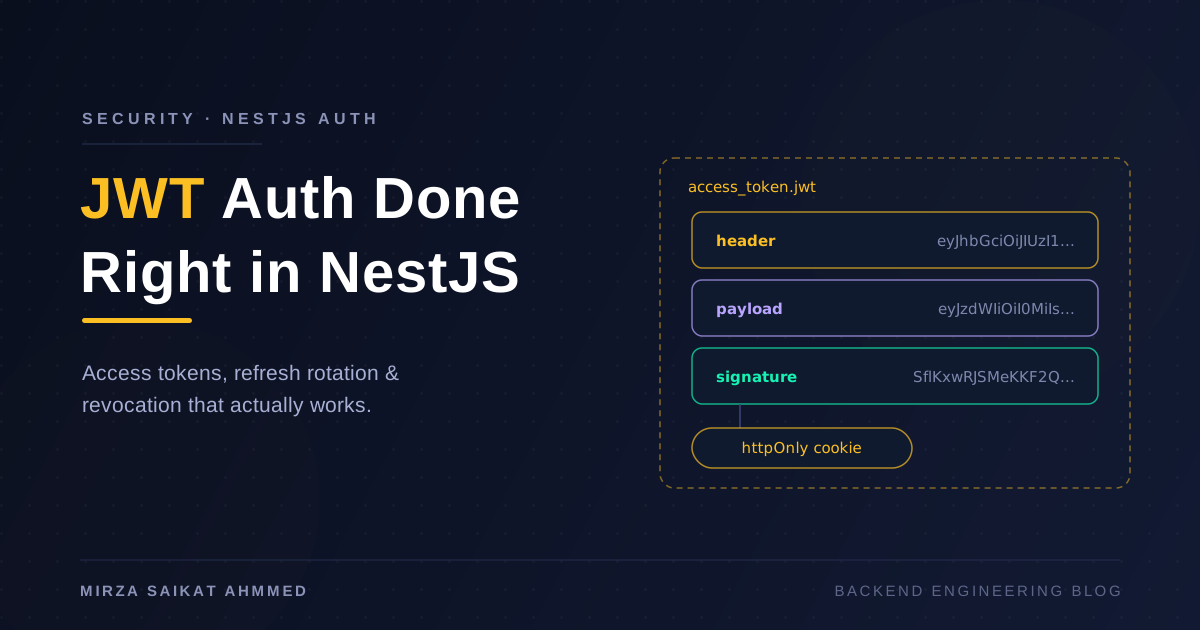
The core mistake is issuing one long-lived JWT and using it for everything. The fix is splitting authentication into two tokens with very different lifetimes:
- Access token — a JWT, lives 5–15 minutes, sent on every request, verified statelessly. Because it's so short-lived, a stolen one has a small blast radius.
- Refresh token — an opaque random string (or a JWT, but it doesn't need to be), lives days to weeks, stored server-side, used only to mint new access tokens.
The asymmetry is the point. The access token buys you the thing JWTs are actually good at — stateless verification on every request, no database hit, which matters a lot once you have multiple services validating the same token (see my post on NestJS microservices architecture for why per-request DB lookups across services get expensive). The refresh token buys you control: it lives in your database, so you can revoke it, rotate it, and audit it.
A 10-minute access token means that in the worst case — token stolen, you know nothing about it — the attacker's window closes in 10 minutes unless they also have the refresh token. And the refresh token is exactly the thing we're about to guard heavily.
Where do the tokens live?
This is the debate that never dies: Authorization: Bearer header with the token in JavaScript-accessible storage, or httpOnly cookies. Here's how I weigh it:
| httpOnly cookie | Authorization header | |
|---|---|---|
| XSS token theft | Immune — JS can't read it | Vulnerable if stored in localStorage |
| CSRF | Vulnerable — needs SameSite + CSRF token |
Immune — attacker can't set the header |
| Mobile / non-browser clients | Awkward | Natural fit |
| Cross-domain APIs | Painful (SameSite, CORS credentials) |
Straightforward |
| Multiple subdomains | Works with Domain= scoping |
Works |
| Who attaches it | Browser, automatically | Your code, explicitly |
My default for browser-facing apps: both tokens in httpOnly cookies, SameSite=Lax (or Strict for the refresh cookie, scoped with Path=/auth/refresh so it's only sent to the one endpoint that needs it). The refresh token especially has no business being readable by JavaScript — it's the key to the kingdom.
// auth.controller.ts — setting the cookies on login
res.cookie('access_token', accessToken, {
  httpOnly: true,
  secure: true,
  sameSite: 'lax',
  maxAge: 10 * 60 * 1000, // 10 minutes
});

res.cookie('refresh_token', refreshToken, {
  httpOnly: true,
  secure: true,
  sameSite: 'strict',
  path: '/auth/refresh', // only ever sent to the refresh endpoint
  maxAge: 14 * 24 * 60 * 60 * 1000, // 14 days
});
For mobile apps and server-to-server clients, cookies are the awkward option — there I use the Authorization header and let the client store tokens in the platform keychain. Same backend, two delivery mechanisms; the Passport strategy below handles both.
The NestJS wiring
NestJS with @nestjs/jwt and passport-jwt does the boring parts well. The strategy extracts the token (cookie first, header as fallback) and validates it:
// jwt.strategy.ts
@Injectable()
export class JwtStrategy extends PassportStrategy(Strategy, 'jwt') {
  constructor(config: ConfigService) {
    super({
      jwtFromRequest: ExtractJwt.fromExtractors([
        (req: Request) => req?.cookies?.access_token ?? null,
        ExtractJwt.fromAuthHeaderAsBearerToken(),
      ]),
      ignoreExpiration: false,
      secretOrKey: config.getOrThrow('JWT_ACCESS_SECRET'),
    });
  }

  async validate(payload: AccessTokenPayload) {
    // Whatever we return here becomes req.user
    return { userId: payload.sub, tokenVersion: payload.ver };
  }
}
Note what's in the payload: a user id and a token version. That's it. The payload is base64-encoded, not encrypted — anyone holding the token can read it with one line of code. No emails, no roles that change often, definitely no PII. Claims are for identifying the subject, not for shipping user profiles.
The guard is standard, with a decorator to opt routes out rather than in — secure by default:
// jwt-auth.guard.ts
@Injectable()
export class JwtAuthGuard extends AuthGuard('jwt') {
  constructor(private reflector: Reflector) { super(); }

  canActivate(context: ExecutionContext) {
    const isPublic = this.reflector.getAllAndOverride<boolean>(IS_PUBLIC_KEY, [
      context.getHandler(),
      context.getClass(),
    ]);
    return isPublic ? true : super.canActivate(context);
  }
}

// Registered globally in AppModule:
// { provide: APP_GUARD, useClass: JwtAuthGuard }
Now every route requires auth unless it carries @Public(). I've been bitten before by the opposite convention — one forgotten @UseGuards() on a new controller and an endpoint ships unprotected.
Refresh rotation with reuse detection
Here's where most implementations are genuinely weak. A naive refresh endpoint accepts a refresh token, issues a new access token, and leaves the refresh token valid for its full 14 days. That means a stolen refresh token works for two weeks, silently, alongside the legitimate one.
Rotation fixes half of it: every time a refresh token is used, it's invalidated and a new one is issued. Each token is single-use.
Reuse detection fixes the other half, and it's the clever part. If a refresh token that was already rotated shows up again, one of two things happened: the legitimate client is replaying an old token (rare, usually a race), or someone stole the token and either they or the real user is now second in line. You can't tell which — so you nuke the whole session family. Both parties get logged out, the legitimate user logs back in, the attacker is done.
// auth.service.ts
async refresh(rawToken: string, res: Response) {
  const tokenHash = createHash('sha256').update(rawToken).digest('hex');
  const stored = await this.refreshTokens.findByHash(tokenHash);

  if (!stored) throw new UnauthorizedException();

  if (stored.revokedAt) {
    // Reuse detected: this token was already rotated once.
    // Kill every token descended from the same login session.
    await this.refreshTokens.revokeFamily(stored.familyId);
    throw new UnauthorizedException('Session revoked');
  }

  if (stored.expiresAt < new Date()) throw new UnauthorizedException();

  // Rotate: retire this one, issue a successor in the same family
  await this.refreshTokens.revoke(stored.id);
  const next = await this.issueRefreshToken(stored.userId, stored.familyId);
  const access = await this.issueAccessToken(stored.userId);

  this.setAuthCookies(res, access, next);
}
Implementation details that matter:
- Store a hash, not the token. If your database leaks, raw refresh tokens shouldn't leak with it. SHA-256 is fine here — the tokens are high-entropy random strings, so you don't need bcrypt's slowness.
- The
familyIdlinks every rotation back to the original login. One login = one family. Reuse anywhere in the chain kills the chain. - Give the old token a small grace window if you have flaky clients. A React app that fires two parallel requests during a refresh can legitimately replay a just-rotated token. A 10-second overlap where the old token still works (returning the same successor) saves you support tickets without meaningfully helping attackers.
Logout and revocation
"JWTs can't be revoked" is half-true. The refresh token revokes trivially — it's a database row; delete it and the session dies within one access-token lifetime. The question is whether a 10-minute tail is acceptable. For most apps, yes. For a banking dashboard or an admin panel that can move money — I've built payment flows with Stripe and local gateways where it wasn't — you want the access token dead now. Two strategies:
Token versioning. Store an integer tokenVersion on the user row, embed it in every access token (the ver claim from the strategy above), and compare on each request. Bump the version and every outstanding token is instantly garbage. The cost: a per-request lookup, which you can serve from cache. It's coarse-grained — it kills all the user's sessions — which is usually exactly what you want for "log out everywhere" and "password changed".
Redis denylist. For per-token revocation, put the JWT's jti (token id) into Redis on logout with a TTL equal to the token's remaining life:
// On logout
const ttl = payload.exp - Math.floor(Date.now() / 1000);
if (ttl > 0) await this.redis.set(`deny:${payload.jti}`, '1', 'EX', ttl);

// In the strategy's validate()
if (await this.redis.exists(`deny:${payload.jti}`)) {
  throw new UnauthorizedException();
}
The denylist stays tiny because entries expire the moment the token would have anyway. Yes, this makes your "stateless" tokens stateful on every request — a single Redis EXISTS at sub-millisecond latency. I consider that a fair price for a real logout button. If you find yourself resisting it, ask honestly whether statelessness was ever a requirement or just an aesthetic.
Mistakes I keep seeing
The same issues come up in almost every codebase I review:
- Tokens in localStorage. Any XSS — yours, or a compromised npm dependency's — reads it and exfiltrates it. httpOnly cookies take that entire class of theft off the table.
- No expiry, or absurd expiry. I've seen
expiresIn: '365d'in production. That's not a session, that's a permanent credential you can't revoke. - Sensitive data in the payload. Email addresses, phone numbers, permission lists. The payload is readable by anyone who holds the token and by every proxy that logs headers.
- Same secret for access and refresh tokens. If both are JWTs, use different secrets so one can never be replayed as the other. Better: make the refresh token opaque so there's nothing to confuse.
- Roles baked into a long-lived token. Demote an admin and they keep admin power until expiry. Keep authorization data server-side or accept staleness consciously — this is half the reason authorization deserves its own design beyond
if (user.role === 'admin'). HS256with a weak secret. A short secret can be brute-forced offline from a single captured token. Use a long random secret, orRS256/ES256when other services need to verify tokens without holding the signing key — which in an API-per-service world (compare REST API vs RESTful API for how loose that word gets used) happens sooner than you'd think.
Wrapping up
The setup that's survived contact with production, in one paragraph: 10-minute access JWTs carrying nothing but a subject and a token version, delivered in httpOnly cookies for browsers and bearer headers for everything else. Opaque refresh tokens, hashed at rest, single-use, rotated on every refresh, with family-wide revocation the moment a rotated token gets replayed. Logout deletes the refresh token and either bumps the token version or denylists the jti in Redis, depending on how fast "logged out" needs to mean logged out.
None of this is much code — the whole thing is maybe 400 lines including tests. What it mostly costs is deciding to do it before an incident forces you to. JWTs aren't insecure; unrevocable, long-lived, localStorage-resident JWTs are. Keep the access token short and dumb, guard the refresh token like a password, and you get the stateless speed everyone wants from JWTs without the "we can't log anyone out" surprise later.
Working on something like this?
I take on backend, payments and deployment projects. I reply within one working day.