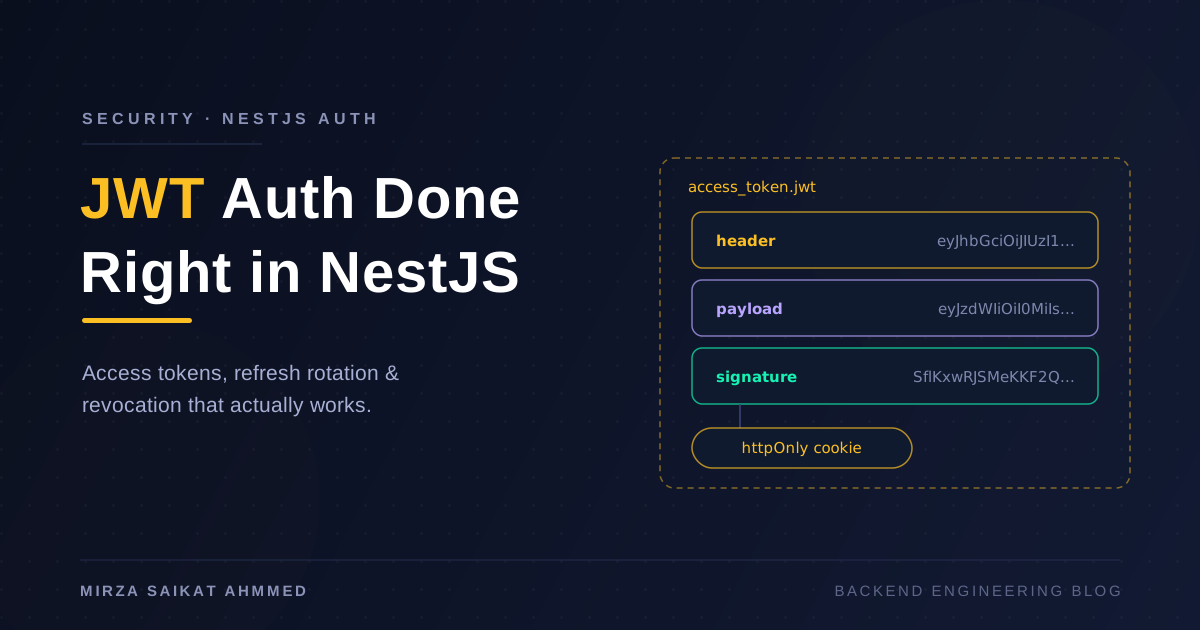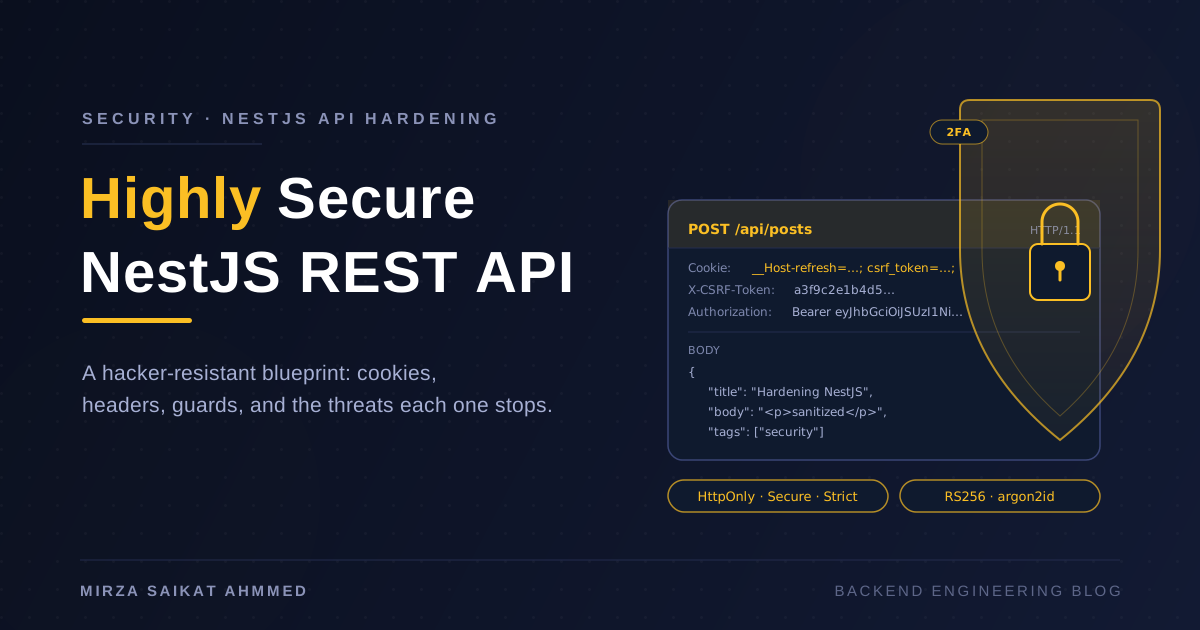
I've watched a lot of NestJS tutorials end with a happy-path Postman screenshot and a JWT issued from a controller. Then I checked the response headers and saw no Content-Security-Policy, no Strict-Transport-Security, a refresh token sent in the Authorization header stored in localStorage, a try/catch around Prisma that printed the raw query error to the client, and rate limiting implemented as a comment that said // TODO. The endpoint worked. It was also indefensible.
"Secure" doesn't mean adding helmet() and hoping. It means a stack of defenses where each one assumes the others have already failed. This post is that stack, end to end, for a NestJS REST API — the exact middleware order, the exact cookie attributes, the exact Prisma patterns, and the exact mistakes I keep seeing in code reviews. If someone tries to hijack your cookies or hack your API, the answer is no, they can't, and here's the specific layer that stops each attack.
Threat model first, code second
Before the first line of NestJS code, write down what you're defending against. For a public REST API the realistic threats are:
- Cookie theft via XSS (attacker runs JS in your origin).
- Cookie theft via network (downgrade, MITM, leaked logs).
- Cross-site request forgery — attacker forces a logged-in user's browser to submit a state-changing request.
- Brute-force credential stuffing on
/auth/login. - SQL / NoSQL injection in controllers and query builders.
- Privilege escalation — a
readerupdating aPostbecause the guard is missing. - Replay — someone captures and resends a valid token.
- Information leak — stack traces, Prisma errors,
.envpaths in error responses. - Denial of service — slow-loris, huge JSON payloads, comment spam.
- Stolen refresh token used forever because there's no rotation.
Every defense below maps to one of these. If a control doesn't map to a threat, it's cargo-culting.
Layer 1 — Transport and headers (the baseline everyone skips)
helmet() is good. Don't trust its defaults. For an API I want a tight CSP (or none, since it's JSON not HTML), strong HSTS, and the usual suspects turned explicitly:
// main.ts
import helmet from 'helmet';
import { NestFactory } from '@nestjs/core';
import { AppModule } from './app.module';
import { AllExceptionsFilter } from './common/filters/all-exceptions.filter';

async function bootstrap() {
  const app = await NestFactory.create(AppModule, { bufferLogs: true });

  app.use(
    helmet({
      contentSecurityPolicy: {
        // Strict default — opt IN per route if you ever serve HTML from /api
        directives: {
          defaultSrc: [`'none'`],
          frameAncestors: [`'none'`],
          formAction: [`'none'`],
          baseUri: [`'none'`],
        },
      },
      crossOriginEmbedderPolicy: { policy: 'require-corp' },
      crossOriginOpenerPolicy: { policy: 'same-origin' },
      crossOriginResourcePolicy: { policy: 'same-origin' },
      referrerPolicy: { policy: 'no-referrer' },
      strictTransportSecurity: {
        maxAge: 63072000, // 2 years
        includeSubDomains: true,
        preload: true,
      },
      noSniff: true,
      frameguard: { action: 'deny' },
      hidePoweredBy: true,
    }),
  );

  app.useGlobalFilters(new AllExceptionsFilter());
  app.enableShutdownHooks();
  await app.listen(3000);
}
bootstrap();
Two details matter. First, Strict-Transport-Security with preload and a 2-year max-age is what gets you onto the HSTS preload list — once a browser has your domain, it refuses to ever speak plaintext to it. Second, frameguard: deny plus frame-ancestors 'none' means no one can ever embed your API responses in an iframe, which kills a class of clickjacking. If your front-end and API are on different origins, you'll need to scope connect-src later — for the API itself, 'none' is correct.
Layer 2 — CORS: deny by default
CORS is not a security boundary for same-origin requests — but for a browser front-end on app.example.com talking to api.example.com, it's what stops a malicious page on evil.com from reading your responses. Configure it as an allow-list, never *, and recheck it every time someone adds a domain.
// src/security/cors.config.ts
import { CorsOptions } from '@nestjs/common/interfaces/external/cors-options.interface';

const ALLOWED = (process.env.CORS_ORIGINS ?? '')
  .split(',')
  .map((s) => s.trim())
  .filter(Boolean);

export const corsOptions: CorsOptions = {
  origin: (origin, cb) => {
    // Same-origin / curl / server-to-server have no Origin header — allow.
    if (!origin) return cb(null, true);
    if (ALLOWED.includes(origin)) return cb(null, true);
    return cb(new Error('CORS: origin not allowed'), false);
  },
  credentials: true, // we use cookies
  methods: ['GET', 'POST', 'PATCH', 'DELETE'],
  allowedHeaders: ['Content-Type', 'Authorization', 'X-CSRF-Token'],
  maxAge: 86400,
};
The if (!origin) return cb(null, true) line is a deliberate decision: it lets server-to-server and curl work without forcing every operator to spoof an Origin header. If you're paranoid, flip it to false. The frontend's fetch will always send Origin, so the allow-list still applies for browsers.
Layer 3 — Cookies that resist hijacking
This is the bit the tutorial skipped. Every cookie attribute is a defense layer. Stack them.
// src/auth/auth.controller.ts
@Post('login')
async login(@Body() dto: LoginDto, @Res({ passthrough: true }) res: Response) {
  const { accessToken, refreshToken, user } = await this.auth.login(dto);

  res.cookie('access_token', accessToken, {
    httpOnly: true,             // JS can't read it — XSS can't exfiltrate
    secure: true,               // only over HTTPS
    sameSite: 'lax',            // sent on top-level navigations, not on cross-site <form>
    path: '/',
    maxAge: 15 * 60 * 1000,     // 15 minutes
  });

  res.cookie('__Host-refresh', refreshToken, {
    httpOnly: true,
    secure: true,
    sameSite: 'strict',         // never sent cross-site, period
    path: '/api/auth/refresh',  // scoped: only sent to refresh endpoint
    maxAge: 7 * 24 * 60 * 60 * 1000,
  });

  return { user, accessToken }; // send access token in body too, keep refresh in cookie only
}
Why the __Host- prefix on the refresh cookie? The browser refuses to set a cookie with that prefix unless all three of Secure, no Domain attribute, and Path=/ (or scoped as above) are present. Any downgrade attempt fails at cookie-setting time, not later. It's free defense.
Why is refresh SameSite=strict but access is lax? Because the access token is short-lived (15 minutes) and the UX cost of strict (logged out from every cross-site link) is high. The refresh token is the long-lived one — it's the prize, and it gets the strictest policy.
Why scope path to /api/auth/refresh? Defense in depth. A compromised endpoint that doesn't need the cookie shouldn't receive it from the browser. Path scoping plus SameSite=strict means the cookie exists in exactly two places: the encrypted cookie jar and one endpoint.
Store the refresh token hashed in the database, never plain:
import { createHash, randomBytes } from 'crypto';

function newRefreshToken() {
  const raw = randomBytes(48).toString('base64url');
  const hash = createHash('sha256').update(raw).digest('hex');
  return { raw, hash };
}
If the database gets dumped, the attacker has hashes, not session keys. SHA-256 is fine here because the input is already a 384-bit random token — there's no password-equivalent to slow-hash.
Layer 4 — Refresh token rotation with reuse detection
A refresh token that lives 7 days and never rotates is a 7-day exposure window every time anything looks sideways. Rotation cuts that to the next request. Reuse detection catches the stolen token.
// src/auth/auth.service.ts
async refresh(rawRefresh: string, ua: string, ip: string) {
  const hash = sha256(rawRefresh);

  return this.prisma.$transaction(async (tx) => {
    const stored = await tx.refreshToken.findUnique({ where: { tokenHash: hash } });
    if (!stored || stored.revokedAt) throw new UnauthorizedException();

    // REUSE DETECTION — someone presented an already-rotated token.
    // Either the legit user replayed (race) or someone stole it.
    // Either way, kill the entire session family.
    if (stored.replacedBy) {
      await tx.refreshToken.updateMany({
        where: { userId: stored.userId, family: stored.family, revokedAt: null },
        data: { revokedAt: new Date() },
      });
      throw new UnauthorizedException('Session compromised');
    }

    if (stored.expiresAt < new Date()) throw new UnauthorizedException();

    const newRaw = randomBytes(48).toString('base64url');
    const newHash = sha256(newRaw);

    await tx.refreshToken.update({
      where: { id: stored.id },
      data: { revokedAt: new Date(), replacedBy: newHash },
    });

    const created = await tx.refreshToken.create({
      data: {
        userId: stored.userId,
        tokenHash: newHash,
        userAgent: ua,
        ip,
        family: stored.family,
        expiresAt: new Date(Date.now() + 7 * 24 * 60 * 60 * 1000),
      },
    });

    return { accessToken: this.signAccess(stored.userId), refreshRaw: newRaw, refreshId: created.id };
  });
}
Two non-obvious details. First, the entire sequence is in a single Prisma transaction — if the new token doesn't get created, the old one doesn't get revoked, and you don't end up logged out and unable to log back in. Second, the family column ties all rotated tokens from the same login together, so a single UPDATE ... WHERE family = ? revokes the whole tree when reuse is detected. Both come from the OWASP session management cheat sheet.
Layer 5 — CSRF: the tax on using cookies
SameSite=strict defeats 95% of CSRF. The remaining 5% are same-site subdomains getting compromised, same-origin XHR from injected script, and a handful of browser bugs. Defense in depth: a double-submit CSRF token.
// src/common/guards/csrf.guard.ts
@Injectable()
export class CsrfGuard implements CanActivate {
  canActivate(ctx: ExecutionContext): boolean {
    const req = ctx.switchToHttp().getRequest<Request>();
    if (['GET', 'HEAD', 'OPTIONS'].includes(req.method)) return true;

    const cookieToken = req.cookies?.['csrf_token'];
    const headerToken = req.headers['x-csrf-token'];
    if (!cookieToken || !headerToken || !timingSafeEqual(Buffer.from(cookieToken), Buffer.from(headerToken))) {
      throw new ForbiddenException('CSRF token mismatch');
    }

    // Origin pinning — defense against same-site subdomain takeovers
    const origin = (req.headers.origin ?? req.headers.referer ?? '').toString();
    if (!ALLOWED_ORIGINS.some((o) => origin.startsWith(o))) {
      throw new ForbiddenException('Origin not allowed');
    }
    return true;
  }
}
timingSafeEqual is critical — string === comparison is timing-leaky at the byte level. The double-submit pattern works because an attacker can't read the cookie value (the csrf_token cookie is intentionally NOT httpOnly — a small, deliberate exception), so they can't forge the header either. And on top of that, Origin/Referer pinning rejects anything that didn't come from a known frontend.
Layer 6 — Password storage: argon2id, not bcrypt
If you're hashing with bcrypt 2026, you're behind. Argon2id is the OWASP recommendation: memory-hard, resistant to GPU and ASIC attacks.
import argon2 from 'argon2';

// On register / change password
const hash = await argon2.hash(password, {
  type: argon2.argon2id,
  memoryCost: 2 ** 16,   // 64 MB — tune with your server's RAM budget
  timeCost: 3,
  parallelism: 1,
});

// On login — argon2.verify reads params from the hash, so no config drift
const ok = await argon2.verify(hash, password);
The defaults argon2 gives you in 2026 are reasonable; you only need to bump memoryCost if you have headroom. Set it once, document it, move on.
Don't write your own rate limiter for login endpoints on top of this. Use @nestjs/throttler with a Redis store and five attempts per minute per IP — anything more elaborate is a captcha-then-bypass problem.
Layer 7 — JWT signing, asymmetrically
Symmetric HS256 means the same secret signs and verifies. RS256 lets your API verify with the public key and keep the private key elsewhere (KMS, vault, a separate signing service). It also means you can publish a JWKS endpoint and have other services verify without sharing secrets.
// src/auth/strategies/jwt.strategy.ts
@Injectable()
export class JwtStrategy extends PassportStrategy(Strategy, 'jwt') {
  constructor(config: ConfigService) {
    super({
      jwtFromRequest: ExtractJwt.fromExtractors([
        (req: Request) => req?.cookies?.['access_token'] ?? null,
        ExtractJwt.fromAuthHeaderAsBearerToken(),
      ]),
      algorithms: ['RS256'],               // not 'HS256', never 'none'
      audience: config.get('JWT_AUDIENCE'),
      issuer: config.get('JWT_ISSUER'),
      secretOrKey: fs.readFileSync(config.getOrThrow('JWT_PUBLIC_KEY_PATH')),
    });
  }

  async validate(payload: AccessTokenPayload) {
    const user = await this.users.findById(payload.sub);
    if (!user) throw new UnauthorizedException();
    if (user.tokenVersion !== payload.ver) throw new UnauthorizedException(); // bumped on logout
    return { id: user.id, role: user.role };
  }
}
Note algorithms: ['RS256'] — without this, an attacker who finds the public key can forge a token using 'none' or HS256 with the public key as the secret. It's a real CVE that ships in real apps.
The ver claim is the cheap revocation pattern. Bump user.tokenVersion on logout or password change, and every previously-issued JWT becomes invalid. It doesn't replace short expiry, but it's the difference between "log out everywhere" and "log out everywhere in 15 minutes."
Layer 8 — Authorization: RBAC + object ownership
Most privilege escalations I see aren't exotic — they're a missing guard, or a guard that checks role and not ownership. The fix is two layers:
// 1. Role gate — controller-level
@UseGuards(JwtAuthGuard, RolesGuard)
@Roles('author', 'editor', 'admin')
@Delete(':id')
remove(@Param('id') id: string, @CurrentUser() user: AuthUser) {
  return this.posts.remove(id, user);
}

// 2. Ownership/service-level — never trust the guard alone
async remove(id: string, actor: AuthUser) {
  const post = await this.prisma.post.findUnique({ where: { id } });
  if (!post) throw new NotFoundException();
  const isOwner = post.authorId === actor.id;
  const isAdmin = actor.role === 'admin';
  if (!isOwner && !isAdmin) throw new ForbiddenException();
  return this.prisma.post.delete({ where: { id } });
}
The service-level check is what makes this airtight. If anyone wires a new controller without @Roles(), the second check still rejects. Belt and braces.
Layer 9 — Input validation: Zod schemas as source of truth
class-validator is fine. Zod is better, because the same schema generates types, runtime validation, and documentation. Either way, the rule is: validate at the edge, never inside the service. Inside the service you assume inputs are valid or you re-validate — and re-validating everywhere is how it gets skipped.
// src/auth/dto/login.dto.ts
import { z } from 'zod';

export const LoginSchema = z.object({
  email: z.string().email().max(254).toLowerCase().trim(),
  password: z.string().min(8).max(200),
  captcha: z.string().optional(),
});

export type LoginDto = z.infer<typeof LoginSchema>;

// Pipe that runs schema validation globally
@Injectable()
export class ZodValidationPipe implements PipeTransform {
  constructor(private schema: z.ZodSchema) {}
  transform(value: unknown) {
    const result = this.schema.safeParse(value);
    if (!result.success) {
      throw new BadRequestException({
        message: 'Validation failed',
        errors: result.error.flatten().fieldErrors,
      });
    }
    return result.data;
  }
}
The .trim().toLowerCase() on email matters more than it looks. Without it, Alice@Example.com and alice@example.com end up as two different accounts, one with a weak password and one without — and you've given attackers account enumeration via case sensitivity. The max(254) matches the RFC 5321 SMTP limit; the max(200) on password prevents the bcrypt-cardano-billion-password-spent-CPU attack (argond2 mitigates this too, but defense in depth).
For any HTML content — post bodies, comment bodies — sanitize before storage. Use isomorphic-dompurify with an explicit allow-list of tags and attributes. Sanitize on write, store the safe HTML, render with the same allow-list on read. If your blog is markdown, render to HTML server-side and sanitize the result; don't trust client-side markdown editors.
Layer 10 — Prisma and SQL injection
Prisma with parameterized queries is not vulnerable to SQL injection by default — every $queryRaw parameter is bound server-side, string interpolation goes through Prisma.sql\...`. The hole is when someone reaches for $queryRawUnsafe` or interpolates identifiers.
// SAFE — value is parameterized
await prisma.$queryRaw`SELECT * FROM "User" WHERE email = ${email}`;

// UNSAFE — DON'T
await prisma.$queryRawUnsafe(`SELECT * FROM "User" WHERE email = '${email}'`);
If you ever need dynamic column names (sorting, say), validate against an allow-list in code, never from user input:
const SORTABLE = new Set(['createdAt', 'publishedAt', 'title']);
const sortBy = SORTABLE.has(input.sortBy) ? input.sortBy : 'createdAt';
There's no SQL injection in Prisma without deliberate misuse, but the rule "interpolation only for identifiers you've whitelisted" keeps it that way even in the worst case.
Layer 11 — Error handling that doesn't leak
The default NestJS exception filter is too honest. It echoes Prisma's "Foreign key constraint failed on the field" and tells an attacker your schema. Wrap everything:
// src/common/filters/all-exceptions.filter.ts
@Catch()
export class AllExceptionsFilter implements ExceptionFilter {
  constructor(private logger: PinoLogger) {}

  catch(exception: unknown, host: ArgumentsHost) {
    const ctx = host.switchToHttp();
    const req = ctx.getRequest<Request>();
    const res = ctx.getResponse<Response>();

    const correlationId = req.headers['x-request-id'] ?? randomUUID();

    let status = 500;
    let body: unknown = { message: 'Internal server error', correlationId };

    if (exception instanceof HttpException) {
      status = exception.getStatus();
      body = exception.getResponse();          // OK to expose HTTP-layer messages
    } else if (exception instanceof PrismaClientKnownRequestError) {
      status = 400;
      body = { message: 'Bad request', correlationId };     // do NOT echo Prisma errors
    }

    this.logger.error({ exception, correlationId, path: req.url }, 'unhandled');

    res.status(status).json(body);
  }
}
PrismaClientKnownRequestError has codes like P2002 (unique violation), P2025 (not found), and messages like "column "email" of relation "User" violates unique constraint" — which is a free schema map for anyone probing. Catch them all, return a generic message, log the structured detail server-side with the correlation ID. Anyone calling support can quote the ID and you can pull the actual exception. Anyone not calling support gets nothing.
Layer 12 — Rate limiting beyond the login page
@nestjs/throttler is fine. The important config is using a shared store so multi-instance deployments share limits:
// src/throttler.config.ts
import { ThrottlerModuleOptions } from '@nestjs/throttler';
import RedisStore from 'rate-limit-redis';

export const throttlerConfig: ThrottlerModuleOptions = {
  throttlers: [
    { name: 'global', limit: 200, ttl: 60_000 },          // 200 req/min/IP global
    { name: 'auth',   limit: 5,   ttl: 60_000 },          // 5 req/min/IP on auth routes
    { name: 'write',  limit: 30,  ttl: 60_000 },          // 30 req/min/IP on write routes
  ],
  store: process.env.REDIS_URL
    ? new RedisStore({ sendCommand: (...args) => redis.call(...args) })
    : undefined,                                        // memory store in dev only
};
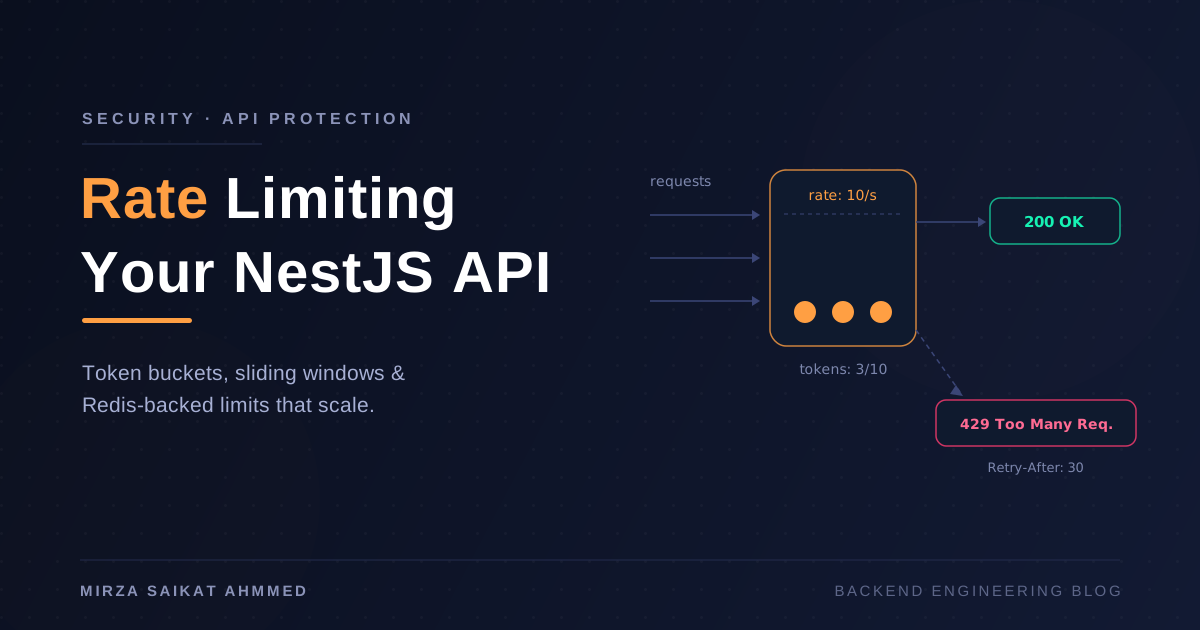
Apply the named throttler per route with @Throttle({ auth: { limit: 5, ttl: 60_000 } }). The in-memory store is fine for development but a footgun in production — across N pods each holds its own count, so the effective limit is N × the configured limit.
Layer 13 — Body size and timeouts
The most boring attack that still works: a 10 MB JSON body, or a 50 MB upload, or a slow client holding a connection open for an hour. Configure your limits once in main.ts:
app.use(json({ limit: '100kb' }));
app.use(urlencoded({ extended: true, limit: '100kb' }));
app.use(helmet.hidePoweredBy());

// Slow-loris shield — most reverse proxies set this; do it explicitly
const server = app.getHttpServer();
server.setTimeout(30_000);
server.keepAliveTimeout(65_000);
server.headersTimeout(60_000);
Set the same limits in your reverse proxy (nginx, Caddy) — the application limit is the floor, not the ceiling. A blog API doing CRUD on text shouldn't accept anything bigger than that; if you later add image uploads, scope a separate endpoint with multipart and its own size cap.
Layer 14 — Logging that doesn't itself become the breach
The OWASP top 10 keeps including "sensitive data exposure via logs" for a reason. Use pino with redaction configured and never log bodies of POST requests containing credentials:
// src/logger.config.ts
import pino from 'pino';

export const logger = pino({
  redact: {
    paths: [
      'req.headers.authorization',
      'req.headers.cookie',
      'res.headers["set-cookie"]',
      'body.password',
      'body.token',
      'body.refreshToken',
      'body.otp',
    ],
    censor: '[REDACTED]',
  },
});
Audit-log security events into a dedicated table — failed logins, password changes, 2FA enable/disable, role changes — not just request logs. You'll thank yourself the first time you need to answer "was this account compromised?" with something other than "we have no idea."
Layer 15 — 2FA on privileged accounts
otplib or speakeasy for TOTP, QR via qrcode. For an admin/author role, require 2FA at first login — not for readers, but absolutely for anyone who can write content or change roles.
import { authenticator } from 'otplib';
import qrcode from 'qrcode';

authenticator.options = { window: 1, step: 30 };

async function setupTwoFactor(userId: string) {
  const secret = authenticator.generateSecret();
  const otpauth = authenticator.keyuri(user.email, 'MyBlog', secret);
  const qr = await qrcode.toDataURL(otpauth);
  await this.prisma.user.update({ where: { id: userId }, data: { twoFASecret: encrypt(secret) } });
  return { qr, secret };            // user scans, then confirms with a code
}

verifyTwoFactor(userId: string, code: string) {
  return authenticator.verify({ token: code, secret: decrypt(user.twoFASecret) });
}
Encrypt the TOTP secret at rest — AES-256-GCM with a key from KMS or your secret manager, never a literal in .env. Provide ten one-time backup codes (8 random bytes, base32, hashed in DB, never stored plain) so a user who loses their phone doesn't get locked out of their own account. Recovering from total device loss is a separate, slower, human-in-the-loop flow.
Layer 16 — Production hygiene that often isn't
Things outside src/ that still matter:
trust proxyin your reverse proxy and in Express viaapp.set('trust proxy', 1)— so rate limiting and audit logs see the real client IP, not the proxy's.- TLS everywhere, including the database connection. Postgres needs
sslmode=requireand a CA bundle; the same applies to Redis if it's not localhost. - Process isolation: run NestJS as a non-root user in the container (
USER node), drop capabilities, read-only filesystem where you can. - Secrets come from a manager, never from
.envfiles in the container. Use AWS Secrets Manager, GCP Secret Manager, Doppler, or Vault. I covered this in detail in Secrets Management for Backend Teams. npm auditin CI, withaudit-cifailing the build on high-severity CVEs. Have a renovate or dependabot workflow. Six-month-oldpassport-jwthas been the entry point in more than one breach I've read about.Prisma migrate deployin CI, neverprisma db push. Migrations are the audit trail;db pushquietly diverges schemas between environments.
What the response actually looks like
Walk through a hardened request end-to-end:
- Browser sends
POST /api/postswithCookie: access_token=...; csrf_token=...,X-CSRF-Token: ...,Origin: https://app.example.com. helmetalready added 11 security headers to whatever goes back.cookie-parserpopulatesreq.cookies.- Global
JwtAuthGuardverifies the access token (RS256, audience + issuer pinned,vermatches user). - Global
RolesGuardchecks the role claim. CsrfGuardconfirms the double-submit and the origin.ThrottlerGuardchecks the IP's quota on writes.ValidationPiperuns the Zod schema — body is now a typed DTO, nothing else.- Controller method calls
PostsService.create(dto, user). - Service sanitizes any HTML, calls Prisma with parameterized queries.
- Response goes through
AllExceptionsFilter-aware flow; cookies potentially updated. - Pino logs the request with redaction; an audit row is written.
Eight independent layers, each of which assumes the others have been bypassed. That's what "highly secure" means in practice — not one magic setting, but the boring stack of them.
What it actually looks like on the wire
Theory is fine. Here's what a real hardened request and response look like end-to-end, so you can copy the shape into your own integration tests and Postman collection.
1. Login — sets the __Host- refresh cookie
Request
POST /api/auth/login HTTP/1.1
Host: api.example.com
Origin: https://app.example.com
Content-Type: application/json
X-Request-Id: 9b1deb4d-3b7d-4bad-9bdd-2b0d7b3dcb6d

{
  "email": "saikat@example.com",
  "password": "correct-horse-battery-staple"
}
Response
HTTP/1.1 200 OK
Content-Type: application/json; charset=utf-8
Strict-Transport-Security: max-age=63072000; includeSubDomains; preload
Content-Security-Policy: default-src 'none'; frame-ancestors 'none'
X-Content-Type-Options: nosniff
X-Frame-Options: DENY
Referrer-Policy: no-referrer
Cross-Origin-Opener-Policy: same-origin
X-Request-Id: 9b1deb4d-3b7d-4bad-9bdd-2b0d7b3dcb6d
Set-Cookie: access_token=eyJhbGciOiJSUzI1NiIs...; Path=/; HttpOnly; Secure; SameSite=Lax; Max-Age=900
Set-Cookie: __Host-refresh=Q3VwZXJfc2VjcmV0X3Rva2VuX...; Path=/api/auth/refresh; HttpOnly; Secure; SameSite=Strict; Max-Age=604800
Set-Cookie: csrf_token=a3f9c2e1b4d5...; Path=/; Secure; SameSite=Strict; Max-Age=604800

{
  "user": {
    "id": "usr_01HZX8N4K3P",
    "email": "saikat@example.com",
    "role": "author"
  },
  "accessToken": "eyJhbGciOiJSUzI1NiIs...",
  "expiresIn": 900
}
Three cookies, each with a job:
access_token(15 min) —Laxso the SPA survives top-level navigations.__Host-refresh(7 days) —Strict, scoped to the refresh endpoint, prefixed__Host-so the browser refuses to set it if any ofSecure/Path/ no-Domainis missing.csrf_token(nothttpOnly— the SPA needs to read it) — the value the SPA echoes back inX-CSRF-Tokenfor double-submit verification.
2. A failed login — uniform error, no enumeration
Request
POST /api/auth/login HTTP/1.1
Content-Type: application/json

{ "email": "saikat@example.com", "password": "wrong-password" }
Response
HTTP/1.1 401 Unauthorized
Content-Type: application/json
Retry-After: 30

{ "message": "Invalid credentials", "correlationId": "f47ac10b-58cc-4372-a567-0e02b2c3d479" }
Same response whether the email doesn't exist, the password is wrong, or the account is locked. Same Retry-After for all of them. An attacker brute-forcing can't tell which guess got close to anything real, and the throttler returns 429 after the fifth attempt within a minute regardless of which kind of failure it is.
3. Create a post — JWT + CSRF + RBAC + Zod, all four visible in one call
Request
POST /api/posts HTTP/1.1
Host: api.example.com
Origin: https://app.example.com
Cookie: access_token=eyJhbGciOiJSUzI1NiIs...; csrf_token=a3f9c2e1b4d5...
X-CSRF-Token: a3f9c2e1b4d5...
Content-Type: application/json

{
  "title": "Hardening NestJS: a checklist",
  "excerpt": "What every production API should ship with.",
  "body": "<p>Real blog content, sanitized on write.</p>",
  "tags": ["security", "nestjs"],
  "categoryId": "cat_01HZX8N4XYZ"
}
Response (success)
HTTP/1.1 201 Created
Content-Type: application/json
Location: /api/posts/hardening-nestjs-a-checklist

{
  "id": "pst_01HZX9P2M5Q",
  "slug": "hardening-nestjs-a-checklist",
  "title": "Hardening NestJS: a checklist",
  "excerpt": "What every production API should ship with.",
  "body": "<p>Real blog content, sanitized on write.</p>",
  "status": "draft",
  "authorId": "usr_01HZX8N4K3P",
  "tags": ["security", "nestjs"],
  "categoryId": "cat_01HZX8N4XYZ",
  "publishedAt": null,
  "createdAt": "2026-07-23T13:45:21.000Z",
  "updatedAt": "2026-07-23T13:45:21.000Z"
}
Response (CSRF missing — what an attacker without the cookie sees)
HTTP/1.1 403 Forbidden
Content-Type: application/json

{ "message": "CSRF token mismatch", "correlationId": "7c9e6679-7425-40de-944b-e07fc1f90ae7" }
Response (validation failure — what class-transformer is for)
HTTP/1.1 400 Bad Request
Content-Type: application/json

{
  "message": "Validation failed",
  "errors": {
    "title": ["String must contain at least 8 character(s)"],
    "tags":  ["Array must contain at most 10 element(s)"]
  },
  "correlationId": "550e8400-e29b-41d4-a716-446655440000"
}
Response (role insufficient — what the RolesGuard catches)
HTTP/1.1 403 Forbidden
Content-Type: application/json

{ "message": "Insufficient role", "correlationId": "c1b3f4e2-9a8d-4e21-b5b3-3b9c6f0a1d2e" }
Four outcomes, four layers catching a different thing, all returning JSON the front-end can render without parsing stack traces. The correlationId is what your support flow keys on — log search by ID, you get the full request including the (redacted) body and the exception that caused the failure.
4. Refresh — rotates, sets new cookies, revokes the old one
Request
POST /api/auth/refresh HTTP/1.1
Host: api.example.com
Origin: https://app.example.com
Cookie: __Host-refresh=Q3VwZXJfc2VjcmV0X3Rva2VuX...
X-CSRF-Token: a3f9c2e1b4d5...
Response (success)
HTTP/1.1 200 OK
Set-Cookie: access_token=eyJhbGciOiJSUzI1NiIs...; Path=/; HttpOnly; Secure; SameSite=Lax; Max-Age=900
Set-Cookie: __Host-refresh=NEW_OPAQUE_TOKEN_VALUE; Path=/api/auth/refresh; HttpOnly; Secure; SameSite=Strict; Max-Age=604800

{ "accessToken": "eyJhbGciOiJSUzI1NiIs...", "expiresIn": 900 }
Response (reused token — the theft signal)
HTTP/1.1 401 Unauthorized
Set-Cookie: __Host-refresh=; Path=/api/auth/refresh; Max-Age=0

{ "message": "Session compromised", "correlationId": "d3b07384-d9a2-4e8b-b3e1-7d9c5e2a4f01" }
That second response is the important one. The same __Host-refresh was just used once, rotated, and now reused by a second party. We can't tell which one is the legitimate user, so we kill the entire family. Both the attacker and the real user are now logged out. The real user logs back in, gets a brand new family, and the attacker's stolen token is dead. The cookie-clear Set-Cookie with Max-Age=0 removes it from the browser.
5. Logout — bumps tokenVersion, kills every JWT
Request
POST /api/auth/logout HTTP/1.1
Host: api.example.com
Origin: https://app.example.com
Cookie: access_token=eyJhbGciOiJSUzI1NiIs...; __Host-refresh=Q3VwZXJfc2VjcmV0X3Rva2VuX...; csrf_token=a3f9c2e1b4d5...
X-CSRF-Token: a3f9c2e1b4d5...
Response
HTTP/1.1 204 No Content
Set-Cookie: access_token=; Path=/; Max-Age=0
Set-Cookie: __Host-refresh=; Path=/api/auth/refresh; Max-Age=0
Set-Cookie: csrf_token=; Path=/; Max-Age=0
204 with three Max-Age=0 cookies. The server also does two things the response can't show: marks the current RefreshToken row revokedAt = now(), and increments User.tokenVersion. The next request with a still-cached access token from another tab will hit JwtAuthGuard, see ver mismatch, and return 401 — instant invalidation, not "in 15 minutes when the token expires."
6. A rate-limited endpoint — 429 with structured metadata
Request (sixth attempt in 60 seconds)
POST /api/auth/login HTTP/1.1
Content-Type: application/json

{ "email": "attacker@evil.com", "password": "guess-6" }
Response
HTTP/1.1 429 Too Many Requests
Content-Type: application/json
Retry-After: 42
X-RateLimit-Limit: 5
X-RateLimit-Remaining: 0
X-RateLimit-Reset: 1721744721

{
  "message": "Too many requests",
  "retryAfter": 42,
  "correlationId": "9f8e7d6c-5b4a-3210-fedc-ba9876543210"
}
Same generic message, but now with the Retry-After header so well-behaved clients back off correctly. The X-RateLimit-* headers let legitimate front-ends show "try again in 42 seconds" UIs without the user hammering the button.
7. A 500 that doesn't leak the schema
Request (any endpoint that triggers a Prisma error — say, a categoryId that doesn't exist and a foreign-key constraint fires)
POST /api/posts HTTP/1.1
Cookie: access_token=eyJhbGciOiJSUzI1NiIs...; csrf_token=a3f9c2e1b4d5...
X-CSRF-Token: a3f9c2e1b4d5...
Content-Type: application/json

{ "title": "Test post", "body": "x", "categoryId": "cat_does_not_exist" }
Response
HTTP/1.1 400 Bad Request
Content-Type: application/json

{
  "message": "Bad request",
  "correlationId": "1a2b3c4d-5e6f-7890-abcd-ef1234567890"
}
Server log (not sent to client)
{
  "level": 50,
  "time": 1721744600123,
  "pid": 17,
  "hostname": "api-pod-7c9",
  "correlationId": "1a2b3c4d-5e6f-7890-abcd-ef1234567890",
  "req": {
    "method": "POST",
    "url": "/api/posts",
    "remoteAddress": "203.0.113.42",
    "headers": {
      "host": "api.example.com",
      "cookie": "[REDACTED]",
      "authorization": "[REDACTED]"
    }
  },
  "exception": {
    "name": "PrismaClientKnownRequestError",
    "code": "P2003",
    "meta": { "field_name": "Post_categoryId_fkey (index)" },
    "message": "Foreign key constraint failed on the field: `categoryId`"
  },
  "msg": "unhandled"
}
This is the difference. The client got a generic Bad request with a correlation ID. The server log has the Prisma error code, the field name, the user IP, the request ID, and the redaction caught the cookies and bearer token before they hit disk. The attacker probing your schema learns nothing; you debugging an incident learn everything.
8. List posts — public endpoint, no auth, all the security headers still apply
Request
GET /api/posts?page=1&limit=20&tag=security HTTP/1.1
Host: api.example.com
Response
HTTP/1.1 200 OK
Content-Type: application/json; charset=utf-8
Strict-Transport-Security: max-age=63072000; includeSubDomains; preload
Content-Security-Policy: default-src 'none'; frame-ancestors 'none'
X-Content-Type-Options: nosniff
X-Frame-Options: DENY
Referrer-Policy: no-referrer
Cache-Control: no-store
X-Request-Id: 4d5e6f7a-8b9c-0d1e-2f3a-4b5c6d7e8f90

{
  "data": [
    {
      "id": "pst_01HZX9P2M5Q",
      "slug": "hardening-nestjs-a-checklist",
      "title": "Hardening NestJS: a checklist",
      "excerpt": "What every production API should ship with.",
      "author": { "id": "usr_01HZX8N4K3P", "displayName": "Saikat" },
      "tags": ["security", "nestjs"],
      "publishedAt": "2026-07-23T13:50:00.000Z"
    }
  ],
  "pagination": { "page": 1, "limit": 20, "total": 1, "hasMore": false }
}
Cache-Control: no-store on every response that includes a logged-in user's data, even when the route is @Public(). The helmet headers are identical to the auth endpoints — defense-in-depth means the same headers everywhere, no "this route is open so it can be sloppy."
What to put in your integration tests
The four assertions that catch the most regressions in code review:
// auth.e2e-spec.ts
it('rejects requests missing the CSRF token', async () => {
  const res = await request(app.getHttpServer())
    .post('/api/posts')
    .set('Cookie', `access_token=${accessToken}`)
    .send({ title: 'x', body: 'y' });
  expect(res.status).toBe(403);
  expect(res.body.message).toMatch(/CSRF/i);
});

it('rejects an already-rotated refresh token', async () => {
  const r1 = await request(app.getHttpServer())
    .post('/api/auth/refresh')
    .set('Cookie', `__Host-refresh=${refreshToken}; csrf_token=${csrf}`)
    .set('X-CSRF-Token', csrf);
  expect(r1.status).toBe(200);

  // replay the old one
  const r2 = await request(app.getHttpServer())
    .post('/api/auth/refresh')
    .set('Cookie', `__Host-refresh=${refreshToken}; csrf_token=${csrf}`)
    .set('X-CSRF-Token', csrf);
  expect(r2.status).toBe(401);
  expect(r2.body.message).toMatch(/compromised/i);
});

it('sends every security header on every response', async () => {
  const res = await request(app.getHttpServer()).get('/api/posts');
  expect(res.headers['strict-transport-security']).toMatch(/max-age=63072000/);
  expect(res.headers['x-frame-options']).toBe('DENY');
  expect(res.headers['content-security-policy']).toMatch(/frame-ancestors 'none'/);
  expect(res.headers['x-content-type-options']).toBe('nosniff');
  expect(res.headers['referrer-policy']).toBe('no-referrer');
});

it('logs out and immediately invalidates the access token', async () => {
  await request(app.getHttpServer())
    .post('/api/auth/logout')
    .set('Cookie', `access_token=${accessToken}; __Host-refresh=${refresh}; csrf_token=${csrf}`)
    .set('X-CSRF-Token', csrf);

  const res = await request(app.getHttpServer())
    .get('/api/users/me')
    .set('Cookie', `access_token=${accessToken}`);
  expect(res.status).toBe(401);   // tokenVersion bumped, JWT is dead now, not in 15 min
});
These four tests, in CI, would have caught the majority of "we shipped and got popped" incidents I've read about. Run them on every PR.
The threat → defense cheat sheet
| Threat | Defense in this stack |
|---|---|
| Cookie theft via XSS | HttpOnly + tokens not in localStorage; CSP with no inline scripts |
| Cookie theft via network | TLS everywhere, HSTS preload, Secure cookie flag |
| CSRF | SameSite=strict (refresh) + double-submit CSRF guard + origin pinning |
| Brute force / credential stuffing | Throttler on /auth/* + bcrypt-style lockout + uniform error messages |
| SQL injection | Prisma parameterization + identifier allow-lists |
| Privilege escalation | JwtAuthGuard + RolesGuard + service-level ownership check |
| Token replay | Refresh rotation + reuse detection + short access-token expiry + token version on logout |
| Information leak | Centralized exception filter + pino redaction + audit table for security events |
| DoS | Body size limits + request timeouts + per-route throttling + reverse proxy buffering |
| Stolen refresh token | __Host- prefix + path scoping + DB-backed revocation + family-wide invalidation on reuse |
| Malicious HTML | DOMPurify on input + same allow-list on render; markdown rendered server-side |
| A leaked secret | KMS/Vault, not .env; rotation routine; npm audit in CI |
A checklist before you ship
Before you deploy, run this list once. If any answer is "no" or "I think so," go back:
- TLS forced (
Strict-Transport-Securitywithpreload,Securecookies,sslmode=requireon DB) -
helmet()configured with strict CSP andframeguard: deny - CORS allow-list verified, not
* - Refresh cookies prefixed
__Host-and scoped to/api/auth/refresh - Refresh tokens hashed in DB; rotation + reuse detection enabled
- Double-submit CSRF token on every non-GET
- argon2id for passwords with at least the OWASP minimums
- RS256 with explicit
algorithmsallow-list - RBAC at the guard level AND ownership at the service level
- Global Zod validation pipe; HTML sanitized before storage
- All Prisma queries parameterized; identifiers on an allow-list
- Centralized exception filter; no Prisma errors leak
- Pino with redaction; audit table for security events
- 2FA enforced for admin/author roles; backup codes hashed
-
npm auditin CI on every PR - Secrets from a manager, rotated on a schedule
- Body size limits in app and in the proxy
- Throttler backed by Redis in production
If a determined attacker is still going to find something, fine — but at that point you'll be working on an actually narrow vulnerability in a 17-deep stack, not the first thing they tried. That's the difference between "secure enough for production" and "secure because we wrote a helmet() line and hoped."
The pattern in every section is the same: one control by itself is a suggestion; the controls reinforcing each other are a posture. Build the posture once, and "can someone hack this?" stops being a question that worries you.
Working on something like this?
I take on backend, payments and deployment projects. I reply within one working day.