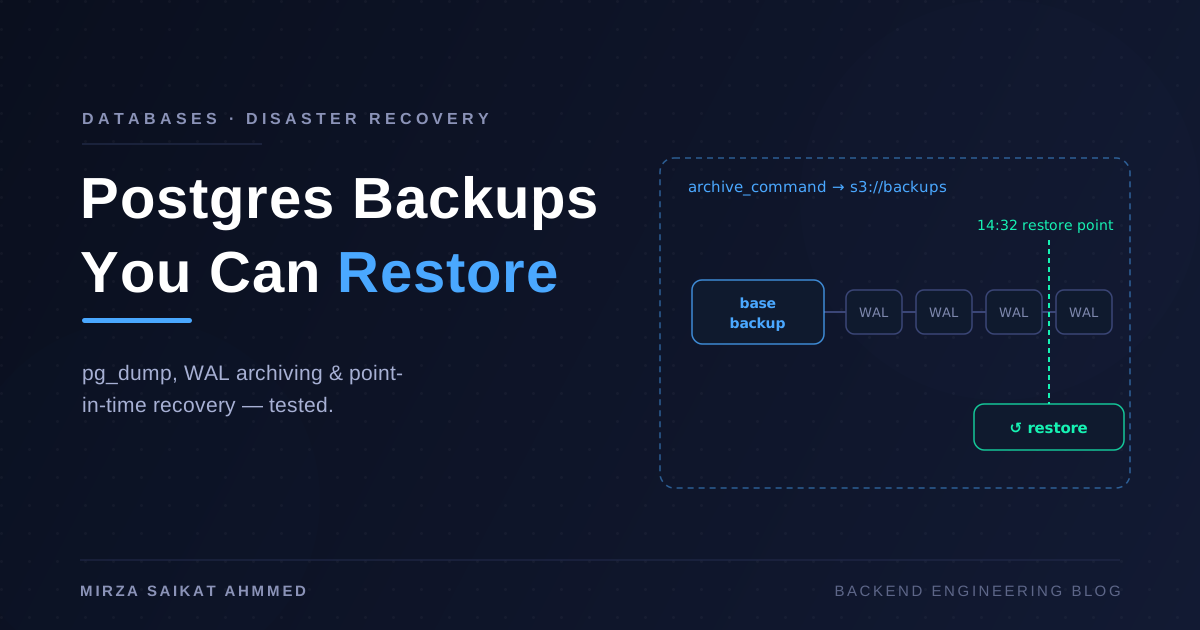
The scariest message I've ever received from a client started with "we deleted some rows by accident." Not a disk failure, not a hacked server — a DELETE without a WHERE clause, run against production at 14:32 on a Tuesday. The database was perfectly healthy. It was just perfectly healthy without the data.
That incident taught me the distinction that shapes everything in this post: a backup strategy isn't about having backups, it's about answering one question under pressure — "how much data are we willing to lose, and how long can we be down while we get the rest back?" Those two numbers (RPO and RTO, if you like acronyms) decide which of PostgreSQL's three backup mechanisms you need. Most teams pick the wrong one because they only know the first.
The three ways to back up Postgres
pg_dump — logical backups. This is the one everybody knows. It connects like a normal client and writes out SQL (or a compressed custom format) that recreates your schema and data:
pg_dump -Fc -d myapp -f /backups/myapp-$(date +%F).dump
# restore:
pg_restore -d myapp_restored --clean --if-exists /backups/myapp-2026-07-19.dump
It's portable across Postgres versions, you can restore a single table, and the output is greppable when things get weird. The catch: it's a snapshot of one moment. If you dump nightly at 02:00 and the disaster happens at 14:32, you lose twelve and a half hours of writes. And restore speed is brutal on big databases — pg_restore replays every INSERT and rebuilds every index, so a 200 GB database can take hours to come back.
pg_basebackup — physical backups. Instead of SQL, this copies the actual data directory files while the server runs:
pg_basebackup -D /backups/base -Ft -z -P -X stream
Restoring is basically "untar and start Postgres," which makes it dramatically faster than pg_restore for large databases. The trade-offs: it's all-or-nothing (no single-table restores), it's tied to the same major version and architecture, and on its own it's still a point-in-time snapshot.
WAL archiving — continuous backups. This is the one that saves you at 14:32. Postgres writes every change to the write-ahead log before applying it. If you archive those WAL segments somewhere safe, you can take a base backup once a day and replay the log to any moment in between. Your RPO drops from "since last night" to "the last few seconds."
Trade-offs at a glance
| Strategy | RPO (data loss) | RTO (restore speed) | Storage size | Granularity |
|---|---|---|---|---|
pg_dump nightly |
Up to 24h | Slow (replays SQL, rebuilds indexes) | Small (compressed) | Per table/schema |
pg_basebackup nightly |
Up to 24h | Fast (file copy) | ~DB size | All-or-nothing |
| Base backup + WAL archiving | Seconds to minutes | Medium (copy + replay) | DB size + WAL stream | Any point in time |
My default for anything that matters: WAL archiving as the primary strategy, plus a weekly pg_dump as a portable escape hatch — the logical dump is the only one that survives "we need this data in a different Postgres major version" or "we only need the orders table."
Setting up continuous archiving
The raw mechanism is one setting in postgresql.conf:
wal_level = replica
archive_mode = on
archive_command = 'test ! -f /archive/%f && cp %p /archive/%f'
Please don't ship that cp version. It archives to the same machine, and a dead disk takes your database and its backups down together — I've seen exactly this end a small company's week. WAL must leave the server.
Rather than hand-rolling an archive_command that pushes to S3 (and handling retries, encryption, and partial uploads yourself), use a tool built for this. I use wal-g; pgBackRest is equally good and more configurable. With wal-g pointed at any S3-compatible storage (AWS, Backblaze B2, MinIO on another box):
export WALG_S3_PREFIX="s3://myapp-pg-backups"
export AWS_ENDPOINT="https://s3.eu-central-1.backblazeb2.com"

# postgresql.conf
archive_command = 'wal-g wal-push %p'

# nightly cron on the db host
wal-g backup-push /var/lib/postgresql/16/main
Now every WAL segment lands in object storage within seconds of being filled, and each night a fresh base backup shortens future replay time. Storage cost is modest — WAL compresses well, and object storage is the cheapest thing in your stack.
Point-in-time recovery, step by step
Back to my 14:32 disaster. With WAL archiving in place, the recovery looked like this. First, restore the latest base backup onto a fresh data directory (on a new instance — never experiment on top of the only copy you have):
wal-g backup-fetch /var/lib/postgresql/16/main LATEST
Then tell Postgres to replay WAL up to just before the bad query:
# postgresql.conf on the restore instance
restore_command = 'wal-g wal-fetch %f %p'
recovery_target_time = '2026-07-19 14:31:30+06'
recovery_target_action = 'promote'
touch /var/lib/postgresql/16/main/recovery.signal
systemctl start postgresql
Postgres fetches segment after segment, replays every committed transaction up to 14:31:30, stops, and promotes itself into a normal read-write server. Every row that existed one minute before the accident is there. The rows deleted at 14:32 never happen on this timeline.
One practical tip: don't immediately point the app at the recovered instance. First verify with a few SELECT count(*) sanity checks against what you expect:
SELECT count(*), max(created_at) FROM orders;
SELECT count(*) FROM users WHERE deleted_at IS NULL;
If you recovered to the wrong moment, you can redo the whole dance with a different recovery_target_time — the base backup and archive are untouched. That repeatability is the quiet superpower of PITR.
An untested backup is not a backup
Here's the rule I hold above every other detail in this post: if you haven't restored it, you don't have it. Backups fail silently in boring ways — a rotated credential, a full disk, an archive_command that started erroring after an upgrade, a cron mail nobody reads. Every one of these looks like "backups running fine" until the day you need them.
So the restore test has to be automated, and it has to actually restore. Mine is a weekly cron job (a CI scheduled pipeline works just as well) that spins up a throwaway Postgres in Docker, pulls the latest backup, and interrogates it:
#!/usr/bin/env bash
set -euo pipefail

docker run -d --name restore-test -e POSTGRES_PASSWORD=test postgres:16
wal-g backup-fetch /tmp/restore-data LATEST
# ...start postgres on the fetched data dir, wait for ready...

ROWS=$(docker exec restore-test psql -U postgres -d myapp -tAc \
  "SELECT count(*) FROM orders WHERE created_at > now() - interval '2 days'")

if [ "$ROWS" -lt 1 ]; then
  curl -s "$SLACK_WEBHOOK" -d '{"text":"Restore test FAILED: no recent orders"}'
  exit 1
fi
The freshness check matters more than the row count. A restore that succeeds but contains three-week-old data means your archiving broke three weeks ago — this exact check is what once told me a wal-g credential had expired quietly. And crucially, the script must alert on failure to run, not just on failure: a cron job that stopped executing is the most silent failure mode of all. Use a dead-man's-switch service (Healthchecks.io or similar) that pages you when the job doesn't check in.
Retention: how much history to keep
Storage is cheap; keep more than feels necessary. My baseline policy:
# keep 7 daily base backups + the WAL needed to connect them
wal-g delete retain FULL 7 --confirm
Plus weekly pg_dumps kept for 3 months and a monthly dump kept for a year. The long tail isn't for disasters — it's for "the numbers in March look wrong, what did this row look like then?" questions, which come up more often than fires do. If you're in a regulated domain, compliance sets the floor for you.
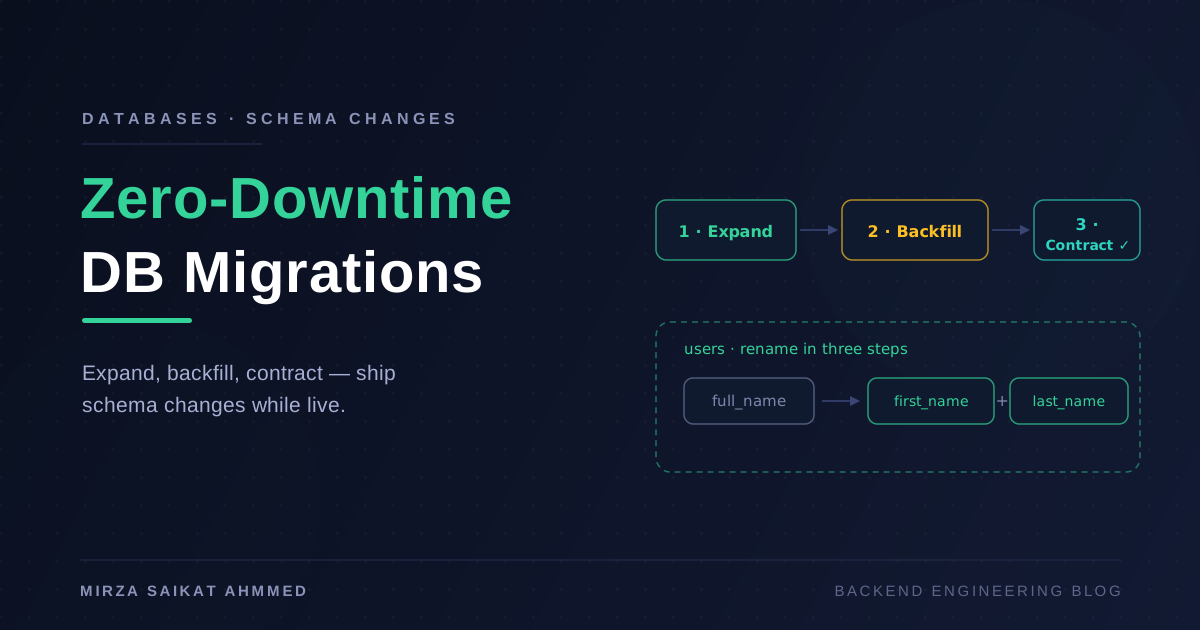
One thing retention interacts with: schema changes. If you replay months-old WAL or restore an old dump, you get the old schema too. This is one more reason I like expand-contract migrations — the discipline I wrote up in zero-downtime database migrations means old backups restore into a schema shape your tooling still understands.
Backups when Postgres lives in Docker
Most of my deployments run Postgres in a container next to the app — the setup from my Next.js + NestJS Docker post. Backups work the same way; the wrinkles are operational:
services:
  db:
    image: postgres:16
    volumes:
      - pgdata:/var/lib/postgresql/data

  backup:
    image: mysidecar/walg:latest
    volumes:
      - pgdata:/var/lib/postgresql/data:ro
    environment:
      WALG_S3_PREFIX: s3://myapp-pg-backups
Three rules I follow here. First, the backup destination is never a Docker volume on the same host — volumes die with disks too. Second, docker exec db pg_dump ... piped straight to the host or to object storage is completely fine for the logical layer; don't overcomplicate it. Third, test the restore including the container part — the failure mode "our backup is fine but nobody remembers the volume/mount incantation to restore it" is a real RTO killer at 3 a.m.
The failure stories, so you can skip them
Every rule above is a scar. The compressed list:
- Backing up to the same disk. One
cp-based archive_command, one dead NVMe drive, zero recoverable bytes. Backups must leave the machine, ideally the provider. - The silent cron. A backup script that failed for six weeks because a package upgrade changed a path. Nobody noticed because failure produced no output — success had been the only thing wired to notify. Alert on absence, not just errors.
- The untested
pg_dump. A dump job that had been producing 20 KB files (just the schema — a permissions change broke data access) for months. A restore test of literally any kind would have caught it in week one. - Backups owned by nobody. On a team, "someone set up backups once" decays into "nobody knows the passphrase to the encrypted archive." Write the restore runbook, and make the automated test execute the same steps the runbook describes.
Wrapping up
The stack I ship on every project that has data worth keeping: nightly pg_basebackup (via wal-g) plus continuous WAL archiving to off-site object storage, a weekly portable pg_dump, a retention policy that keeps months of history for cheap, and — non-negotiably — an automated weekly restore test with a dead-man's switch on the job itself.
None of this is exotic, and on a small VPS it's an afternoon of setup and a few dollars a month of object storage. The mindset shift is the real work: stop measuring your backup system by whether backups are being taken, and start measuring it by the last time one was successfully restored. When someone runs that DELETE without a WHERE at 14:32 — and eventually, someone will — the only thing that matters is which timeline you can put the database back on.
Working on something like this?
I take on backend, payments and deployment projects. I reply within one working day.