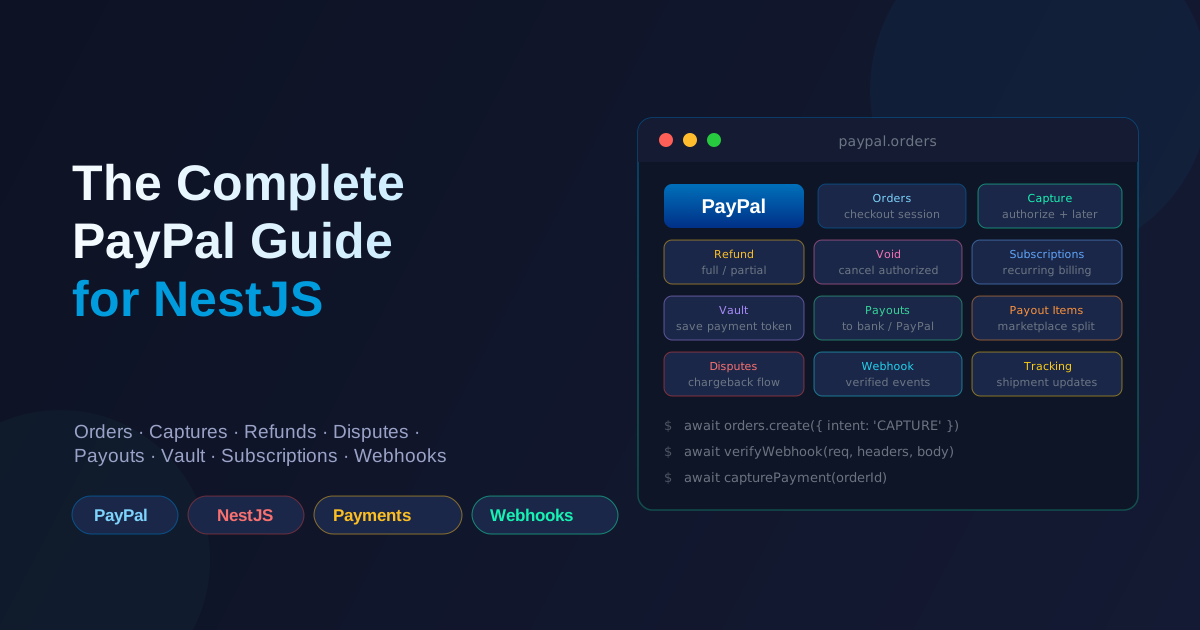
PayPal's modern API is built around Orders — every payment, whether one-time card, PayPal wallet, PayLater, or subscription, flows through the Orders resource. That single abstraction makes PayPal easier to reason about than the older Rest/Classic SDKs, but the docs bury the lifecycle in marketing copy. Here's the full playbook I use when wiring PayPal into a NestJS backend.
Mental model first
Before any code, internalize the three objects that everything else hangs off of:
- Order — a PayPal-side representation of a checkout session. Created with an
intent(CAPTUREfor immediate,AUTHORIZEfor later). Has a lifecycle:CREATED→SAVED(only with PayPal wallets) →APPROVED(payer redirected back) →COMPLETEDorVOIDED. - Authorization — the result of
AUTHORIZEintent. The buyer's funding source is reserved but not charged. You can capture later (move money) or void (release the hold). - Capture — the actual movement of money. For one-time purchases you get a single capture; for refunds you reference the capture ID.
Once you see these three as the spine, every other PayPal concept (Vault, Subscriptions, Refunds, Disputes, Payouts) snaps into place as either a state change on them or an event that observes them.
There's also the Vault — PayPal's answer to Stripe's SetupIntent/PaymentMethod. Saving a customer's payment method for later (off-session) charge goes through payment-tokens. If you skip the Vault you'll never be able to charge a saved card without sending the customer back into a checkout flow.
Setup
npm i @paypal/checkout-server-sdk @paypal/paypal-server-sdk
npm i -D @types/node
The new @paypal/paypal-server-sdk (replaces the older checkout-server-sdk) is the path forward for new integrations. The examples here use it.
In ConfigModule:
PAYPAL_CLIENT_ID=Axxxxxxxxxxxxxxxxxxxxxxxxxxxxxxxxxxxxxxxxxxxxxxxxxxxxxxx
PAYPAL_CLIENT_SECRET=Exxxxxxxxxxxxxxxxxxxxxxxxxxxxxxxxxxxxxxxxxxxxxxxxxxxxxx
PAYPAL_WEBHOOK_ID=4xxxxxxxxxxxxxxxxx
PAYPAL_ENVIRONMENT=sandbox
A dedicated module that exposes the PayPal client:
// paypal.module.ts
import { Module, Global } from '@nestjs/common';
import { ConfigService } from '@nestjs/config';
import { Client, Environment, LogLevel } from '@paypal/paypal-server-sdk';

@Global()
@Module({
  providers: [
    {
      provide: 'PAYPAL_CLIENT',
      inject: [ConfigService],
      useFactory: (config: ConfigService) => {
        const env =
          config.get<string>('PAYPAL_ENVIRONMENT') === 'live'
            ? Environment.Production
            : Environment.Sandbox;

        return new Client({
          clientCredentialsAuthCredentials: {
            oAuthClientId: config.get<string>('PAYPAL_CLIENT_ID')!,
            oAuthClientSecret: config.get<string>('PAYPAL_CLIENT_SECRET')!,
          },
          environment: env,
          logging: { logLevels: [LogLevel.Warn, LogLevel.Error] },
        });
      },
    },
  ],
  exports: ['PAYPAL_CLIENT'],
})
export class PaypalModule {}
OAuth token caching
The PayPal SDK handles access-token caching automatically — it refreshes the OAuth client-credentials token before expiry. Don't write your own caching layer on top of it; that's how you ship duplicate or stale credentials.
1. One-time payments (Orders + Capture)
This is what 80% of integrations actually need. The two-step server flow: create the order, return the approval URL, then capture after the payer approves.
Server — create order:
@Post('create-order')
async createOrder(@Body() dto: { amount: number; currency: string; orderId: string }) {
  const response = await this.paypal.orders.create({
    body: {
      intent: 'CAPTURE',
      purchase_units: [
        {
          reference_id: dto.orderId,
          amount: {
            currencyCode: dto.currency.toUpperCase(),
            value: dto.amount.toFixed(2), // "10.00", not 1000
          },
        },
      ],
      applicationContext: {
        returnUrl: `${process.env.FRONTEND_URL}/checkout/return`,
        cancelUrl: `${process.env.FRONTEND_URL}/checkout/cancel`,
      },
    },
  });

  const approvalUrl = response.result.links?.find(
    (l) => l.rel === 'approve',
  )?.href;

  return { orderId: response.result.id, approvalUrl };
}
Frontend — redirect the user:
window.location.href = approvalUrl;
Server — capture when the user returns:
@Get('return')
async capture(@Query('token') orderId: string) {
  const response = await this.paypal.orders.capture({
    orderId,
    body: {}, // empty body for default capture
  });

  if (response.result.status === 'COMPLETED') {
    return { ok: true, captureId: response.result.purchaseUnits[0].payments.captures[0].id };
  }
  return { ok: false, status: response.result.status };
}
Two details that bite people:
- Currency code is uppercase ISO 4217 (
USD,EUR,GBP). Lowercase or three-letter-with-numerics will silently fail. - Amount as a string with two decimals —
"10.00", not10or10.0. The SDK accepts a number, but PayPal's API rejects anything that doesn't look like a string with explicit decimals.
2. Authorize-now-capture-later (auth hold)
The "authorize now, capture later" pattern is what holds money on a customer's card while you fulfill the order (think hotels, marketplaces, custom goods). PayPal calls this intent: 'AUTHORIZE'.
// 1. Create an authorization (the buyer's funding source is held).
const auth = await this.paypal.orders.create({
  body: {
    intent: 'AUTHORIZE',
    purchaseUnits: [{ amount: { currencyCode: 'USD', value: '100.00' } }],
    applicationContext: {
      returnUrl: '...', cancelUrl: '...',
    },
  },
});
const authorizationId = auth.result.purchaseUnits[0].payments.authorizations[0].id;

// 2. After the buyer approves (callback), the authorization is now active.

// 3a. Capture it when the order ships.
const capture = await this.paypal.payments.authorizations.capture({
  authorizationId,
  body: { amount: { currencyCode: 'USD', value: '100.00' } },
  // Partial capture is supported — pass a smaller amount.

// 3b. Or void it if the order is canceled before shipment.
await this.paypal.payments.authorizations.void({ authorizationId });
Authorizations expire after 29 days (sometimes 3 days for cards; depends on the funding source). Capture or void before that. The payments.authorizations.get call returns expirationTime — store it.
3. Vault — saving a payment method for later
The Vault is how you avoid sending the customer back into a PayPal flow every time. You create a payment-token once, store its ID, then reference it for off-session charges.
Create a setup token (server, when the user wants to "save their card or PayPal"):
@Post('vault/setup')
async createSetupToken(@CurrentUser() user: User) {
  const response = await this.paypal.vault.setupTokens.create({
    body: {
      paymentSource: {
        // For PayPal wallets, the customer has to approve first
        // via a different flow (see "PayPal wallet vault" below).
        card: {
          experienceContext: {
            brandName: 'Acme',
            shippingPreference: 'NO_SHIPPING',
          },
        },
      },
      customer: { id: user.paypalCustomerId }, // optional
    },
  });

  return { setupTokenId: response.result.id };
}
The customer ID in PayPal is the EC-Token / payer-ID returned by the wallet approval flow. For card vaulting (PCI-compliant card storage), you redirect through the PayPal-hosted JS SDK and get back a payment-token directly.
Charge a saved vault token off-session:
@Post('charge-vault')
async chargeVault(
  @CurrentUser() user: User,
  @Body() dto: { amount: number; currency: string; paymentTokenId: string; orderId: string },
) {
  const order = await this.paypal.orders.create({
    body: {
      intent: 'CAPTURE',
      purchaseUnits: [{
        referenceId: dto.orderId,
        amount: { currencyCode: dto.currency.toUpperCase(), value: dto.amount.toFixed(2) },
      }],
      paymentSource: {
        card: {
          vaultId: dto.paymentTokenId,  // <-- the saved payment-tokens/{id}
          storedCredential: {
            paymentInitiator: 'MERCHANT',
            paymentReason: 'RECURRING',
          },
        },
      },
    },
  });

  return { orderId: order.result.id, status: order.result.status };
}
PayPal wallet vault is different and a touch weird. The user approves an "agreement" once (a billing agreement with setupToken); you get back a ba-... ID which you then pass as payment_source.paypal.vault_id. Wallets can only be vaulted through the JS SDK on the frontend; the server can't create them directly.
4. Refunds
@Post('refund')
async refund(
  @Body() dto: { captureId: string; amount?: number; currency?: string; reason?: string },
) {
  // amount + currency required only for partial refunds.
  const body: any = { noteToPayer: dto.reason };
  if (dto.amount) {
    body.amount = {
      currencyCode: (dto.currency ?? 'USD').toUpperCase(),
      value: dto.amount.toFixed(2),
    };
  }

  return this.paypal.payments.captures.refund({
    captureId: dto.captureId,
    body,
  });
}
A few rules:
- Refund IDs are idempotent on PayPal's side. PayPal returns a unique refund ID (
799...); store it. If you retry the API call with the samerequest_id, PayPal returns the same refund rather than creating a duplicate. - Refund latency. Card refunds appear on the customer's statement in 3–5 business days; PayPal-balance refunds are instant.
- Time window. You can refund up to 180 days after capture. After that, the call fails — issue the refund out-of-band if the merchant accepts the loss.
5. Voids (release an authorization)
Voids are the "release the hold without ever moving money" of the authorize flow:
await this.paypal.payments.authorizations.void({ authorizationId });
The cardholder's bank drops the hold. Most holds expire in 3–29 days anyway, so voiding is a politeness, not a correctness requirement — but it does close the audit loop cleanly in your system.
6. Disputes (chargebacks)
Like Stripe, disputes are created by the buyer's funding source, not by you. They show up as CUSTOMER.DISPUTE.CREATED webhooks. You respond with evidence via:
await this.paypal.payments.captures.refund({
  // ...or update the dispute
});
The full dispute-management flow goes through PayPal's Resolution Center or the Disputes API (/v1/customer-disputes/{id}). Most teams expose a small internal dashboard and respond through it. The webhook is your queue:
case 'CUSTOMER.DISPUTE.CREATED': {
  const dispute = event.resource;
  await this.disputes.open({
    id: dispute.dispute_id,
    reason: dispute.reason,
    amount: dispute.dispute_amount.value,
    currency: dispute.dispute_amount.currency_code,
    dueBy: new Date(dispute.dispute_life_cycle_url_or_seller_action_required_by ?? Date.now() + 7 * 86400_000),
  });
  break;
}
Always capture dispute_life_cycle_url and the action deadline. PayPal returns both. Persist them. After the deadline, the dispute is automatically lost and the funds are clawed back.
7. Subscriptions and auto-pay
PayPal Subscriptions live in their own product, not the Orders API. The flow is "create a Product → create a Plan → subscribe the customer → listen for subscription webhooks."
// 1. Create a Product.
const product = await this.paypal.catalogProducts.create({
  body: {
    name: 'Pro Plan',
    description: 'Monthly Pro subscription',
    type: 'SERVICE',
    category: 'SOFTWARE',
  },
});

// 2. Create a billing Plan on top of it.
const plan = await this.paypal.billingPlans.create({
  body: {
    productId: product.result.id,
    name: 'Pro Plan',
    description: 'Monthly',
    status: 'ACTIVE',
    billingCycles: [{
      frequency: { intervalUnit: 'MONTH', intervalCount: 1 },
      tenureType: 'REGULAR',
      sequence: 1,
      totalCycles: 0,                            // 0 = forever
      pricingScheme: {
        fixedPrice: { value: '19.00', currencyCode: 'USD' },
      },
    }],
    paymentPreferences: {
      autoBillOutstanding: true,
      paymentFailureThreshold: 3,
    },
  },
});

// 3. Subscribe the customer (server-side, requires an approval URL).
const subscription = await this.paypal.subscriptions.create({
  body: {
    planId: plan.result.id,
    subscriber: {
      emailAddress: user.email,
      name: { givenName: user.firstName, surname: user.lastName },
    },
    applicationContext: {
      brandName: 'Acme',
      returnUrl: `${process.env.FRONTEND_URL}/subscription/return`,
      cancelUrl: `${process.env.FRONTEND_URL}/subscription/cancel`,
    },
  },
});

const approvalUrl = subscription.result.links?.find((l) => l.rel === 'approve')?.href;
return { subscriptionId: subscription.result.id, approvalUrl };
Things that matter:
BILLING.SUBSCRIPTION.SUSPENDEDis your cue to email the user. PayPal's automatic retry will retry failed payments based onpayment_failure_threshold(default 3); after that the subscription becomesCANCELLEDand you have to manually re-enroll.- Plan changes. Switching a user from Pro to Enterprise mid-cycle uses
subscriptions.revisewith a newplan_idandproration. Passproration_billing_cyclesfor a partial-period credit. - Cancellation.
subscriptions.cancel({ subscriptionId })cancels at the end of the current period.subscriptions.suspendpauses without canceling.
8. Payouts (marketplace / Connect-equivalent)
PayPal's split-payment story is built on Payouts and Payout Items. Your platform holds funds, then you batch-transfer to sellers.
// Single-seller payout.
const payout = await this.paypal.payouts.create({
  body: {
    senderBatchId: `batch_${orderId}_${Date.now()}`,  // idempotency-ish
    items: [{
      recipientType: 'EMAIL',
      amount: { value: '90.00', currencyCode: 'USD' },
      receiver: 'seller@example.com',
      note: 'Payout for order 1234',
    }],
  },
});

// Check the sender_batch_status; payouts are async.
await this.paypal.payouts.get({ payoutId: payout.result.batchHeader.payoutBatchId });
Sellers can receive money in:
- Email (PayPal balance)
- Phone number (PayPal balance, where available)
- PayPal account ID (
paypalAccountId)
Webhook events to handle:
PAYMENT.PAYOUTS.BATCH.SUCCESSPAYMENT.PAYOUTS.BATCH.DENIEDPAYMENT.PAYOUTS.ITEM.FAILED(per-item failure within a successful batch)
Persist all three. A "successful" batch can still contain failed items — the batch succeeded but a specific payee never got their money.
Wait, isn't this what bKash/Stripe does for marketplaces? Yes, but the shape of the API is different. PayPal stores the funds on your platform account first, and Payouts is how you push them downstream. There is no destination-charge concept; it's always two-step (collect → payout).
9. Webhooks: the actual source of truth
Like bKash and Stripe, your controller's "payment succeeded" branch is advisory. PayPal will tell you the truth via webhooks, and you should treat the webhook handler as the only place that mutates your database's "paid" flag.
PayPal's webhook verification is asynchronously fetched from PayPal's API — unlike Stripe, where the signature is computed from a shared secret, PayPal hands you transmission_id / transmission_time / cert_url / auth_algo / transmission_sig and your server has to POST those to PayPal's verify URL.
import { verifyWebhookEvent } from '@paypal/paypal-server-sdk';

@Controller('paypal/webhook')
export class PaypalWebhookController {
  @Post()
  async handle(@Req() req: Request) {
    const event = req.body; // already JSON-parsed by Nest

    let verified = false;
    try {
      verified = await verifyWebhookEvent({
        authAssertion: req.headers['paypal-auth-algo'] as string,
        certUrl: req.headers['paypal-cert-url'] as string,
        transmissionId: req.headers['paypal-transmission-id'] as string,
        transmissionSig: req.headers['paypal-transmission-sig'] as string,
        transmissionTime: req.headers['paypal-transmission-time'] as string,
        webhookId: process.env.PAYPAL_WEBHOOK_ID!,
        webhookEvent: event,
      });
    } catch {
      throw new BadRequestException('Webhook verification failed');
    }
    if (!verified) throw new BadRequestException('Webhook signature invalid');

    switch (event.event_type) {
      case 'CHECKOUT.ORDER.APPROVED':
      case 'PAYMENT.CAPTURE.COMPLETED':
        await this.payments.markPaid(event.resource);
        break;
      case 'PAYMENT.CAPTURE.DENIED':
      case 'PAYMENT.CAPTURE.REFUNDED':
        await this.payments.markFailedOrRefunded(event.resource);
        break;
      case 'PAYMENT.AUTHORIZATION.CREATED':
      case 'PAYMENT.AUTHORIZATION.VOIDED':
        await this.payments.syncAuth(event.resource);
        break;
      case 'BILLING.SUBSCRIPTION.ACTIVATED':
      case 'BILLING.SUBSCRIPTION.UPDATED':
      case 'BILLING.SUBSCRIPTION.SUSPENDED':
      case 'BILLING.SUBSCRIPTION.CANCELLED':
      case 'BILLING.SUBSCRIPTION.PAYMENT.FAILED':
        await this.subscriptions.sync(event.resource);
        break;
      case 'CUSTOMER.DISPUTE.CREATED':
      case 'CUSTOMER.DISPUTE.UPDATED':
      case 'CUSTOMER.DISPUTE.RESOLVED':
        await this.disputes.sync(event.resource);
        break;
      case 'PAYMENT.PAYOUTS.BATCH.SUCCESS':
      case 'PAYMENT.PAYOUTS.BATCH.DENIED':
      case 'PAYMENT.PAYOUTS.ITEM.FAILED':
        await this.payouts.sync(event.resource);
        break;
    }

    return { received: true };
  }
}
Four details that aren't obvious:
- Raw body. Just like Stripe, the webhook body must be JSON —
app.useRawBody: trueinmain.ts. NestJS's default JSON body parser is fine here because PayPal's verification is signature-based on parsed JSON, not raw bytes. (If you switch to signature verification that requires raw bytes, switch back to raw body.) - Respond fast. PayPal will retry if you don't return 2xx within ~30s. For non-trivial processing, push the event onto a queue (BullMQ, SQS, Redis Streams) and return 200 immediately.
- Idempotency. PayPal may deliver the same event twice. Use
event.id(a 24-charWH-...ID) as your dedupe key in Redis with a 24-hour TTL. - Sandbox vs live webhook URLs. Each environment gets its own webhook ID. Configure the live one in production; PayPal won't deliver live events to a sandbox webhook ID.
10. The "everything together" pattern
For a SaaS that does subscriptions + one-time purchases + saved methods + marketplace payouts, here's the cleanest layout I've found:
PaypalModule  (provides the PayPal client + webhook helper)
  ├── CustomersService        (paypal payer-ID mapping)
  ├── VaultService            (setup-tokens, payment-tokens)
  ├── OrdersService           (Orders create/capture/authorize/void)
  ├── SubscriptionsService    (plans, subscriptions, plan changes)
  ├── PayoutsService          (batches, payouts, item-level failures)
  ├── DisputesService         (evidence submission, alerts)
  └── WebhooksController      (single entry point, event dispatcher)
Each service owns one PayPal concept. The webhook controller dispatches by event.event_type to the relevant service. Tests mock PAYPAL_CLIENT rather than HTTP — fast, deterministic, no API quota burned in CI.
Things that bite you
A handful of things that always come up:
- Amounts as strings with two decimals.
value: '10.00', never10or10.0. PayPal's schema silently rejects malformed amounts with a generic 422. return_urlandcancel_urlmust be reachable by your users. If you're testing locally with a tunneled URL (ngrok, Cloudflare Tunnel), update the Application Context every time the URL changes.intent: 'CAPTURE'for one-shot,'AUTHORIZE'for hold-then-capture. They're not interchangeable. If you choose the wrong intent at order creation time, you can't switch later — create a new order.- Sandbox accounts. PayPal sandbox uses two-person buyer/seller test accounts. After creating them at
sandbox.paypal.com, log in to each to confirm the email — unconfirmed sandbox accounts throw cryptic errors. - Currencies per country. PayPal supports 25+ currencies but not every currency is supported in every country. Check the PayPal currency table before assuming a price in
BDTorVND. - Webhook signing cert URL. PayPal rotates the signing certificate every few years. Don't pin
cert_urlto a specific host — accept anyapi.sandbox.paypal.comorapi.paypal.comcertificate URL and verify it. - Idempotency on
orders.create. PassPayPal-Request-Id: <your-key>as a header to ensure retries don't create duplicate orders. The SDK accepts an options object on every call:paypal.orders.create({ body }, { headers: { 'PayPal-Request-Id': key } }). - Vault expiry. Vault payment-tokens don't expire by default, but the underlying card can. If
payments.authorizations.capturereturnsPAYER_ACTION_REQUIRED, the buyer needs to re-approve — send them back into the checkout flow once.
Wrap-up
Once you internalize the Orders → Authorizations → Captures triad and treat webhooks as the source of truth, the rest of PayPal's API is a series of variations on that theme:
- Vault = a payment-token you can attach to a future
orders.createinstead of forcing a buyer to redirect. - Subscription = recurring Orders driven by a billing Plan.
- Refund = state change on a completed Capture.
- Dispute = buyer-initiated reversal, not your API call.
- Payouts = platform pushing collected funds downstream to sellers.
Build the integration in that order: one-time payments → refunds → webhooks → vault → subscriptions → payouts → disputes. Don't try to ship all seven at once. Each layer is independently shippable, and most products only need the first two for the first six months anyway.
Working on something like this?
I take on backend, payments and deployment projects. I reply within one working day.