Colleagues on Ubuntu and macOS reported that after cloning or pulling some GitHub repositories, their machines looked "reset" or corrupted. The instinctive blame lands on Git. That instinct is wrong — and dangerous, because it points you at the wrong layer while the real payload keeps running.
This post is the full picture from a real multi-repo investigation: how the malware works, what we found (without naming any client or organization), what was ruled out, the cleanup workflow, and the permanent controls that make this family of config malware very hard to land in main again. If you remember one line, make it this:
No
npm install/ lint / dev on a repo until config malware scan is clean, and no merge tomainunless the Security Config Scan check is green.
This is a sibling story to DPRK malware hidden in tailwind.config.js — same class of attack (executable config files), different campaign and C2 design.
Table of contents
- Executive verdict
- How the attack works
- Indicators of compromise (IOCs)
- What a real scan looks like
- What was ruled out
- Why Ubuntu / Mac look "reset"
- Incident response workflow
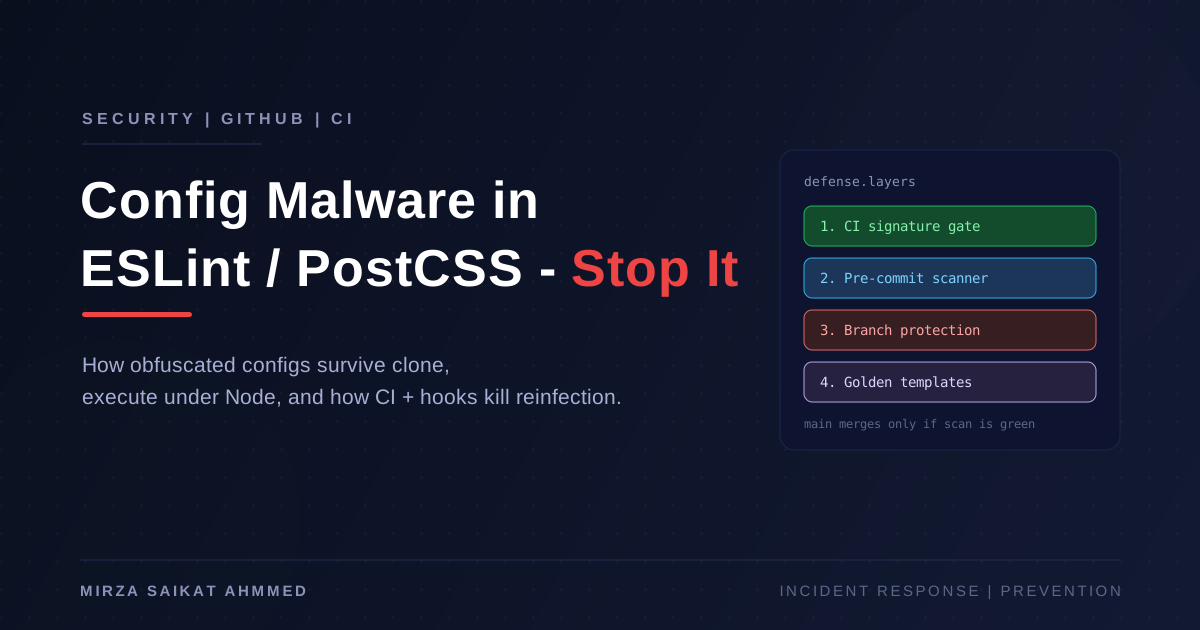
- Permanent defense layers
- CI malware signature gate
- Template and org hygiene
- Access, secrets, and npm hardening
- Team playbook
- Rollout plan
- What this permanently solves
- Quick checklist
Executive verdict
| Question | Answer |
|---|---|
Do git clone / git pull alone reset the OS? |
No |
| Is there malware in some repositories? | Yes |
| How does it run? | When Node tooling loads infected config files (eslint / postcss / etc.) after clone — e.g. IDE lint, npm install, npm run dev, npm run build |
| Can the payload reset / wipe a machine? | Yes — second-stage remote code can run arbitrary OS commands |
| Is this limited to one repo? | No — worm-like infection across many projects and local mirrors |
Root cause: Obfuscated JavaScript malware appended to legitimate frontend/backend config files. It resolves a command-and-control (C2) address via Ethereum, downloads an encrypted second-stage payload, and spawns a detached Node process. That second stage can steal secrets and run destructive OS commands.
Strategy going forward: never let malicious config blobs reach main, and never trust old local clones after an incident.
There is no 100% permanent shield against every future attack. You can permanently block this malware family and most lookalikes with automation plus process.
How the attack works
Colleague clones / pulls repo
        │
        ▼
Runs npm/pnpm install  OR  opens project in IDE  OR  runs lint/dev/build
        │
        ▼
Node loads eslint.config.* / postcss.config.* / prettier.config.* / tailwind.config.*
        │
        ▼
Hidden malware (appended after real config) executes
        │
        ├─► Resolves C2 IP via Ethereum contract / tx data
        ├─► Fetches encrypted payload over HTTP
        ├─► spawn(detached Node process) → eval remote code
        └─► Optional worm behavior: temp_auto_push.bat / temp_interactive_push.bat
                + entries added to .gitignore
Important clarification
git clone/git pullonly download files. They do not execute repository JavaScript by themselves.- Infection starts when Node executes those config files.
- Almost every developer workflow after clone triggers this (install, lint, Next.js PostCSS, ESLint in VS Code/Cursor).
That is why "my machine reset after I pulled" correlates with Git activity without Git being the executor.
Indicators of compromise (IOCs)
Campaign / payload markers
| Indicator | Value / pattern |
|---|---|
| Campaign ID | A8-974-3 |
| Ethereum address (C2 resolver) | 0xa322E5f3D311D3080e6f0121063e9aDC2490Ef1a |
| Runtime globals | global.i=..., global._V, global._H, global._H2 |
| Payload header | x-payload-b64 |
| Stage URLs | /0x/cls, /0x/ls |
| Process spawn | child_process.spawn("node", ["-e", ...], { detached: true }) |
| Packed footer (common variant) | Tgw(2509);return 1358})(); / jFD(LQI,pYd |
| Alternate packed footer | Ejd(9255);return 4658})(); |
Worm / propagation markers
Files or .gitignore entries:
temp_auto_push.battemp_interactive_push.bat
In one workspace scan, 132 .gitignore files mentioned these worm markers.
Infected file types
Malware is typically appended after the legitimate export, often as one very long line (padding + obfuscated IIFE):
eslint.config.mjs/eslint.config.jspostcss.config.mjs/postcss.config.jsprettier.config.mjstailwind.config.js(less common)
Detection heuristic
A config file is highly suspicious if:
- It contains
global.i=orA8-974-3or/0x/clsorTgw(2509);return 1358, or - Any single line is > ~2000 characters after a normal
export default/ config close, ending with})();
Quick detection commands
Run from a repo root (or workspace) to list likely infected configs:
rg -l --hidden -g '!**/node_modules/**' -g '!**/.git/**' \
  -e 'global\.i=' \
  -e 'A8-974-3' \
  -e 'Tgw\(2509\);return 1358' \
  -e 'jFD\(LQI,pYd' \
  -e '/0x/cls' \
  -e 'temp_auto_push\.bat' \
  .
Find configs with extremely long lines:
find . -type f \( \
  -name 'eslint.config.*' -o -name 'postcss.config.*' \
  -o -name 'prettier.config.*' -o -name 'tailwind.config.*' \
\) ! -path '*/node_modules/*' -print0 \
| xargs -0 awk 'length>2000{print FILENAME ":" NR " len=" length; nextfile}'
What a real scan looks like
A combined GitHub + local-mirror scan (API sampling, commit history including pre-purge recovery, and local workspace mirrors) produced numbers like this:
| Metric | Approximate result |
|---|---|
| Infected config files (local mirrors) | ~70+ |
| Approximate infected project folders | ~70 |
.gitignore worm markers |
~130+ |
| Live remotes still infected at scan time | Multiple orgs / backup orgs |
| Remotes already purged | Some production repos cleaned days earlier |
Patterns that keep repeating
- Remote cleaned, local still infected. Pulling is not enough if the working tree already ran malware. Delete the clone; re-clone after the clean push.
- Git history still contains the malware. Anyone checking out an old SHA can get reinfected. Document "do not use commits before purge date," or rewrite history where policy allows.
- Packed variants dodge naive searches. Searching only for
global.i=misses the packed footer family (Tgw(2509)...). Scan for both. - Shared starters amplify blast radius. One infected Nest/Next template can seed dozens of client repos.
Scope limitations (be honest)
| Covered | Not fully covered |
|---|---|
| Sampled personal + org remotes via API | Exhaustive history of every personal repo |
| Targeted live remote checks | Every packed-variant remote (API rate limits) |
| Local workspace mirrors | Colleague machines (must be checked on their side) |
| This config-file malware family | Arbitrary npm dependency / lockfile supply-chain malware |
GitHub Code Search often hits rate limits mid-scan. Pair remote checks with local mirrors and signature scanners.
What was ruled out
Scanned and not found as an OS-wipe vector in the investigated corpus:
| Check | Result |
|---|---|
rm -rf /, rm -rf ~, mkfs, diskutil erase, dd if=/dev/zero in app code |
No OS-wipe scripts (only normal Docker/apt cleanup / SSH key cleanup in CI) |
Dangerous package.json postinstall that wipes disks |
Not found |
Husky post-checkout / post-merge OS wipe hooks |
Not found (hooks were lint/format / CI helpers only) |
Random curl | bash installers for unrelated CLIs |
Legitimate, scoped install/uninstall of their own binaries |
CI deploy scripts that remove ~/.ssh/deploy_key* after deploy are scoped — not a full OS reset.
Why Ubuntu / Mac look "reset"
The malware’s second stage is remote-controlled. Depending on what the C2 sends, victims may see:
- User profile / shell config corruption
- Deleted home directories or project files
- Stolen then revoked credentials causing lockouts
- Forced logout / broken login sessions
- Unexpected reboots or recovery-mode behavior after destructive commands
So "my Ubuntu/Mac reset after pull" is consistent with post-clone npm/IDE execution of infected configs, not with Git itself wiping the OS.
Incident response workflow
┌─────────────────────────────────────────────────────────────────┐
│  A. STOP THE BLEEDING                                           │
│  Notify · freeze npm/IDE on old clones · rotate secrets         │
│  Purge live infected remotes · re-scan packed + clear-text IOCs │
└────────────────────────────┬────────────────────────────────────┘
                             ▼
┌─────────────────────────────────────────────────────────────────┐
│  B. CLEAN REPOSITORY CONTENTS                                   │
│  Restore short known-good configs · remove worm .bat / ignore   │
│  Push security commit · tell team to DELETE clones + re-clone   │
└────────────────────────────┬────────────────────────────────────┘
                             ▼
┌─────────────────────────────────────────────────────────────────┐
│  C. MACHINE RECOVERY                                            │
│  Assume credential theft · rotate from a CLEAN device           │
│  Prefer OS reinstall if destructive behavior observed           │
│  Audit GitHub / cloud / browser sessions                        │
└────────────────────────────┬────────────────────────────────────┘
                             ▼
┌─────────────────────────────────────────────────────────────────┐
│  D. PREVENT REINFECTION                                         │
│  CI signature gate · pre-commit · branch protection             │
│  Golden templates · least privilege · IOC updates               │
└─────────────────────────────────────────────────────────────────┘
A. Stop the bleeding (day zero)
- Notify everyone who cloned/pulled affected repos:
- Do not run
npm/pnpm/yarn/ IDE lint on old clones - Treat those machines as compromised
- Do not run
- Rotate secrets for everyone who touched infected repos:
- GitHub PATs / SSH keys / deploy keys
- npm tokens
- Cloud keys (AWS, GCP, Cloudflare, etc.)
- Database passwords,
.envsecrets, Docker Hub - Any VPS SSH keys used from those machines
- Purge live GitHub infections first — prioritize any public client-facing remotes still matching IOCs.
- Re-scan remotes for packed signature
Tgw(2509);return 1358andglobal.i=.
B. Clean repository contents
For each infected repo:
- Restore config files to a known-good short version (only legitimate ESLint/PostCSS/etc.).
- Remove
temp_auto_push.bat/temp_interactive_push.batif present. - Remove those entries from
.gitignore(optional cleanup). - Commit + push a clear message, e.g.
security: remove malicious obfuscated code from config files. - Tell teammates to delete local clones and re-clone after the fix — do not just
git pullover a working tree that already ran malware.
C. Machine recovery
If a machine already ran install/dev/lint on an infected repo:
- Assume credential theft.
- Rotate all secrets from a clean device.
- Prefer OS reinstall / clean restore if destructive behavior was observed.
- Audit browser sessions, GitHub sessions, and cloud consoles for unknown access.
D. Prevent reinfection
Covered in the next sections: CI gate, hooks, branch protection, templates, access review.
Prevention on top of still-infected remotes is useless. Finish cleanup first.
Permanent defense layers
Use all of them:
Developer machine          GitHub repo                 Team process
─────────────────          ───────────                 ────────────
Pre-commit scanner  ──►  CI security workflow  ──►  Branch protection
Secret hygiene           Required status checks     Code review on configs
Clean templates          CODEOWNERS (optional)      Least-privilege access
| Layer | Purpose | Priority |
|---|---|---|
| 1. Clean + purge infected repos | Remove active malware | P0 — do first |
| 2. CI config malware scanner | Auto-fail bad PRs/pushes | P0 |
| 3. Pre-commit hook | Stop bad commits locally | P1 |
| 4. Branch protection | Force CI + review on main |
P1 |
| 5. Fix shared templates/starters | Stop copying infection into new repos | P0 |
| 6. Secrets rotation + access control | Limit blast radius | P0 |
| 7. Dependabot / lockfile discipline | Reduce npm supply-chain risk | P2 |
| 8. Team playbook | Same response every time | P1 |
CI malware signature gate
Add a workflow that fails the job if any of these appear in config files:
global.i=A8-974-3Tgw(2509)jFD(LQI,pYd/0x/clsor/0x/lstemp_auto_push.bat/temp_interactive_push.bat- Any line longer than 2000 characters in:
eslint.config.*postcss.config.*prettier.config.*tailwind.config.*
Suggested files to add to every app repo / template:
scripts/check-malware-configs.mjs
.github/workflows/security-config-scan.yml
Workflow should run on:
pull_requestpushtomain/master- optionally
workflow_dispatchfor manual scans
Rule: main must not merge if this check is red.
Scanner script
Save as scripts/check-malware-configs.mjs:
#!/usr/bin/env node
/**
 * Fails if known config-malware signatures or suspicious long lines are found.
 * Exit 0 = clean, Exit 1 = infected/suspicious.
 */
import fs from "node:fs";
import path from "node:path";

const ROOT = process.cwd();
const MAX_LINE = 2000;
const TARGET_NAMES = [
  /^eslint\.config\./i,
  /^postcss\.config\./i,
  /^prettier\.config\./i,
  /^tailwind\.config\./i,
  /^\.eslintrc/i,
];
const SIGNATURES = [
  /global\.i\s*=/,
  /A8-974-3/,
  /Tgw\(2509\);return 1358/,
  /jFD\(LQI,pYd/,
  /Ejd\(9255\);return 4658/,
  /\/0x\/cls/,
  /\/0x\/ls/,
  /temp_auto_push\.bat/,
  /temp_interactive_push\.bat/,
  /0xa322E5f3D311D3080e6f0121063e9aDC2490Ef1a/i,
  /x-payload-b64/i,
];

const SKIP_DIRS = new Set([
  "node_modules",
  ".git",
  "dist",
  "build",
  ".next",
  "coverage",
  "vendor",
]);

function walk(dir, out = []) {
  for (const ent of fs.readdirSync(dir, { withFileTypes: true })) {
    if (SKIP_DIRS.has(ent.name)) continue;
    const p = path.join(dir, ent.name);
    if (ent.isDirectory()) walk(p, out);
    else out.push(p);
  }
  return out;
}

function isTarget(file) {
  const base = path.basename(file);
  return TARGET_NAMES.some((re) => re.test(base));
}

const findings = [];
for (const file of walk(ROOT)) {
  if (!isTarget(file) && path.basename(file) !== ".gitignore") continue;
  let text;
  try {
    text = fs.readFileSync(file, "utf8");
  } catch {
    continue;
  }
  for (const re of SIGNATURES) {
    if (re.test(text)) {
      findings.push(`${file}: matched ${re}`);
    }
  }
  if (isTarget(file)) {
    const lines = text.split(/\r?\n/);
    for (let i = 0; i < lines.length; i++) {
      if (lines[i].length > MAX_LINE) {
        findings.push(`${file}:${i + 1}: line length ${lines[i].length} > ${MAX_LINE}`);
      }
    }
  }
}

if (findings.length) {
  console.error("SECURITY: suspicious config malware indicators found:\n");
  for (const f of findings) console.error(" -", f);
  process.exit(1);
}

console.log("SECURITY: config malware scan passed.");
Run locally:
node scripts/check-malware-configs.mjs
GitHub Actions workflow
Save as .github/workflows/security-config-scan.yml:
name: Security Config Scan

on:
  pull_request:
  push:
    branches: [main, master]
  workflow_dispatch:

jobs:
  scan-configs:
    runs-on: ubuntu-latest
    steps:
      - uses: actions/checkout@v4
      - uses: actions/setup-node@v4
        with:
          node-version: "20"
      - name: Scan for config malware signatures
        run: node scripts/check-malware-configs.mjs
Pre-commit hook (optional but strong)
With Husky:
# .husky/pre-commit
node ./scripts/check-malware-configs.mjs
Or a shared org hook template so every new repo gets it from day one.
Branch protection
For each important repo (main / master):
- Require a pull request before merge
- Require status checks to pass → include
Security Config Scan - Dismiss stale approvals when new commits are pushed
- Restrict who can push to protected branches
- Disable force-push to
main - (Optional) Require review from CODEOWNERS for
*eslint*,*postcss*,*prettier*,*tailwind*
CODEOWNERS (optional)
.github/CODEOWNERS example:
eslint.config.*   @your-org/leads
postcss.config.*  @your-org/leads
prettier.config.* @your-org/leads
tailwind.config.* @your-org/leads
.github/workflows/** @your-org/leads
Template and org hygiene
If you create many client repos from shared starters, an infected template infects every new repo.
Golden templates (use these)
I published two GitHub template repositories you can use as the only approved starters for new client work. Both ship with the malware scanner, CI security gate, Husky pre-commit hook, and a script to lock main to PR-only:
| Stack | Template | What you get |
|---|---|---|
| NestJS + Prisma backend | nestjs-backend-template | JWT auth, Swagger, Postgres, security:scan, branch-protection script |
| Next.js App Router frontend | nextjs-frontend-template | Tailwind v4, API health check, same scanner + CI + PR-only main |
On GitHub: Use this template → create the new client repo → customize → after the first push run:
./scripts/enable-branch-protection.sh
# solo: APPROVALS=0 (default) · team: APPROVALS=1 ./scripts/enable-branch-protection.sh
That locks main so direct pushes are rejected; changes land only via PR with scan-configs + build green.
Must-fix / must-guard templates
- Any NestJS / Next.js starter you copy (prefer the golden templates above)
- Org
.githubrepositories / reusable workflows - Internal “new project” scripts that scaffold configs
Permanent template rule
- Keep one clean golden template per stack (backend + frontend).
- Run
node scripts/check-malware-configs.mjsin CI on that template. - New client repos must be created only from those templates (GitHub “Use this template”).
- Never copy configs from random old client folders without scanning first.
Suggested reusable org workflow
Put the scanner in your org’s .github repo as a reusable workflow, then call it from each repo:
jobs:
  security-config-scan:
    uses: your-org/.github/.github/workflows/security-config-scan.yml@main
One update to IOCs then protects every repo.
Access, secrets, and npm hardening
Access
- Give write access only to people who need it
- Prefer org teams over personal collaborator sprawl
- Remove inactive collaborators monthly
- Prefer deploy keys / GitHub Actions OIDC over long-lived SSH keys on laptops when possible
Secrets
- Use fine-grained GitHub tokens with expiry
- Never commit
.env, tokens, or private keys - Store production secrets in GitHub Actions secrets / a vault — not in chat or shared drives
- After any malware incident: rotate everything once from a clean machine
Developer machines
- Do not reuse the same machine token across all client repos forever
- Prefer passphrase-protected SSH keys
- Keep OS + Node updated
npm / supply-chain hardening
This incident was mostly committed config malware, but also harden package installs:
- Commit lockfiles (
package-lock.json/pnpm-lock.yaml) and install with--frozen-lockfilein CI - Enable Dependabot or Renovate
- Avoid
postinstallscripts that download remote code - Prefer
ignore-scripts=truefor untrusted packages when auditing - Periodically run
npm audit/pnpm audit(not sufficient alone, but useful)
Team playbook
Before opening any repo
# after clone, BEFORE npm install / IDE lint if repo is untrusted
node scripts/check-malware-configs.mjs   # if script exists
# or quick check:
rg -n "global\\.i=|Tgw\\(2509\\)|/0x/cls|temp_auto_push" \
  eslint.config.* postcss.config.* prettier.config.* tailwind.config.* .gitignore 2>/dev/null
Never do this on an untrusted clone
npm install/pnpm installblindly- Open the project in an IDE with ESLint auto-run enabled
- Run
npm run dev/buildbefore a config scan
If something looks wrong
- Disconnect network if possible
- Do not push “fixes” from the infected machine without scanning
- Rotate credentials from a clean device
- Re-clone after remote purge
- Update the IOC list in
check-malware-configs.mjsif a new variant appears
Rollout plan
| Phase | Action | Target |
|---|---|---|
| 1 | Purge live infected remotes | All confirmed infected GitHub remotes |
| 2 | Use published golden templates | nestjs-backend-template, nextjs-frontend-template |
| 3 | Add reusable workflow in org .github repo |
Shared by all repos |
| 4 | Enable branch protection requiring the check | All production repos (or ./scripts/enable-branch-protection.sh) |
| 5 | Batch-clean local mirrors | Old clone directories on developer machines |
| 6 | Send short notice to colleagues | Ubuntu + Mac users |
| 7 | Quarterly re-scan | All orgs |
What this permanently solves
Solves / strongly mitigates
- Re-adding this obfuscated ESLint/PostCSS malware family
- Silent one-line mega-payloads in common JS config files
- Accidental copy-paste of infected configs from old client folders (if CI runs)
- Merging infected configs to
mainwithout failing checks
Does not fully solve alone
- Brand-new malware with unknown signatures (needs IOC updates)
- Compromised npm packages with malicious
postinstall - A trusted collaborator with write access intentionally bypassing process
- Developers disabling hooks / force-merging without protections
→ Keep CI required + human review + least privilege. That combination is the durable answer.
Quick checklist
- All known infected remotes purged
- Teammates re-cloned clean copies
- Secrets rotated from a clean machine
-
scripts/check-malware-configs.mjsin templates -
.github/workflows/security-config-scan.ymlactive - Branch protection requires the security check
- Write access reviewed / reduced
- New repos created from nestjs-backend-template / nextjs-frontend-template
-
./scripts/enable-branch-protection.shrun after first push - Team knows: scan configs before
npm installon unfamiliar repos - IOC list updated when new variants are found
Bottom line
- Yes — this is real malware that can damage Ubuntu/Mac after normal Node workflows.
git cloneis not OS wipeware — the danger is infected ESLint/PostCSS (and similar) configs executing under Node.- Cleaning one repo is not enough if templates, backup orgs, and local mirrors stay infected.
- The durable fix is automation: signature scanner in CI + required status checks + golden templates + least privilege.
Start every new Nest or Next client from the public templates — nestjs-backend-template and nextjs-frontend-template — then lock main with the included branch-protection script.
Update IOC signatures whenever a new variant is discovered. The campaign IDs and packed footers will change; the defense pattern — treat config files as executable, gate them in CI — will not.
Written from automated + manual inspection of GitHub API contents, commit history (including pre-purge malware recovery), and local workspace mirrors. Client and organization names intentionally omitted.
Working on something like this?
I take on backend, payments and deployment projects. I reply within one working day.