Overview
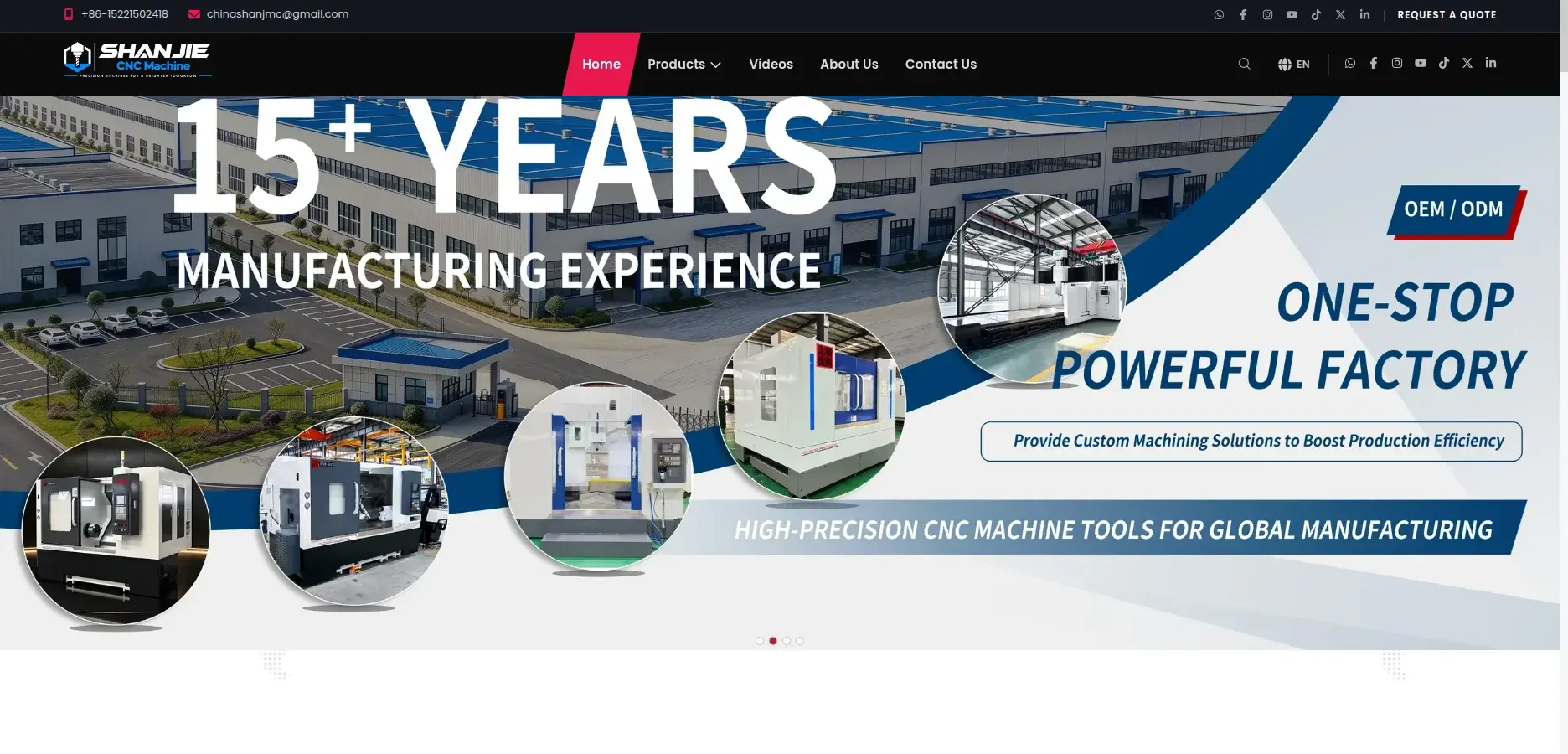
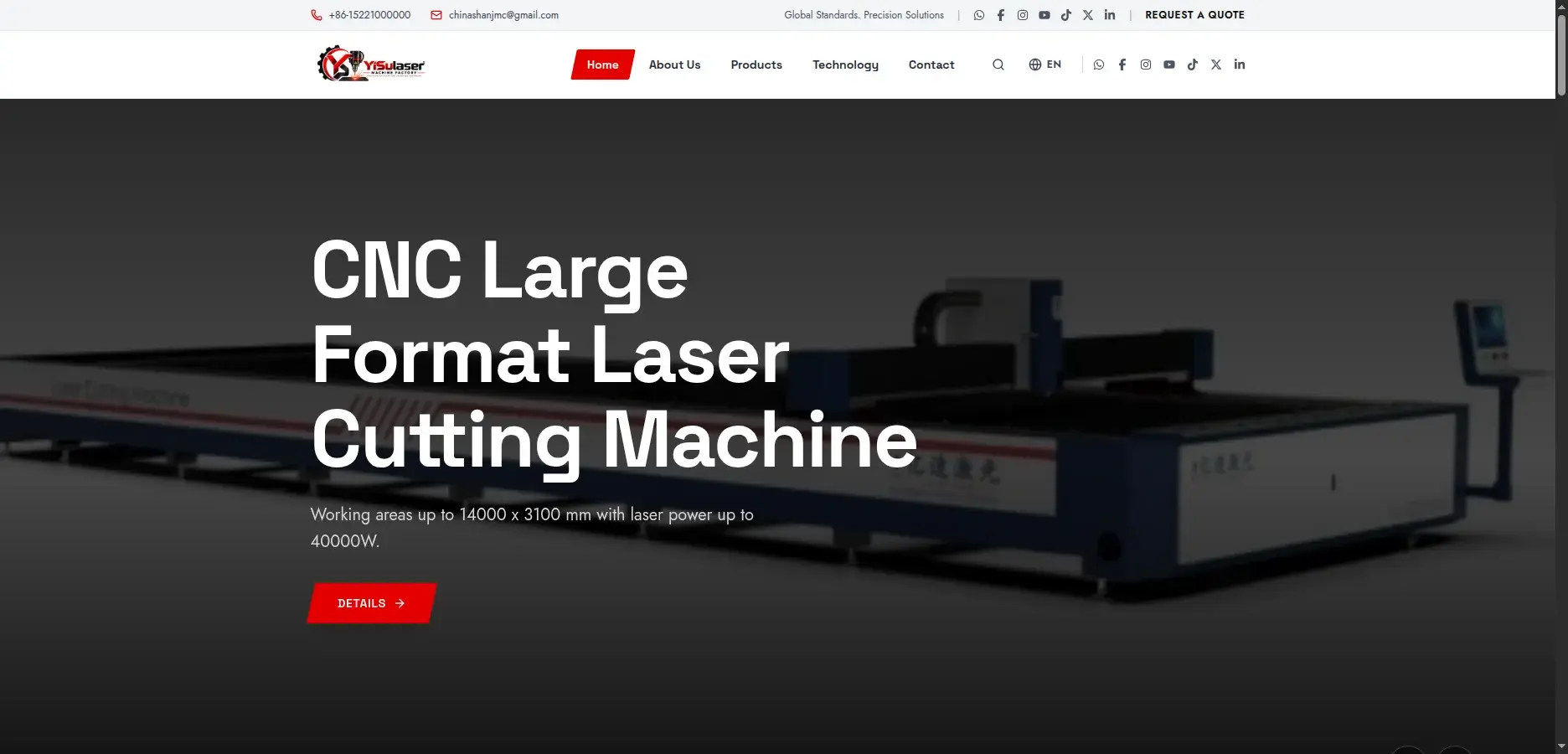
YSULASER is the website and admin panel for a fiber laser cutting machine brand from the same manufacturer as SHANJIE. It has a typed content layer over a NestJS API, an admin panel to edit every product, page and video, and a backend I started from the SHANJIE one.
A new brand site went from idea to a live, editable system in a few weeks.
Problem
A new machine brand needed its own site quickly: a product catalog with technical spec tables, a technology page, videos and a quote form. The marketing team also wanted to change products, pages and videos themselves, without a developer and without breaking the layout.
Approach
I built the frontend first against typed mock data, so design and content could be settled early. In parallel, I started the API from the SHANJIE backend and kept what was proven: auth, media, storage, backups and inquiries. Swapping mocks for the API touched one file, and the admin panel was then built in 12 steps, each checked against the live API.
Outcome
- API endpoints
- 42
- Database tables
- 9
- Frontend pages
- 29
- UI components
- 84
- Admin panel areas
- 12
- Lines of TypeScript
- ~16k
What I built
- Public site with home, about, products, technology, videos and contact pages
- Product catalog with spec tables, a gallery strip, a mega menu and a quote request link
- Capabilities section edited as one ordered list, saved as a single unit
- Contact form that posts inquiries to the API and shows them in the admin
- Language switcher through Google Translate, favicon set and app icons
- Videos from YouTube links with 'coming soon' cards for unreleased items
- News and insights articles with an editor, built and ready to switch on
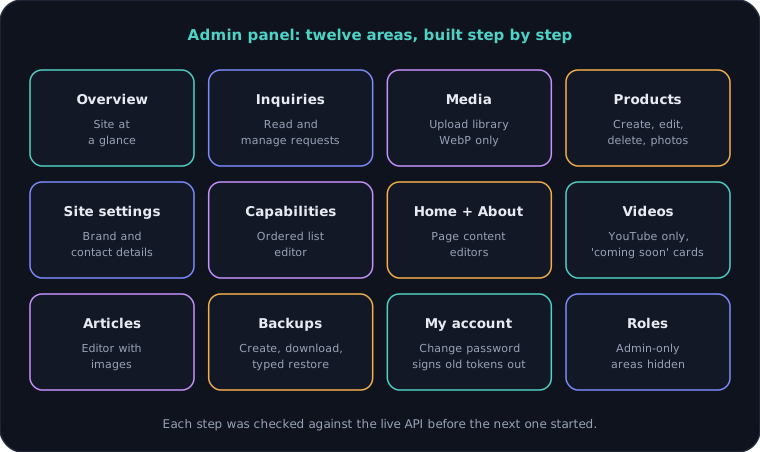
- Admin panel: overview, inquiries, media, products, site settings, capabilities, home, about, videos, articles, backups and account
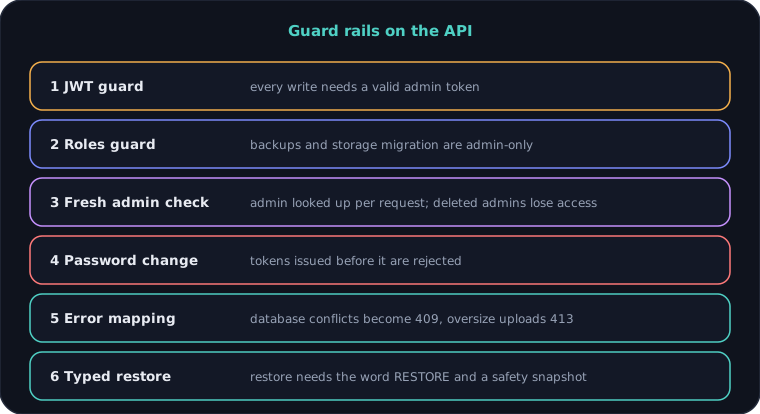
- Roles guard, per-request admin lookup, and change password that rejects older tokens
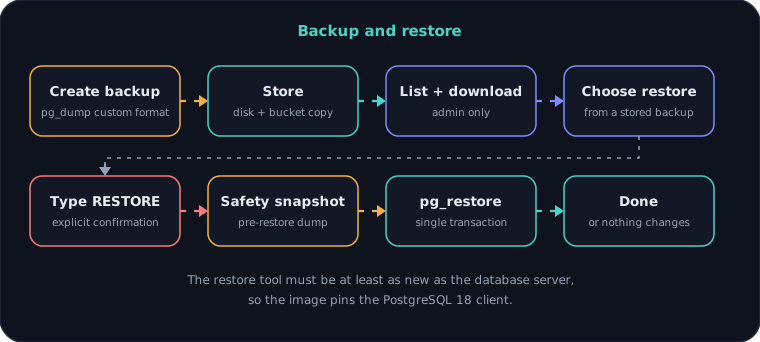
- Backups with a typed RESTORE confirmation, a safety snapshot and a single-transaction restore
- Database errors mapped to clean 409 and 413 responses
- Seed script that loads the frontend's mock content through the real upload pipeline
- Response envelope, error filter and validation through my own nestjs-api-forge package
- Docker images that run migrations on start, deployed behind a reverse proxy
Architecture
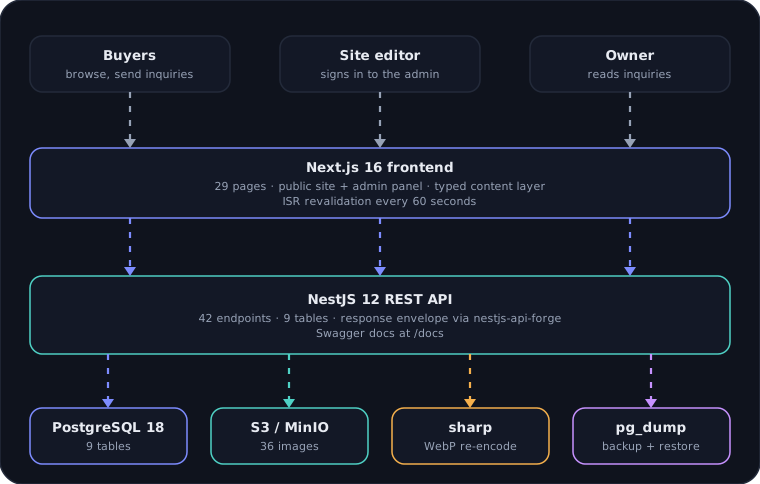
System architecture
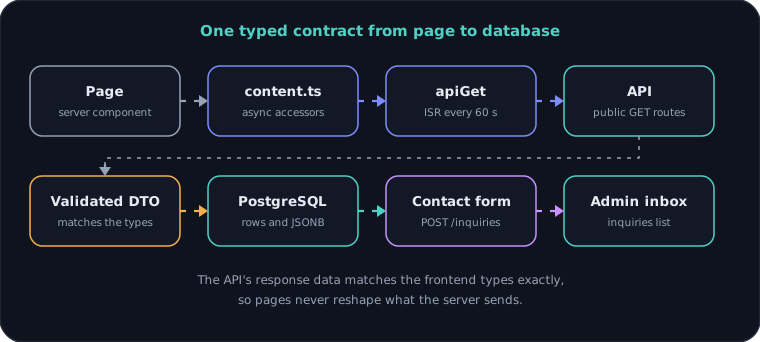
One typed contract
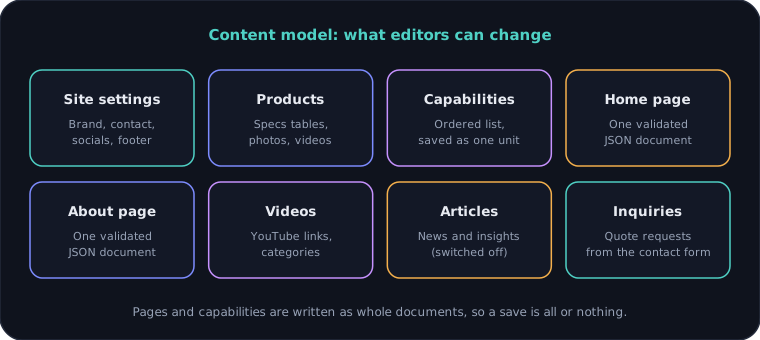
Content model
Admin panel
Same foundation, new site
Guard rails on the API
Backup and restore
Engineering decisions
01Mocks first, API second
The frontend was built against a typed mock data layer. Moving to the real API changed one accessor file, so design could be settled before the backend existed.
02One typed contract
The API returns data in exactly the shape of the frontend types. Pages never reshape what the server sends, and a seed test checks the sample data against the same rules.
03Whole documents, not many rows
Home and About are one validated JSON document each, and capabilities are replaced as one ordered list inside a transaction. A save is all or nothing, and the order is always the editor's.
04Reuse the proven backend
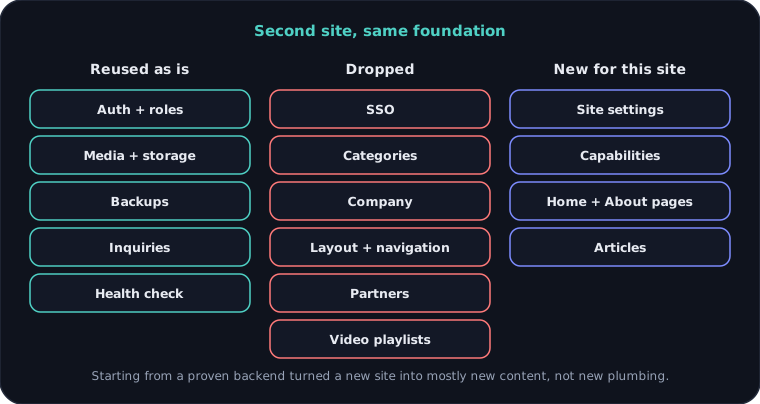
Auth, media, storage, backups and inquiries came from the SHANJIE API. The work went into this brand's content, not into rebuilding plumbing that already worked.
05Check the admin on every request
The admin record is loaded on every request. Deleting an admin or changing a role takes effect at once, and a password change rejects every older token.
06YouTube links, not video uploads
Videos are YouTube links only, validated by the API. The server stays light and nobody can upload a huge file by mistake.
07Restore with a seatbelt
Restoring needs the typed word RESTORE, takes an automatic safety snapshot, and runs in one transaction. The image pins the PostgreSQL 18 client so the tools match the server.
Need something similar?
Tell me what you are building and I will reply within one working day.