Overview
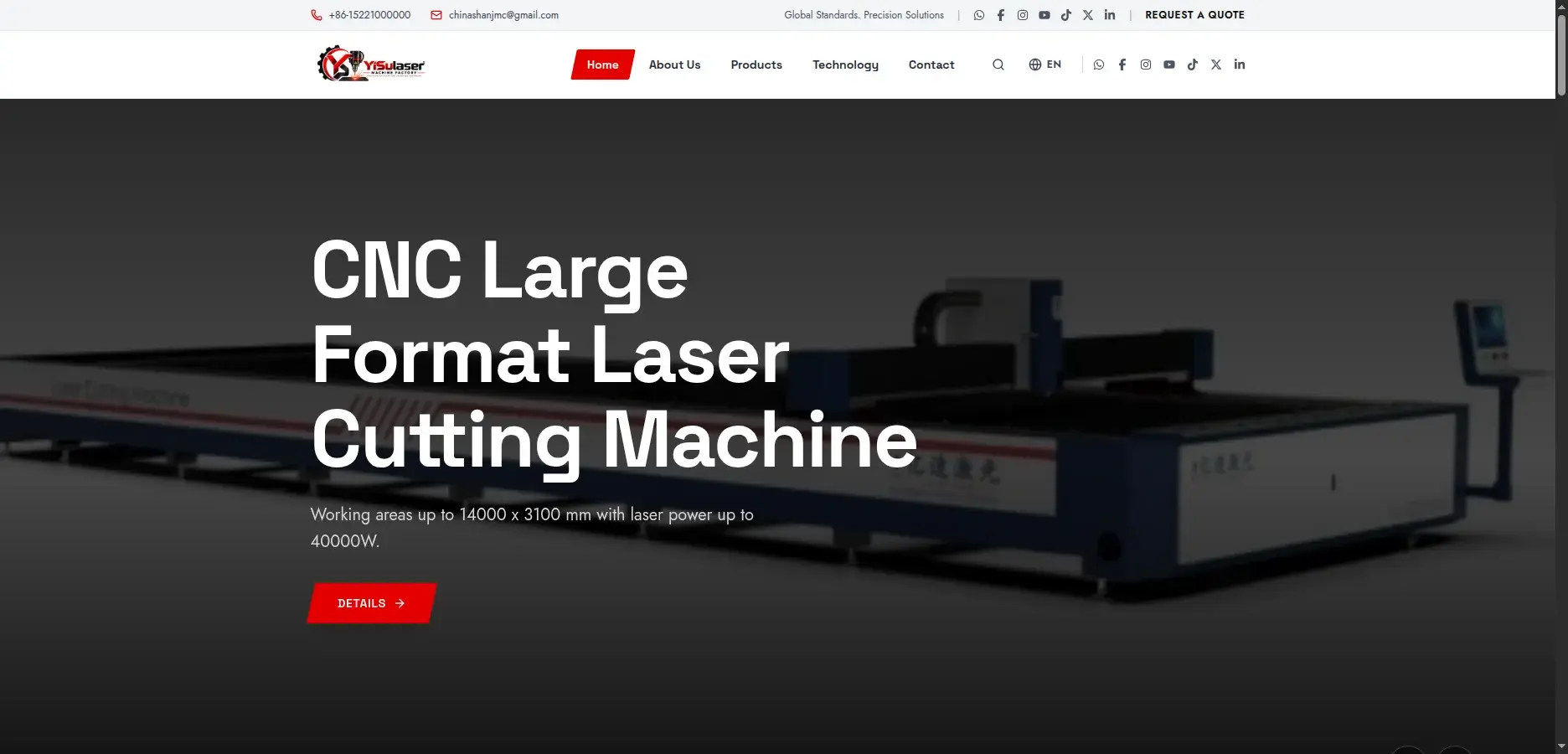
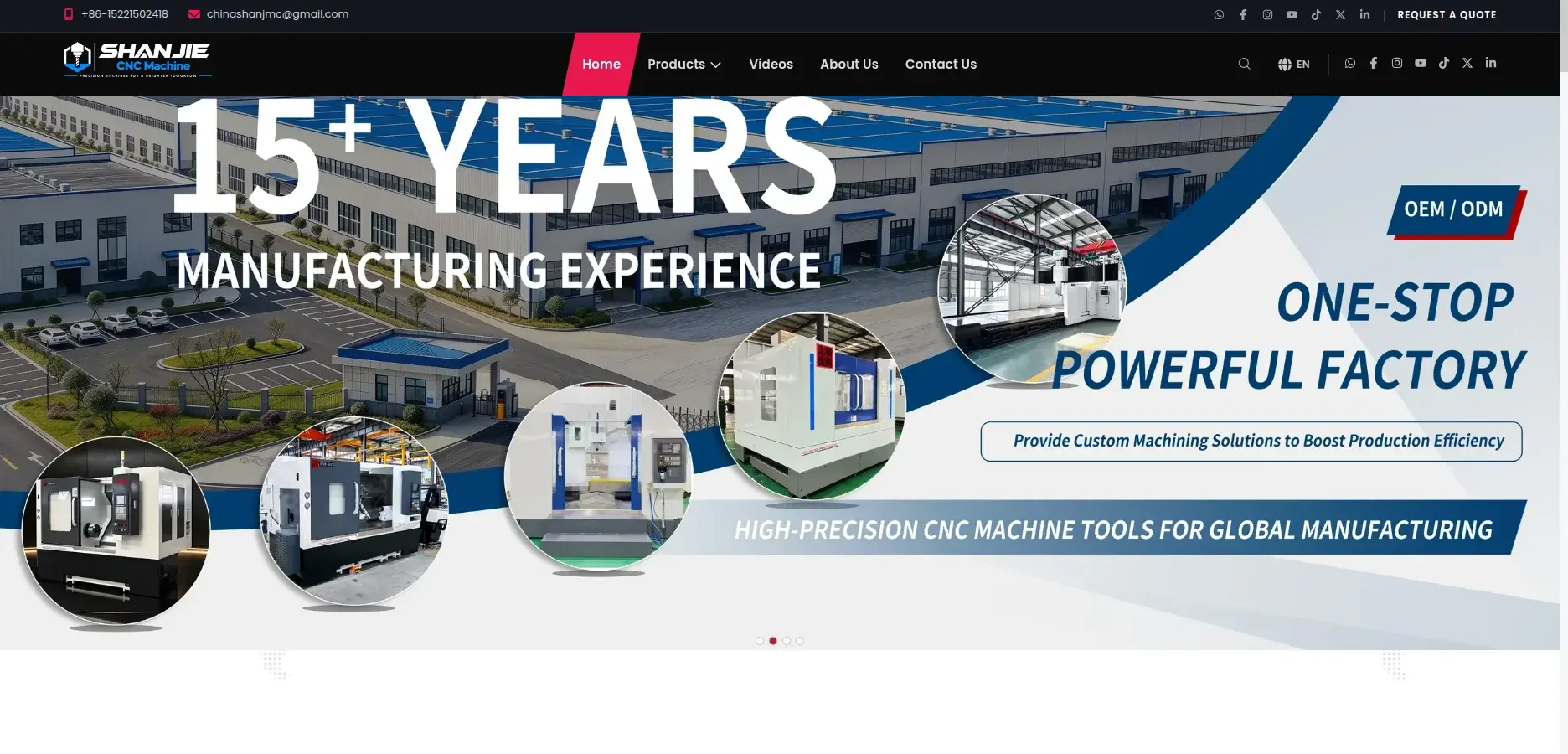
SHANJIE CNC Machine is the website and admin system for Hubei Shangjie Precision Machinery, a CNC machine maker that sells worldwide. I converted the client's site-builder pages to Next.js, rebuilt the brand, and added a NestJS API and an admin dashboard.
The client can now change every product, page, menu and video without a developer.
Problem
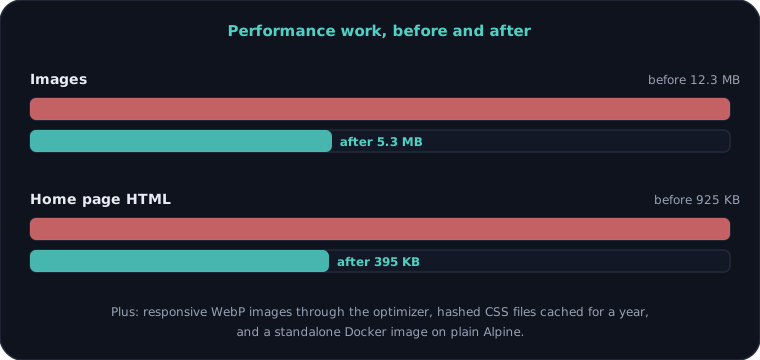
The client's older sites lived on a site builder. They were slow (12 MB of images, a 925 KB home page), hard to change, and every edit needed someone who knew the builder's markup. Buyers abroad had no quick way to browse machines, watch demos or send a quote request.
Approach
I kept the design the client liked and replaced everything behind it. Pages became templates with placeholders, filled from a NestJS API, and an admin dashboard now edits every product, category, video, page, menu and contact detail. I cut the page weight, added a language switcher, and put it all in Docker images that deploy with the API.
Outcome
- API endpoints
- 54
- Database tables
- 12
- Frontend pages
- 19
- UI components
- 62
- Languages in the switcher
- 19
- Lines of TypeScript
- ~18k
What I built
- Public site with home, about, contact, 15 products in 4 categories, and a hot-product mega menu
- Product pages with a photo and video album, specifications, and a quote request link
- Video library with playlists, per-video pages, tags and descriptions
- Language switcher with 19 languages through Google Translate, and a branded loading screen
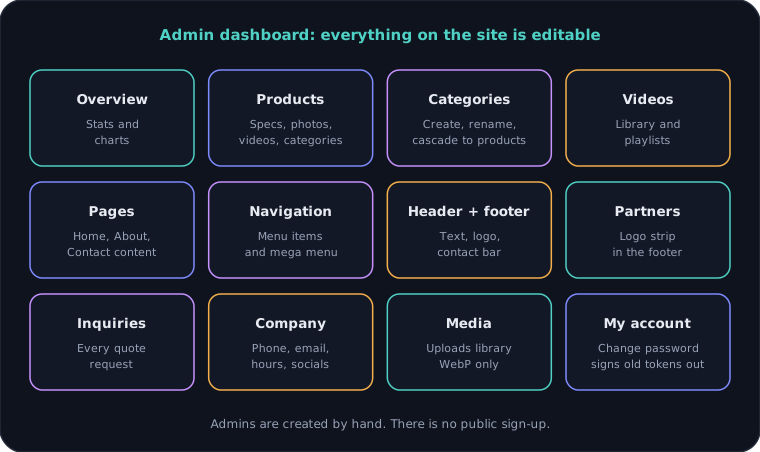
- Admin dashboard: overview charts, products, categories, videos, playlists, pages, navigation, header and footer, partners, inquiries, company details and media
- Home, About and Contact are templates with 222 editable fields, so editors never touch markup
- Inquiry forms that save to the API and appear in the admin
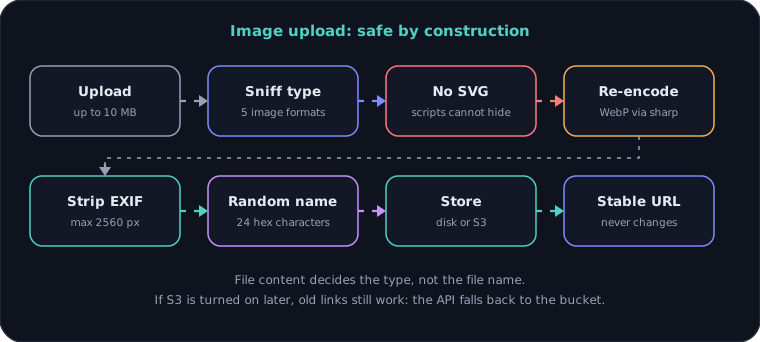
- Safe image pipeline: type sniffing, no SVG, WebP re-encode, EXIF stripped, random names
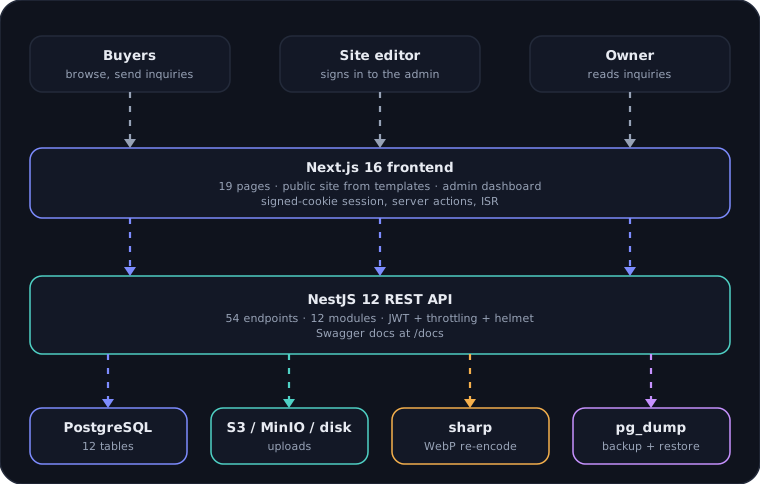
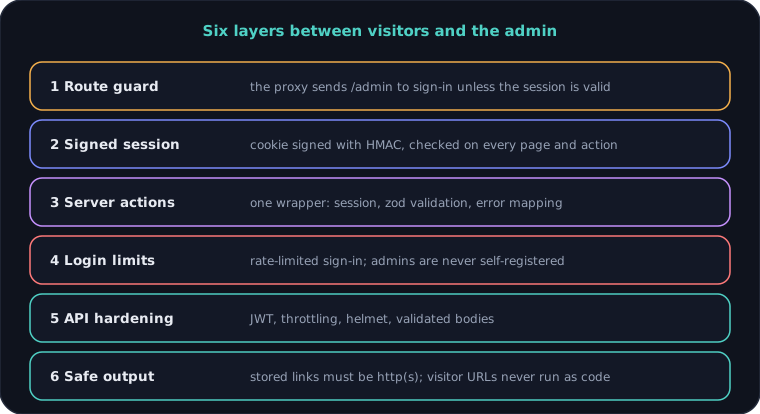
- Signed-cookie admin session, rate-limited sign-in, JWT API, helmet and throttling
- Change password that signs out every older token
- Backups through the API with a typed RESTORE confirmation and an automatic safety snapshot
- Optional S3-compatible storage with a migration endpoint that keeps old links working
- Performance work: WebP images, responsive image optimizer, hashed CSS, cache headers
- Docker multi-stage images deployed behind a reverse proxy
Architecture
System architecture
Admin dashboard
Edit in the admin, live on the site
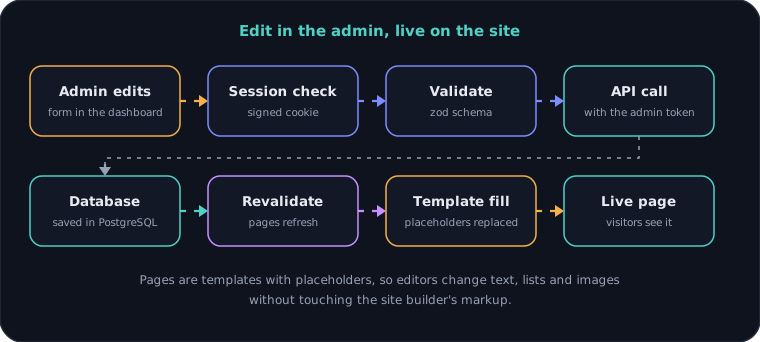
Image uploads
Security layers
Performance
Deploy order
Engineering decisions
01Keep the design, replace the plumbing
The client's pages are the builder's own markup. I render them from templates with placeholders, so the look did not change while every piece of content became editable.
02One door for every admin change
Every admin action goes through one wrapper: check the session, validate with zod, map errors, then refresh the pages. Forms and server actions share the same schemas, so a rule is written once.
03Uploads are untrusted
Files are sniffed by content, SVG is refused, and images are re-encoded to WebP with EXIF stripped and a random name. A hostile file cannot slip through under a friendly name.
04Stable image URLs
When S3 storage was added, stored links stayed the same and the API falls back to the bucket. No database rewrite was needed, and old pages kept their images.
05Never invent data
The client's reference asked for a 'Popular Videos' row. There is no view-count data anywhere, so I left it out instead of faking numbers.
06Build before the backend exists
The admin first ran on an in-memory demo store, so the client could see and try it early. When the API went live, I verified every feature through the real admin, one at a time.
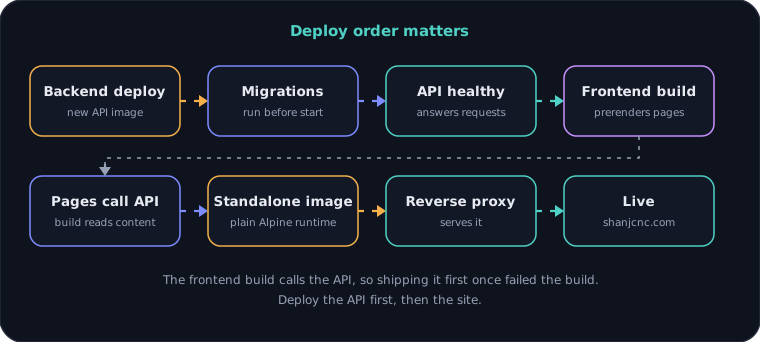
07Deploy order is part of the design
The frontend build prerenders pages by calling the API. Shipping it before the backend once failed the build, so the API goes first.
Need something similar?
Tell me what you are building and I will reply within one working day.