Overview
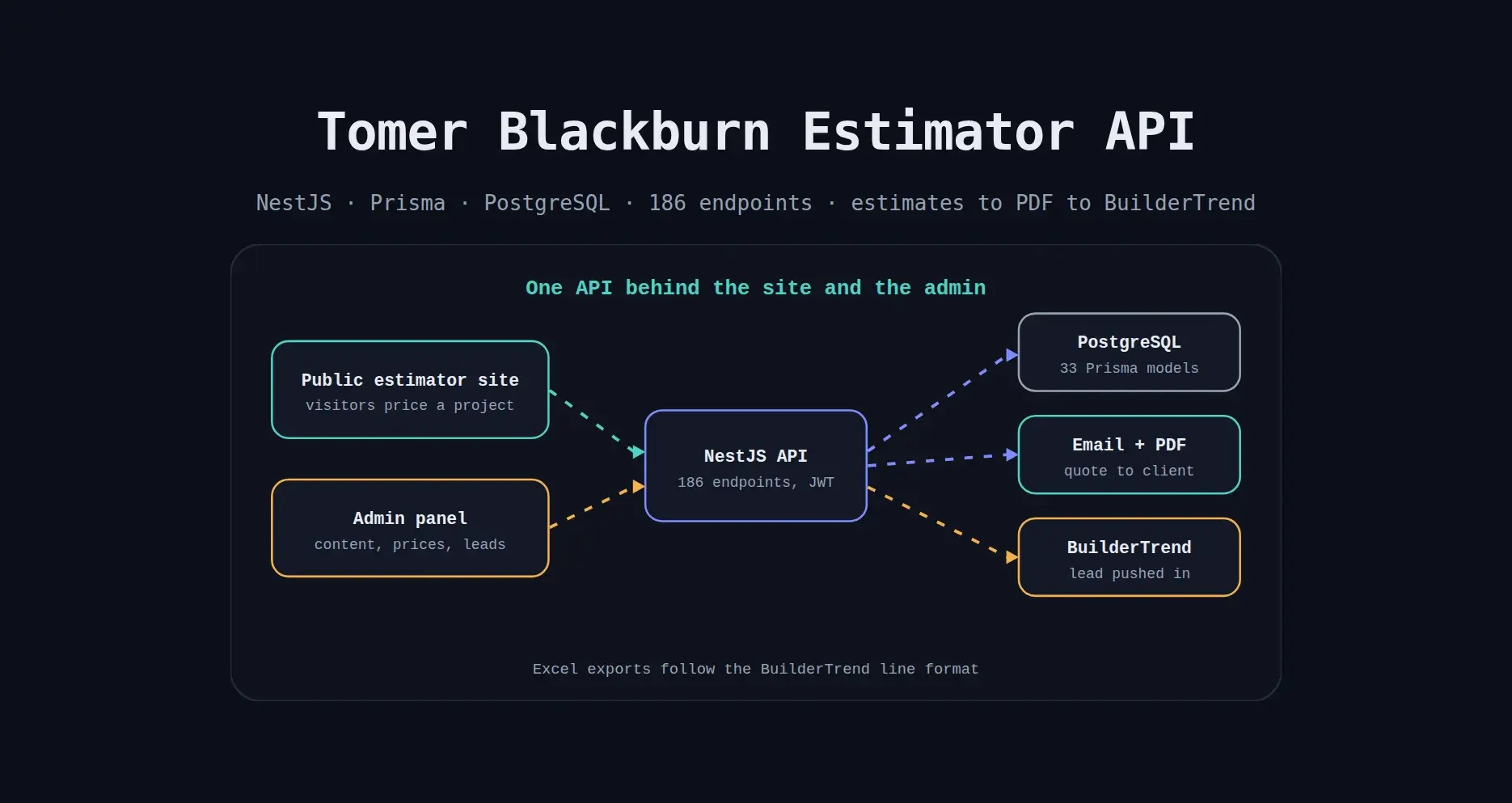
I built the backend API for Tomer Blackburn, a bathroom remodeling business. It powers an online cost estimator where visitors price a remodel by building and bathroom type, choose upgrades and upload photos, then receive a PDF quote by email.
It also runs the admin: pricing codes, services, portfolio, site content and leads, with an integration that pushes contact forms into BuilderTrend.
Problem
A bathroom remodeling business loses leads when pricing a project takes a phone call and a spreadsheet. Visitors want a rough number now, the team needs every enquiry in the system it already uses to run jobs, and the website text, services and portfolio have to change without a developer.
Approach
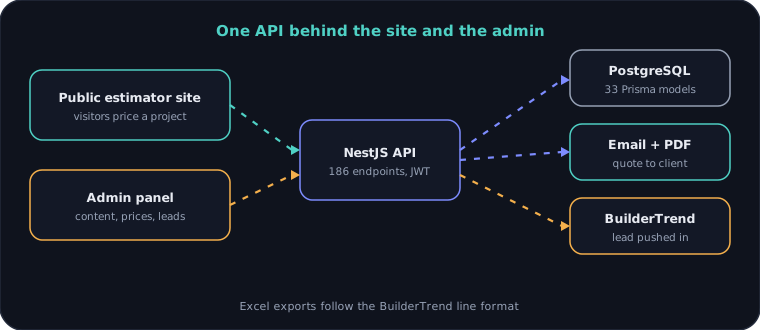
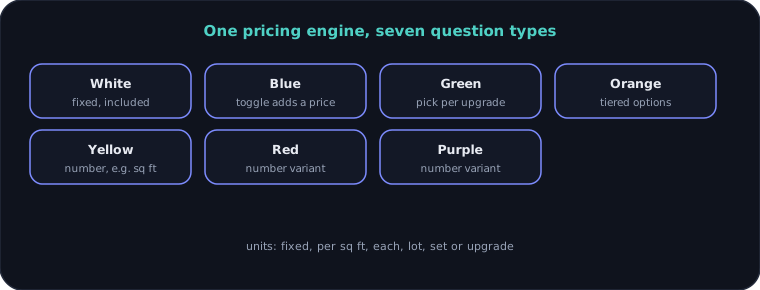
I built one API for three jobs. An estimator engine turns a visitor's answers into a priced quote, using cost codes with seven question types and several unit types. A submission flow saves the estimate, builds a PDF, emails it, and records the lead with city and state from the ZIP code. An admin layer lets the owner edit prices, services and every page of the site, and sends contact forms into BuilderTrend.
Outcome
- API endpoints
- 186
- Database models
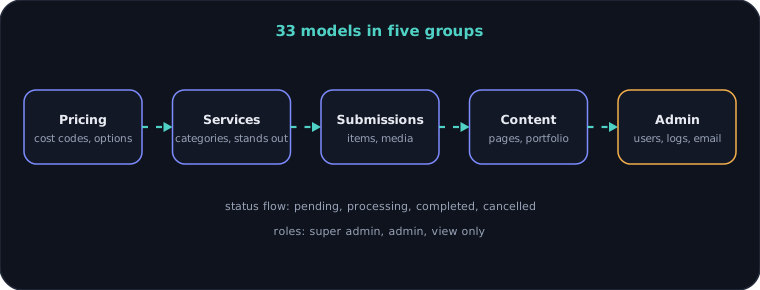
- 33
- Migrations
- 32
- Modules
- 26
- Admin roles
- 3
- Lines of TypeScript
- ~19k
What I built
- Cost estimator with cost codes, categories and options, priced per square foot, each, lot, set, upgrade or fixed
- Seven question types that control how each item is answered: fixed, toggle, dropdown, tiers and number inputs
- Estimate submissions with a unique reference, answers, media uploads and a status from pending to completed
- PDF quote generated and uploaded for each submission, with a regenerate option
- Email delivery with an email log, plus in-app notifications and an activity feed
- ZIP code lookup that fills city and state on the contact record
- Contact form that also sends the lead into BuilderTrend by filling its form with a headless browser
- Excel export of submissions in a BuilderTrend line format, and lead and submission templates
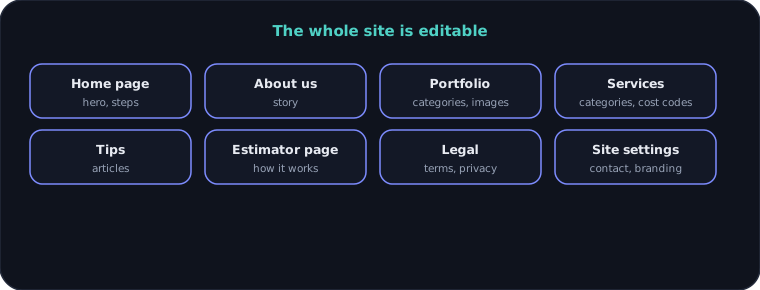
- Admin-edited content: home page, about, portfolio, services, tips, estimator page, terms, privacy and site settings
- Building types, project types and service categories linked to cost codes
- Dashboard statistics: totals by status and revenue
- JWT sign-in with super admin, admin and view-only roles, validated requests and Swagger docs
- Docker setup, CI pipeline and a security scan workflow
Architecture
System architecture
Question types
Estimate submission
Content managed from the admin
Data model
Engineering decisions
01Question types as data, not code
The colour types and unit types are stored with each cost code. The owner can add an item or change how it is priced in the admin, and the estimator follows without a release.
02A PDF for every estimate
Visitors get a quote they can keep, and the business keeps the same copy. The PDF can be regenerated on demand.
03Leads go where the team already works
The business uses BuilderTrend, so contact forms are filled into it automatically and exports use its line format. Nobody retypes a lead.
04A headless browser for a system with no API
BuilderTrend offers a form, not an API for this. A headless browser fills the form and saves a screenshot and response as proof, and the lead is sent in the background so the visitor does not wait.
05Everything on the site is editable
Marketing pages, services and the portfolio live in the database. The owner changes them from the admin instead of asking for a code change.
06Roles with a view-only level
Super admin, admin and view-only roles let someone read leads and numbers without being able to change prices.
Need something similar?
Tell me what you are building and I will reply within one working day.