Overview
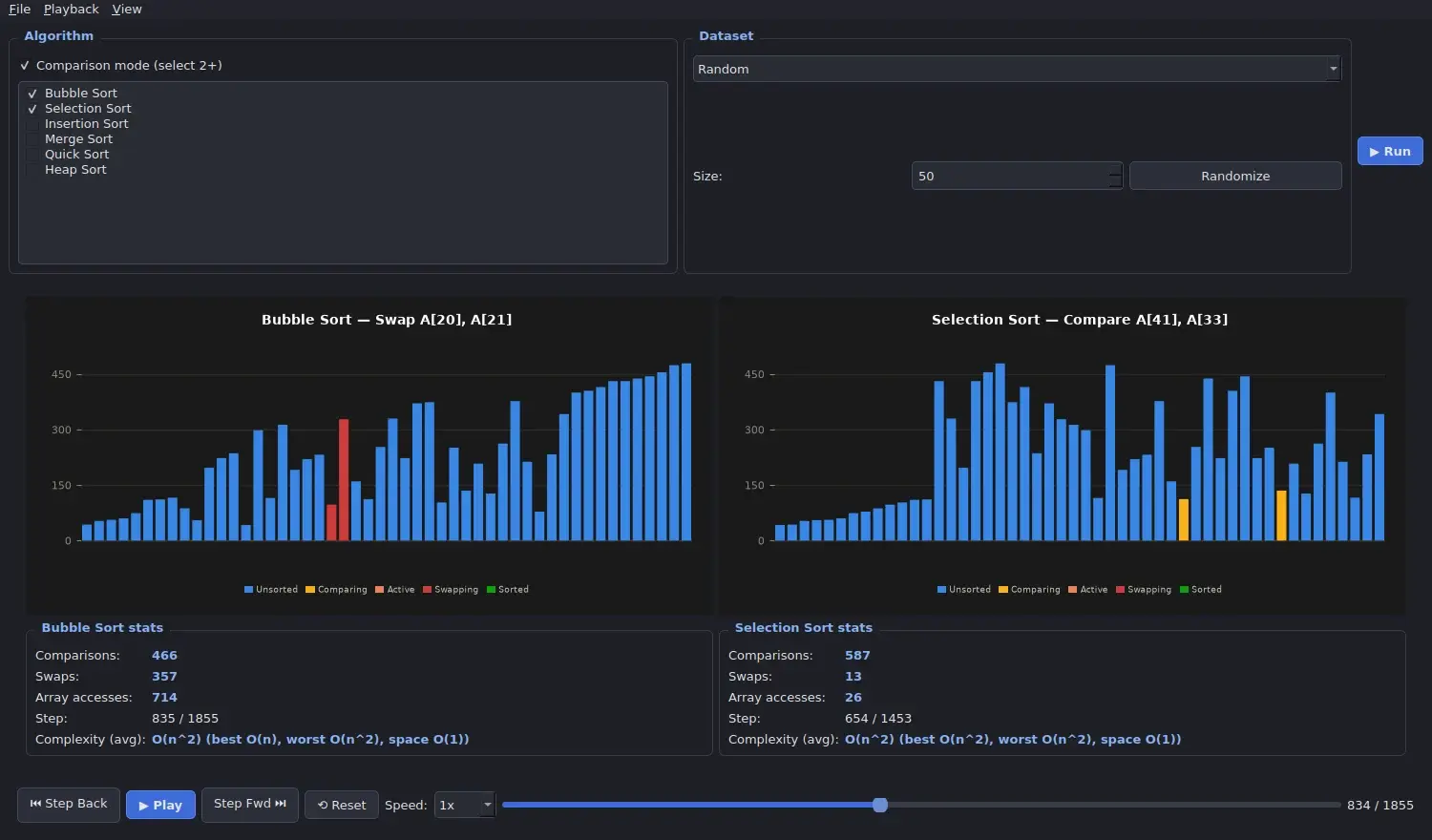
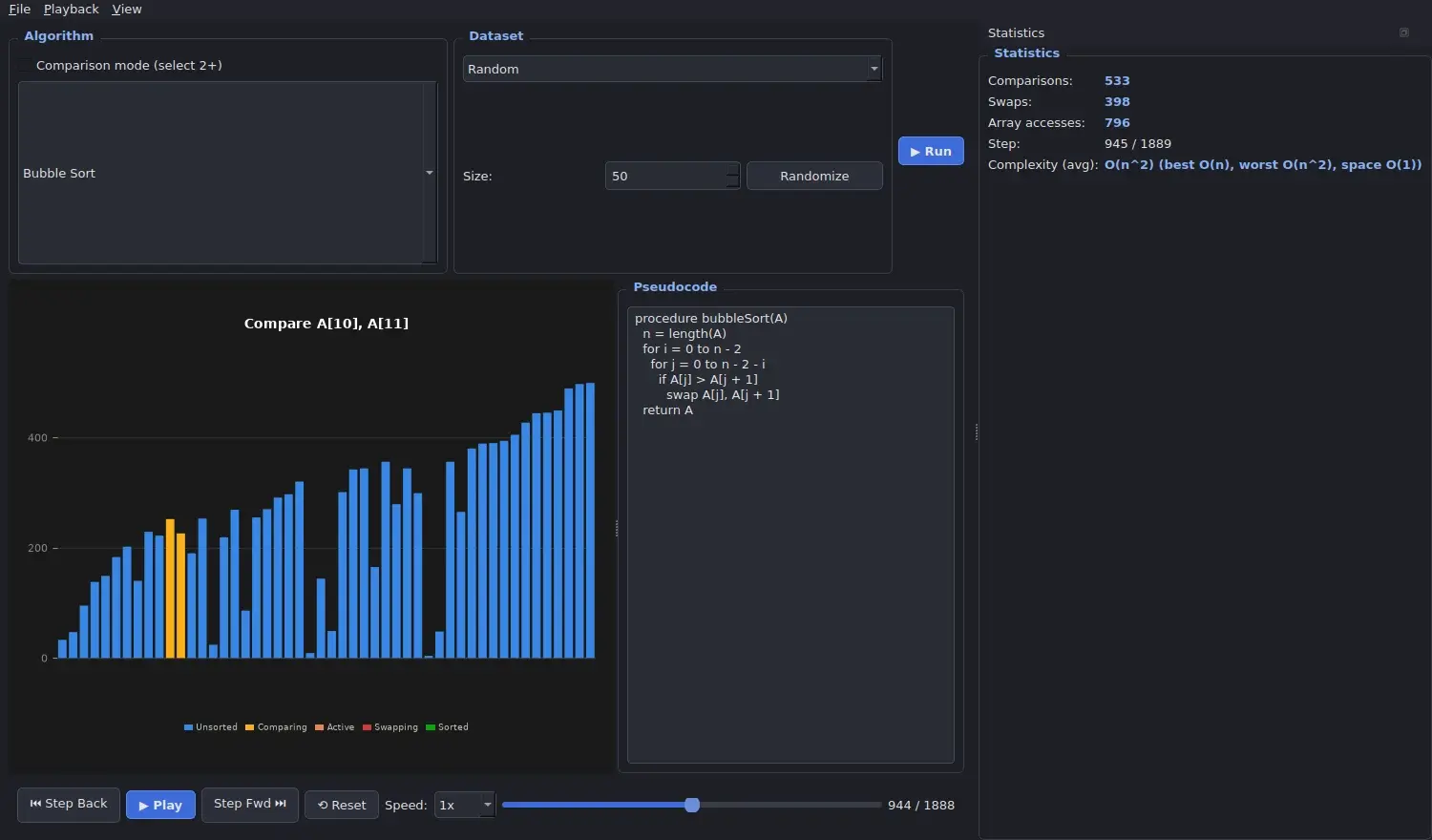
I built AlgoVision Studio, an offline desktop app that teaches sorting algorithms. It animates Bubble, Selection, Insertion, Merge, Quick and Heap sort on bars, highlights the matching pseudocode line, shows live comparison and swap counts, and can run two or more algorithms side by side on the same data.
It is written in Python with PyQt6 and Matplotlib.
Problem
Sorting algorithms are hard to learn from code and static diagrams. Students need to see each comparison and swap, step backwards when they miss something, and compare how two algorithms behave on the same data, ideally in a classroom with no internet connection.
Approach
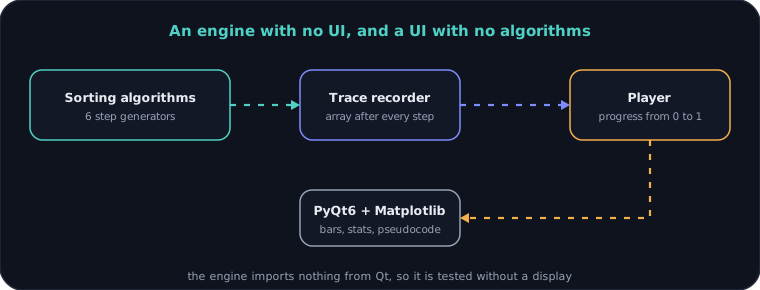
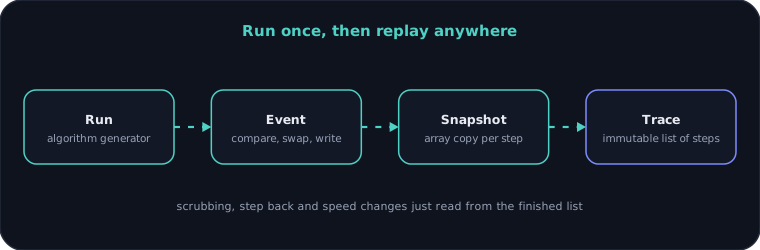
I split the app into an engine and an interface. Each algorithm is a generator that yields an event for every comparison, swap and write. A recorder runs it to the end once and keeps a snapshot of the array for every step. The interface only reads from that finished list, so a timeline slider, step back, variable speed and side-by-side comparison all become simple lookups.
Outcome
- Sorting algorithms
- 6
- Tests, all passing
- 97
- Playback speed
- 0.25x to 8x
- Keyboard shortcuts
- 11
- Lines of Python
- ~2k
- Network calls
- 0
What I built
- Animated bar visualization with colours for unsorted, comparing, active, swapping and sorted elements
- Six algorithms: Bubble, Selection, Insertion, Merge, Quick and Heap sort
- Pseudocode panel that highlights the line for the current step
- Live statistics: comparisons, swaps, array accesses, current step and textbook complexity
- Comparison mode that runs two or more algorithms side by side on the same dataset
- Timeline slider, step forward and back, reset and playback speed from 0.25x to 8x
- Datasets: presets (random, nearly sorted, reversed, few unique), random with a size slider, custom values, or CSV import
- Light and dark themes, and a fullscreen presentation mode for teaching
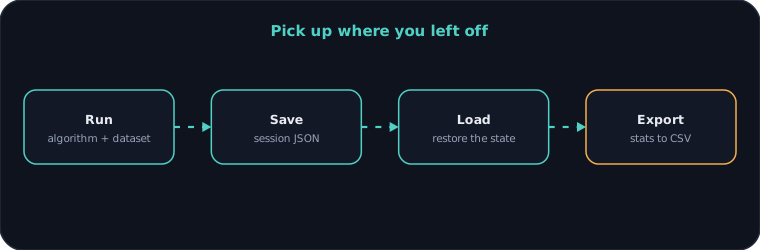
- Save and load sessions as JSON, and export performance statistics to CSV
- Keyboard shortcuts for every main action
- A pytest suite covering the algorithms, datasets, persistence and a UI smoke test
Architecture
System architecture
Recording a trace
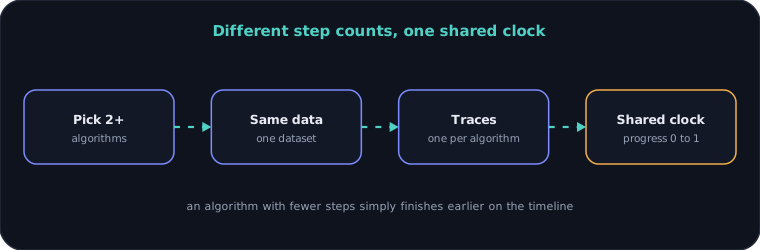
Comparison mode
Sessions and exports
Engineering decisions
01Algorithms as generators
Each sort yields an event after every comparison, swap and write. The algorithm stays readable as ordinary code, and the interface never has to be threaded into its loop.
02Record the whole run first
Arrays are capped at 300 elements, so a full trace is cheap to build and keeps a snapshot at every step. In return, the timeline slider, step back and speed changes cost nothing.
03A shared clock for comparison
Every trace is read by a single progress value from 0 to 1. Algorithms with different step counts move side by side without any synchronization code.
04An engine with no Qt in it
The sorting, trace, dataset, session and export code imports nothing from Qt. It is tested without a display, and the interface can change without touching it.
05Honest limits
Dataset size is capped at 300 elements on purpose. It is a teaching tool, not a benchmark, and the README says so.
Gallery
Need something similar?
Tell me what you are building and I will reply within one working day.