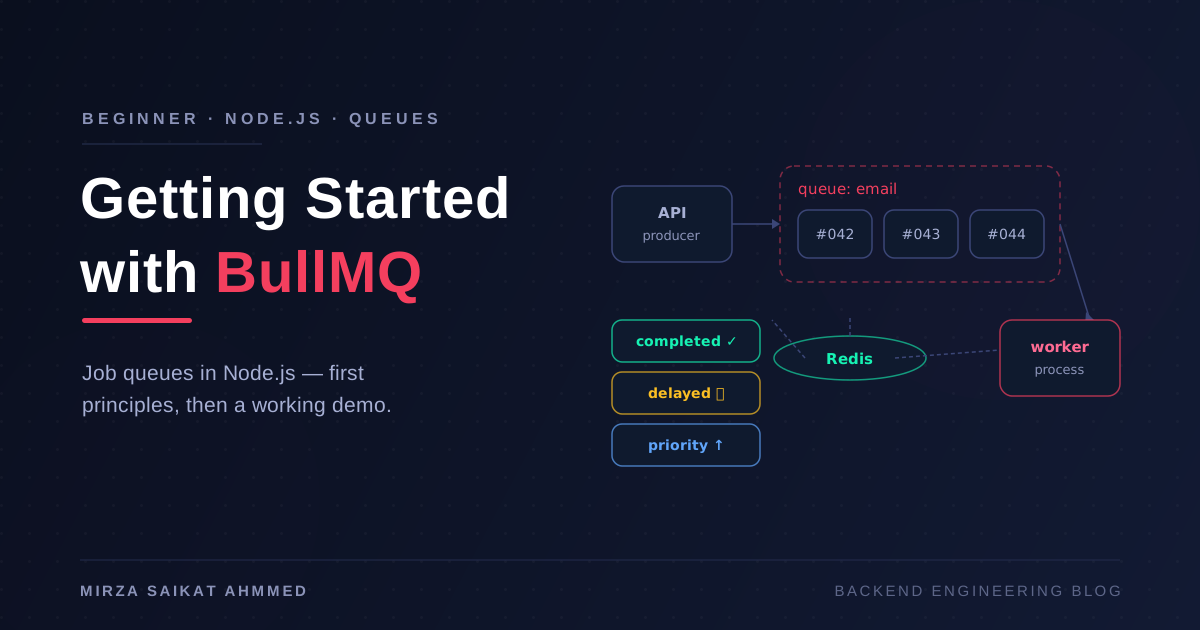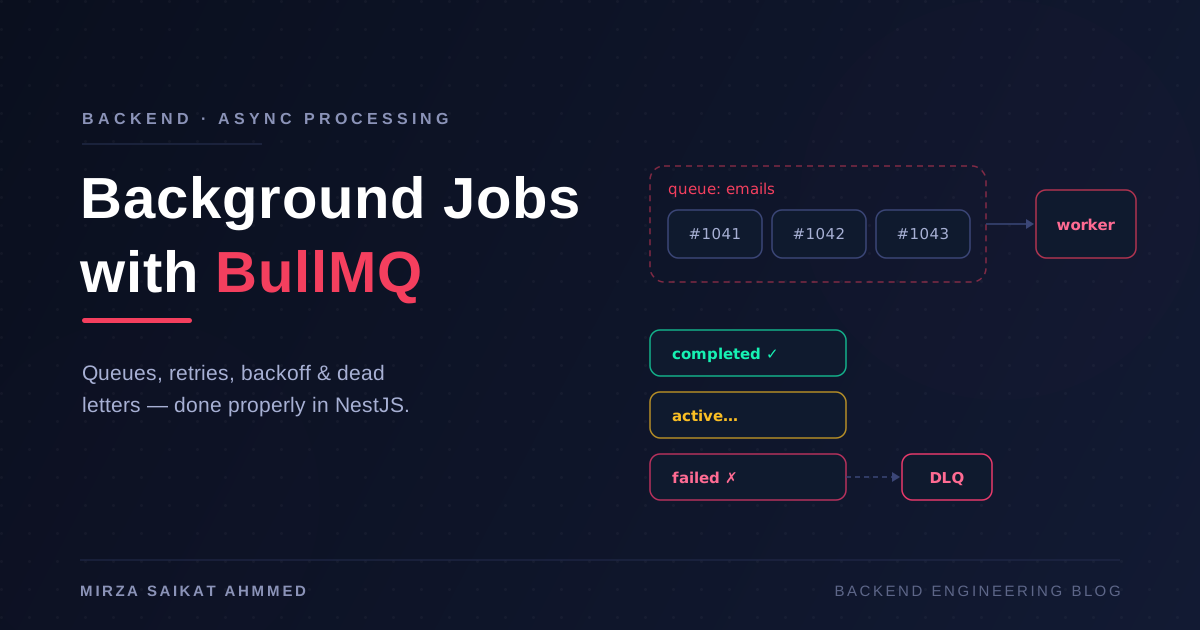
The first time a background queue saved one of my projects, it wasn't for anything glamorous. A signup endpoint was timing out because it sent a welcome email inline, and the SMTP provider was having a slow day. The fix wasn't a faster email provider — it was accepting that sending an email is not part of creating a user. The request should write the row, enqueue "send welcome email", and return. Everything else is someone else's problem, later.
That mental shift — separating "what must happen now" from "what must happen eventually" — is the whole game. Emails, PDF exports, image processing, syncing to a CRM, fanning a webhook out to fifty subscribers: none of it belongs in the request/response cycle. Once you accept that, you need a queue, and in the Node ecosystem the queue I keep reaching for is BullMQ on top of Redis. If you're already running Redis for caching — and if you've read my post on Redis caching strategies in NestJS, you probably are — the marginal infrastructure cost of BullMQ is close to zero.
This post is the setup I actually ship: queues and processors, retries with backoff, idempotency, scheduled and repeatable jobs, dead-letter handling, monitoring, and the shutdown behavior that everyone forgets until a deploy eats a job.
Setting up BullMQ in NestJS
Two packages, one Redis connection:
npm install @nestjs/bullmq bullmq
Register the connection once at the root, then register each queue in the module that owns it:
// app.module.ts
@Module({
  imports: [
    BullModule.forRoot({
      connection: { host: 'localhost', port: 6379 },
      defaultJobOptions: {
        removeOnComplete: { count: 1000 },
        removeOnFail: { count: 5000 },
      },
    }),
  ],
})
export class AppModule {}
// email/email.module.ts
@Module({
  imports: [BullModule.registerQueue({ name: 'emails' })],
  providers: [EmailProducer, EmailProcessor],
})
export class EmailModule {}
Those removeOnComplete / removeOnFail defaults matter more than they look. BullMQ keeps finished jobs in Redis until you tell it not to, and I've watched a Redis instance quietly fill up with two million completed job records because nobody set a retention policy. Cap it from day one.
Producing a job is a one-liner from any service:
@Injectable()
export class EmailProducer {
  constructor(@InjectQueue('emails') private queue: Queue) {}

  async sendWelcome(userId: string) {
    await this.queue.add('welcome', { userId }, {
      attempts: 5,
      backoff: { type: 'exponential', delay: 2000 },
    });
  }
}
Processors: where the work happens
A processor is a class that consumes jobs from one queue. In @nestjs/bullmq it's a WorkerHost:
@Processor('emails', { concurrency: 10 })
export class EmailProcessor extends WorkerHost {
  async process(job: Job<{ userId: string }>): Promise<void> {
    switch (job.name) {
      case 'welcome':
        return this.sendWelcome(job.data.userId);
      case 'password-reset':
        return this.sendReset(job.data.userId);
      default:
        throw new Error(`Unknown job ${job.name}`);
    }
  }
}
Two things I've learned to be strict about:
- One queue per domain, not per job type. An
emailsqueue with several job names beats fifteen micro-queues. Each queue is a set of Redis structures and a worker pool; fewer queues means less to monitor and tune. - Keep job payloads small. Pass IDs, not entities. The job might run seconds or hours after it was enqueued — the user row it references may have changed, and a fat serialized object in Redis is a stale snapshot plus wasted memory. Fetch fresh data inside the processor.
Retries and exponential backoff
The attempts + backoff options above give you retries for free: with delay: 2000 and exponential backoff, failures retry after roughly 2s, 4s, 8s, 16s, then land in the failed set. That schedule is kind to a struggling downstream service — hammering a rate-limited SMTP API every 200ms just extends the outage.
The subtlety is that not every failure deserves a retry. A 500 from the email provider? Retry. A "this email address doesn't exist" validation error? Retrying five times just burns worker time and pollutes your metrics. BullMQ lets a processor opt out:
import { UnrecoverableError } from 'bullmq';

async process(job: Job) {
  const user = await this.users.findById(job.data.userId);
  if (!user) {
    // Permanent condition — go straight to failed, skip remaining attempts
    throw new UnrecoverableError(`User ${job.data.userId} no longer exists`);
  }
  await this.mailer.send(user.email, 'welcome');
}
Classify errors early: transient (network, 5xx, timeouts) get the backoff ladder; permanent (validation, 4xx, missing records) get UnrecoverableError.
Idempotency: assume every job runs twice
Here's the uncomfortable truth about any at-least-once queue: your handler will eventually run more than once for the same logical event. A worker can complete the work, then crash before acknowledging; the job gets picked up again. Retries after partial failures re-execute the parts that already succeeded. If your handler charges a card or emails a customer, "runs twice" is a real incident.
Two defenses, and I usually use both:
Deterministic job IDs — BullMQ deduplicates on jobId, so two enqueues of the same logical event collapse into one job:
await this.queue.add('welcome', { userId }, {
  jobId: `welcome:${userId}`,   // second add() with same ID is a no-op
});
Idempotency checks inside the handler — because deduplication protects against double enqueue, not double execution:
async process(job: Job<{ orderId: string }>) {
  const order = await this.orders.findById(job.data.orderId);
  if (order.invoiceSentAt) return;          // already done — exit quietly

  await this.mailer.sendInvoice(order);
  await this.orders.markInvoiceSent(order.id);
}
This is the same discipline webhook handlers need — I covered the Stripe flavor of it in the complete Stripe payment guide. The rule generalizes: check state, do work, record state, and make the check cheap.
Delayed, repeatable, and rate-limited jobs
Three scheduling features cover almost every "we need a cron server" conversation:
Delayed jobs run once, later — perfect for "send a follow-up 24 hours after signup":
await this.queue.add('followup', { userId }, { delay: 24 * 60 * 60 * 1000 });
Repeatable jobs are cron inside the queue, with the queue's retry and monitoring semantics for free:
await this.queue.upsertJobScheduler('nightly-report',
  { pattern: '0 3 * * *' },
  { name: 'report', data: {} },
);
Rate-limited queues solve the "our provider allows 100 requests per minute" problem at the worker level instead of sprinkling sleep() calls through your code:
@Processor('emails', {
  concurrency: 10,
  limiter: { max: 100, duration: 60_000 },  // 100 jobs per minute, cluster-wide
})
The limiter is enforced across all workers on the queue, which is exactly what you want when you scale to three replicas and each one would otherwise think it has the full budget.
Failed jobs and the dead-letter pattern
When a job exhausts its attempts, BullMQ parks it in the queue's failed set. That's a dead-letter queue in spirit — but it's passive. Nothing happens unless you make it happen, and a failed set nobody looks at is where data quietly goes to die.
My production pattern has three parts:
@Processor('emails')
export class EmailProcessor extends WorkerHost {
  @OnWorkerEvent('failed')
  async onFailed(job: Job, err: Error) {
    if (job.attemptsMade < (job.opts.attempts ?? 1)) return; // still retrying

    // 1. Alert — a terminally failed job is an incident signal
    this.logger.error(`Job ${job.id} dead after ${job.attemptsMade} attempts`, err.stack);

    // 2. Copy to an explicit DLQ for triage and replay
    await this.dlq.add('dead', {
      source: 'emails', name: job.name, data: job.data,
      error: err.message, failedAt: Date.now(),
    });
  }
}
The third part is a replay path: a small admin endpoint (or script) that re-enqueues DLQ entries onto the original queue after the underlying bug is fixed. Without replay, a DLQ is just a graveyard with better labeling. With it, "the email provider was down for two hours" becomes a non-event: fix nothing, replay everything, done.
Monitoring with Bull Board
You cannot operate queues you can't see. Bull Board gives you a dashboard — per-queue counts of waiting/active/completed/failed, job payloads, stack traces, and manual retry buttons:
import { createBullBoard } from '@bull-board/api';
import { BullMQAdapter } from '@bull-board/api/bullMQAdapter';
import { ExpressAdapter } from '@bull-board/express';

const serverAdapter = new ExpressAdapter().setBasePath('/admin/queues');
createBullBoard({
  queues: [new BullMQAdapter(emailQueue), new BullMQAdapter(exportQueue)],
  serverAdapter,
});
app.use('/admin/queues', authGuard, serverAdapter.getRouter());
Put an auth guard in front of it — job payloads are internal data. Beyond the dashboard, the two metrics I alert on are failed-job count (rate of terminal failures) and oldest waiting job age (backlog latency — far more useful than queue depth, because a deep queue draining fast is fine and a shallow queue that's stuck is not).
Graceful shutdown and concurrency
Deploys are where queues lose jobs. If the process dies mid-job, BullMQ will eventually re-deliver it (this is why idempotency is non-negotiable) — but "eventually" means after a stalled-job timeout, which is a delay you don't need to pay. Close the worker properly and it finishes in-flight jobs, stops taking new ones, and exits clean:
@Processor('emails')
export class EmailProcessor extends WorkerHost implements OnModuleDestroy {
  async onModuleDestroy() {
    await this.worker.close();   // waits for active jobs to finish
  }
}
Enable shutdown hooks in main.ts (app.enableShutdownHooks()) and give your orchestrator a termination grace period longer than your slowest job — or cap job runtime so it fits the grace period.
For concurrency, the honest answer is: it depends on what the job does, and the defaults are wrong for someone.
| Workload | Concurrency | Why |
|---|---|---|
| I/O-bound (email, HTTP calls, S3) | 10–50 per worker | Mostly waiting; high parallelism is cheap |
| CPU-bound (PDF render, image resize) | 1–2, or sandboxed processes | Blocks the event loop; starves everything else |
| DB-heavy (bulk writes, migrations) | Match your pool size | Concurrency 50 against a pool of 10 just queues inside the app |
| Rate-limited third parties | Whatever the limiter allows | Let limiter be the throttle, not concurrency |
For genuinely CPU-heavy jobs, run the processor in a separate worker process from your HTTP app entirely. It's the same code, a different entry point, and it means a burst of PDF exports can never make your API latency spike. That split — API process enqueues, dedicated worker process consumes — is also the natural first step toward the service decomposition I described in NestJS microservices architecture, without any of the distributed-systems ceremony.
Wrapping up
Background jobs are one of those investments that look like overhead until the first bad day, and then look obvious forever after. The core moves: register queues with retention caps, keep payloads to IDs, retry transient errors with exponential backoff and fail fast on permanent ones, write every handler as if it will run twice (it will), use delayed and repeatable jobs instead of a cron server, and wire a real dead-letter path with alerting and replay — not just a failed set nobody reads.
None of this is exotic. BullMQ and @nestjs/bullmq make the mechanics almost boring, and boring is exactly what you want from the system that's quietly doing all the work your users never see.
Working on something like this?
I take on backend, payments and deployment projects. I reply within one working day.