Overview
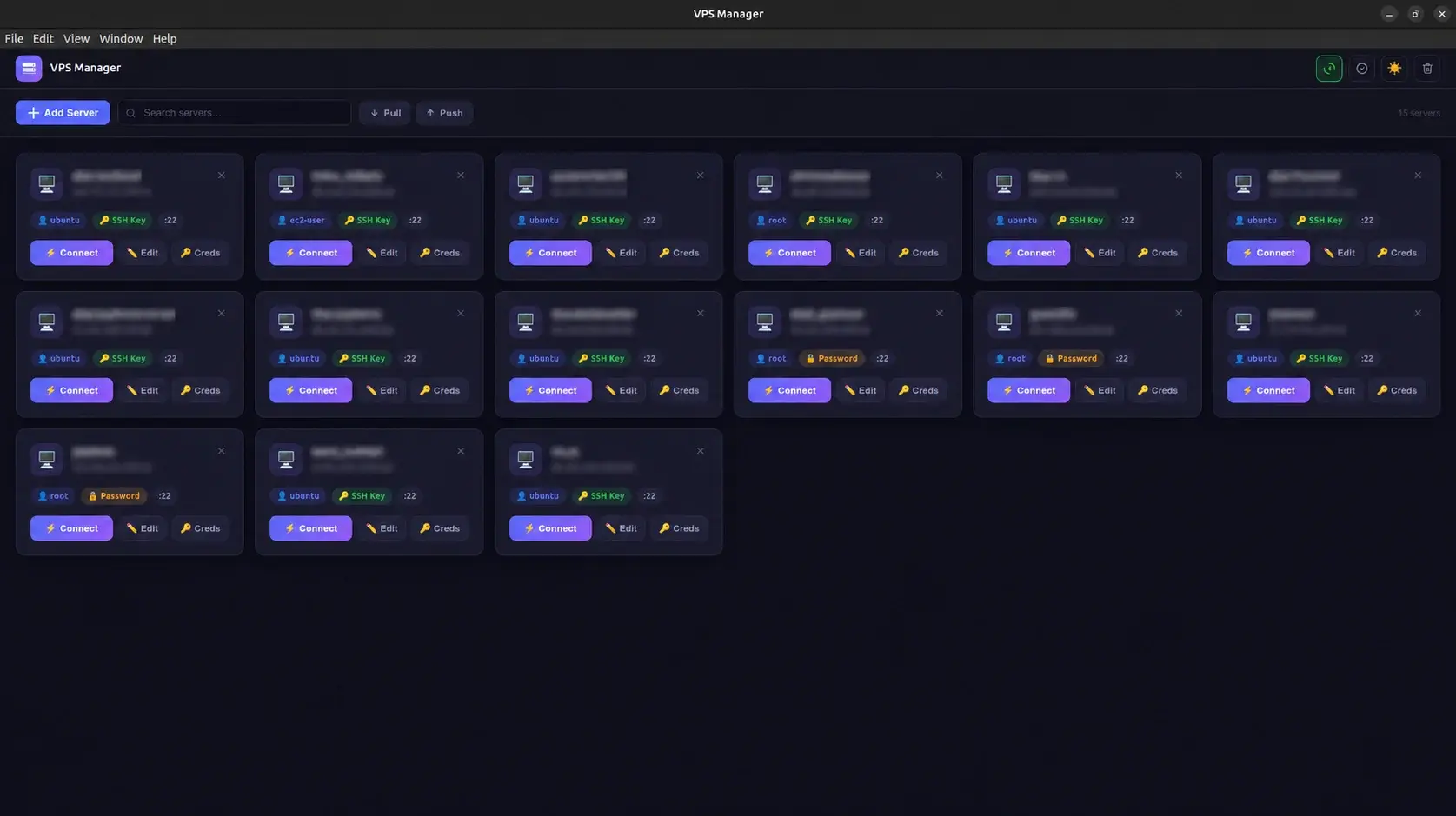
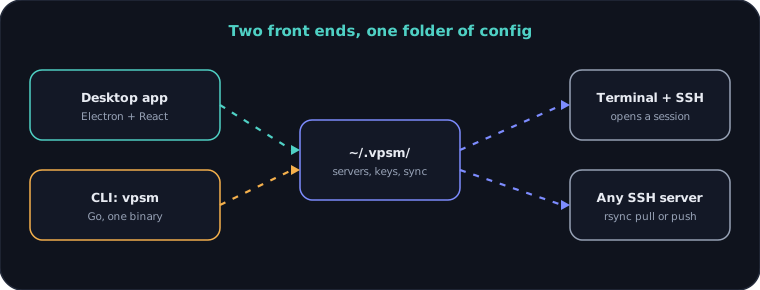
I built VPS Manager, a tool for keeping a growing list of SSH servers under control. A desktop app (Electron and React) and a single-binary command-line tool (Go) share one config folder, open an SSH session in one click, and sync server lists between machines over SSH.
The desktop app is on the Snap Store, and the CLI runs on Linux, macOS, Windows, Raspberry Pi and Android.
Problem
Anyone who runs several servers ends up with host names, users, ports and key files scattered across notes, shell history and SSH config files. Finding the right command is slow, a new laptop means rebuilding the list from memory, and an easy mistake is connecting to the wrong machine.
Approach
I built one place for servers with two ways to use it. The desktop app shows every server as a card with search, drag to reorder and a Connect button. The CLI does the same from a terminal, from a Raspberry Pi to a phone. Both keep their data as plain files in one folder, so they always agree, and a sync over SSH carries that folder to a new machine.
Outcome
- Apps: desktop and CLI
- 2
- CLI platforms
- 6
- CLI commands
- 9
- Desktop version
- 1.0.32
- GitHub releases
- 29
- Lines of JavaScript and Go
- ~2.9k
What I built
- Desktop app with a card per server, search, drag-and-drop order and light and dark themes
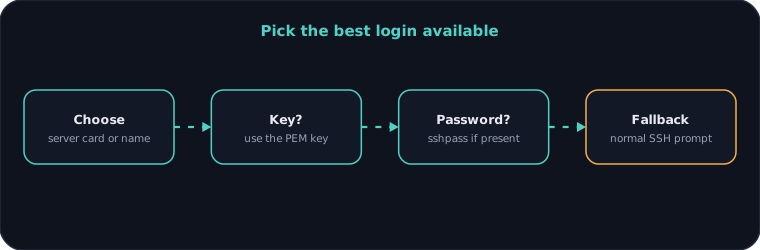
- One-click connect that opens a terminal and logs in with an SSH key, a password or the normal prompt
- Add, edit and delete servers, and store SSH keys with owner-only file permissions
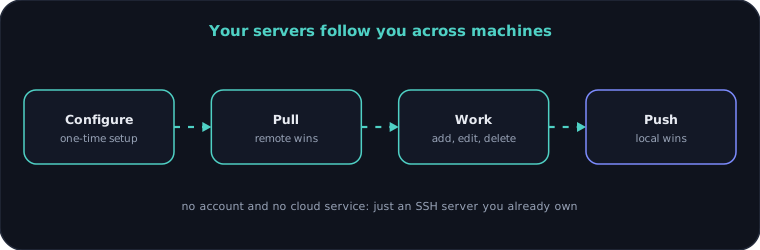
- Cloud sync with pull (remote wins) and push (local wins) over SSH and rsync, with no account needed
- Server files and keys are written with owner-only permissions, and the sync password is never written to disk
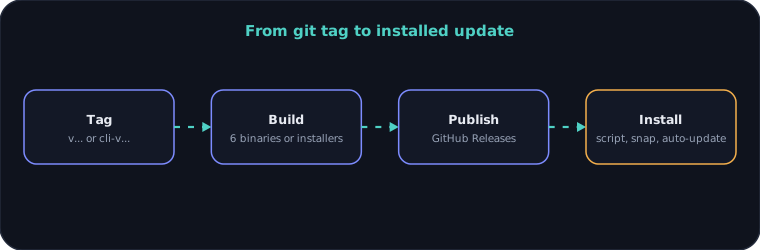
- In-app updates for the desktop app, through GitHub Releases
- Desktop installers for Linux (.deb and Snap), macOS (.dmg) and Windows (.exe)
- Single-binary CLI with list, add, edit, delete, connect and sync commands and no runtime to install
- CLI builds for Linux x86, ARM64 and ARMv7, macOS Intel and Apple Silicon, and Windows, including Android through Termux
- One-line install and uninstall scripts that detect the platform
- GitHub Actions pipelines that build and publish both apps from a tag
Architecture
System architecture
Connecting to a server
Cloud sync
Release pipeline
Engineering decisions
01Plain files in one folder
Servers are one small file each in ~/.vpsm. The desktop app and the CLI need no database or service to agree, and a user can read, back up or edit them by hand.
02Sync over SSH, not a cloud account
A person who manages servers already has an SSH server. Using it for sync means no sign-up, no third-party storage and nothing new to trust.
03A Go binary for the CLI
One static binary installs in seconds and runs on a Raspberry Pi or a phone with no runtime. The same code builds for six platforms from one pipeline.
04Locked-down files, no sync password on disk
Server files and SSH keys are written with owner-only permissions so other users on the machine cannot read them. The sync password is asked for and never saved.
05Updates the user chooses
The desktop app checks for updates but waits to download them, so a server tool never changes underneath someone in the middle of work.
06Public releases, private source
Installers and CLI binaries are published as releases people can download, while the source stays in a private repository.
Need something similar?
Tell me what you are building and I will reply within one working day.